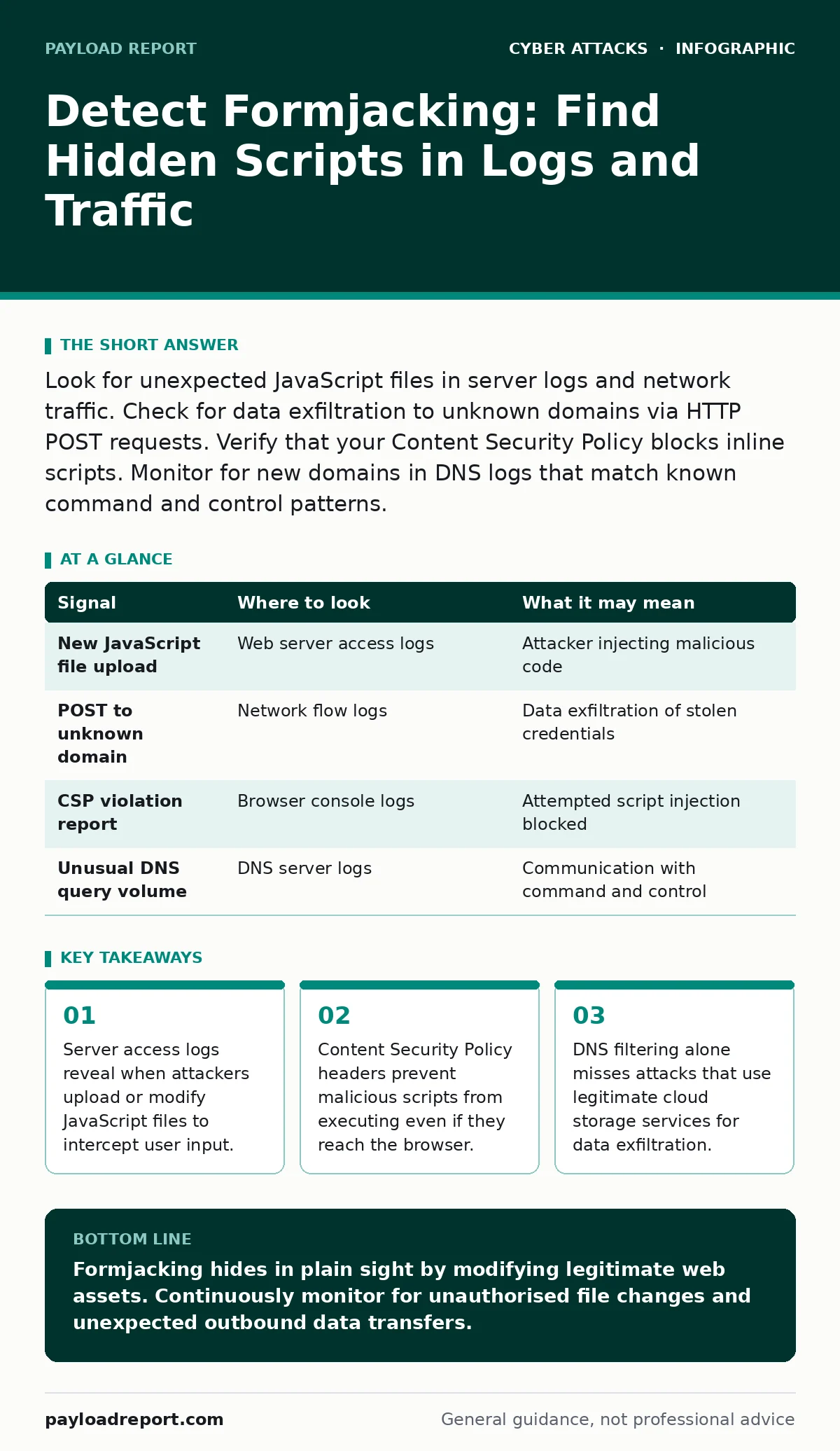
Look for unexpected JavaScript files in server logs and network traffic. Check for data exfiltration to unknown domains via HTTP POST requests. Verify that your Content Security Policy blocks inline scripts. Monitor for new domains in DNS logs that match known command and control patterns.
Hidden JavaScript in Server Logs
Formjacking begins when an attacker modifies the code that renders a web page. They do not need to break into your database to steal data. Instead, they inject a small script into the HTML or JavaScript files that your server serves to visitors. This script runs in the user's browser, captures keystrokes or form fields, and sends the data elsewhere.
You will see this activity in your web server access logs. Look for requests to upload or modify static assets. Attackers often use administrative interfaces to upload new JavaScript files. These files may have generic names like analytics.js or jquery.min.js. Check the modification timestamps of these files. If a file changed recently without a corresponding deployment record, investigate it immediately.
Review the response headers for these files. Legitimate scripts usually have specific cache-control headers. Malicious uploads may lack these headers or have incorrect content types. Compare the file hashes against your known good versions. Any mismatch indicates tampering.
Network Traffic Anomalies
Once the script executes in the browser, it must send the stolen data somewhere. This creates network traffic that differs from normal browsing behaviour. The script typically uses an HTTP POST request to send the data to a remote server. This request often contains sensitive fields like credit card numbers or login credentials.
Monitor your outbound traffic for POST requests to unknown domains. These domains may be newly registered or hosted on free cloud storage platforms. Attackers use these platforms to avoid detection and reduce costs. The payloads are often encoded in JSON or form-encoded formats. Look for large POST bodies that do not match expected API endpoints.
Check for requests that bypass your normal web application firewall rules. Attackers may use encrypted connections to hide the content of the stolen data. However, the destination domain and the volume of data remain visible. Unusual spikes in data volume to a single external IP address warrant further investigation.
Content Security Policy Violations
Content Security Policy (CSP) is a security standard that allows website owners to specify which domains the browser should consider valid sources of executable scripts. Without a strict CSP, a browser will execute any JavaScript it finds on the page, including malicious injections. A well-configured CSP blocks the execution of inline scripts and scripts from untrusted domains.
Check your browser console logs for CSP violations. Modern browsers report when a script is blocked due to a policy mismatch. These reports appear in your server logs if you have configured CSP reporting endpoints. A sudden increase in violation reports may indicate that an attacker is trying to inject code that your policy blocks.
However, attackers often find ways to bypass CSP. They may use a trusted domain that has been compromised or use a nonce-based policy incorrectly. Review your CSP headers regularly to ensure they are strict and specific. Avoid using wildcard domains unless absolutely necessary. A weak CSP provides a false sense of security.
| Signal | Where to look | What it may mean |
|---|---|---|
| New JavaScript file upload | Web server access logs | Attacker injecting malicious code |
| POST to unknown domain | Network flow logs | Data exfiltration of stolen credentials |
| CSP violation report | Browser console logs | Attempted script injection blocked |
| Unusual DNS query volume | DNS server logs | Communication with command and control |
DNS Query Patterns
The malicious script needs to resolve the domain name of the server receiving the stolen data. This generates DNS queries from the user's browser. If you monitor DNS traffic, you can see these lookups. The domains used for exfiltration are often short-lived and rotate frequently.
Look for DNS queries to domains that were registered recently. Attackers register these domains to avoid blacklisting. The domains may have random characters or mimic legitimate brands. Check the TTL (time to live) values for these domains. Low TTL values suggest the attacker is changing the IP address frequently to evade detection.
Compare these queries against your known good list of vendors and partners. Any domain not in your list that receives traffic from your web application should be treated as suspicious. DNS filtering can block access to known malicious domains. However, it cannot stop queries to domains that have not yet been identified as malicious.
Blind Spots in Detection
Many teams rely on signature-based detection methods. These methods look for known patterns of malicious code. Formjacking attacks often use obfuscated or minified JavaScript. This makes signature-based detection ineffective. The code may look like legitimate analytics or advertising scripts.
Another common blind spot is trusting internal networks. Attackers may host the exfiltration server within the same organisation or on a cloud account owned by the victim. Internal traffic is often not inspected as strictly as external traffic. This allows the stolen data to move freely without triggering alerts.
See also: DNS Filtering: What It Blocks and What It Misses
Tooling for Investigation
Several tools help in detecting and analysing formjacking. Web Application Firewalls (WAF) can inspect incoming requests for malicious payloads. However, they may not catch code that is already hosted on your server. Intrusion Detection Systems (IDS) can monitor network traffic for suspicious patterns.
Browser developer tools are useful for manual investigation. You can inspect the network tab to see all requests made by the browser. Look for requests that occur after form submission. Check the request payload for sensitive data. You can also audit the DOM (Document Object Model) to find injected scripts.
Static analysis tools can scan your JavaScript files for suspicious functions. These tools look for code that accesses form elements or makes network requests. They can help identify malicious code before it reaches production. Integrate these tools into your development pipeline to catch issues early.
Preventing Future Injections
Prevention requires a combination of technical controls and process improvements. Implement strict access controls for your web server and content management system. Only authorised personnel should be able to upload or modify files. Use multi-factor authentication for all administrative accounts.
Regularly audit your web application for changes. Compare the current state of your files against a known good baseline. Automated tools can perform this check continuously. Any unauthorised change should trigger an immediate alert.
Educate your development team about secure coding practices. They should validate and sanitise all user inputs. This prevents attackers from injecting code through vulnerable forms. Also, review third-party scripts carefully. Ensure that vendors follow security best practices. A breach in a vendor's system can lead to a formjacking attack on your site.
See how phishing kits are often used to deliver the initial access credentials that allow attackers to inject these scripts. Understanding the delivery mechanism helps you strengthen your defences against the entire attack chain. Also, review your vendor email compromise procedures, as social engineering is a common way for attackers to gain the initial foothold needed for formjacking. Finally, ensure your DNS filtering is configured to block known malicious domains, although this alone is not sufficient to stop all exfiltration attempts.
Key takeaways
- Server access logs reveal when attackers upload or modify JavaScript files to intercept user input.
- Content Security Policy headers prevent malicious scripts from executing even if they reach the browser.
- DNS filtering alone misses attacks that use legitimate cloud storage services for data exfiltration.
Formjacking hides in plain sight by modifying legitimate web assets. Continuously monitor for unauthorised file changes and unexpected outbound data transfers.
Frequently asked questions
Can antivirus software detect formjacking?
Traditional antivirus focuses on endpoints and executable files. It rarely inspects web traffic or server-side JavaScript for injection attacks.
How do I know if my CSP is effective?
Check for violation reports in your server logs. If you see no violations, your policy may be too loose or not enforced by all browsers.
Is formjacking the same as phishing?
Phishing tricks users into visiting a fake site. Formjacking injects code into a real, trusted site to steal data directly from the user's input.
Can I block formjacking with a firewall?
A firewall can block known malicious IPs. However, it cannot prevent code injection into your own servers or detect obfuscated scripts in real-time.
How this guide was produced: written by the Payload Report editorial team with AI assistance, checked against the public references listed below, and reviewed when the facts change. See our editorial policy or report an error.