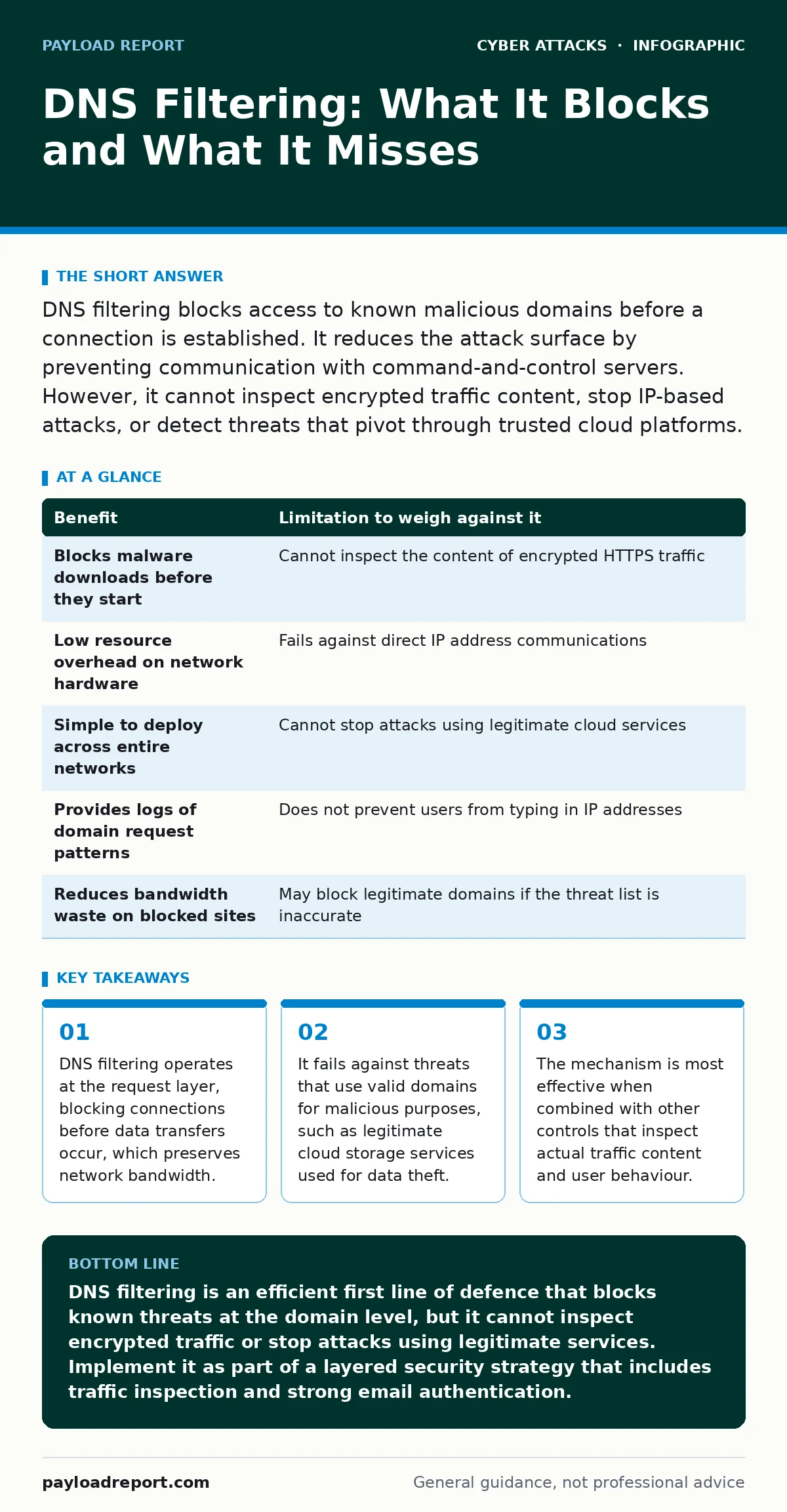
DNS filtering blocks access to known malicious domains before a connection is established. It reduces the attack surface by preventing communication with command-and-control servers. However, it cannot inspect encrypted traffic content, stop IP-based attacks, or detect threats that pivot through trusted cloud platforms.
How DNS Filtering Works in Practice
Domain Name System filtering intercepts requests for domain names before they resolve to IP addresses. When your device asks for the location of a website, the filter checks that domain against a list of known threats. If the domain is on the blacklist, the request fails. If it is on the whitelist or unknown, the request proceeds to a resolver.
This process happens before any actual data transfer begins. You do not download the malicious file because you never establish a connection to the server hosting it. The filter acts as a gatekeeper at the naming layer of the network stack.
The Concrete Benefits of Blocking at the Source
The primary advantage is speed. Because the filter works on domain names, it requires minimal processing power compared to deep packet inspection. This means you can protect thousands of devices without buying expensive hardware. The latency added to a web request is negligible, often measured in milliseconds.
It also provides broad coverage. A single policy can block access to adult content, gambling sites, or known malware distribution points for every device on the network. You do not need to install agents on individual laptops or phones. The protection is network-wide and immediate.
Another benefit is visibility. You gain a log of every domain requested by every device. This helps you identify unusual patterns, such as a printer trying to contact a server in a foreign country, which might indicate a compromised device.
The Hidden Limitations of Domain-Level Controls
The biggest limitation is that DNS filtering cannot see inside the connection. Once a domain resolves to an IP address, the filter steps back. If an attacker uses a legitimate domain to host malicious code, the filter allows the connection. This is common with phishing kits that use compromised legitimate websites.
It also fails against IP-based attacks. If an attacker communicates directly using an IP address, there is no domain name to filter. The request bypasses the DNS layer entirely. This is rare for casual threats but common in advanced persistent threats that want to avoid detection.
Encrypted traffic is another blind spot. DNS filtering does not decrypt TLS connections. It cannot see if a user is uploading sensitive data to a legitimate cloud service. If an insider threat uses a trusted file-sharing platform to steal documents, the DNS filter will allow the traffic because the domain is known and safe.
Comparing Benefits and Limitations
| Benefit | Limitation to weigh against it |
|---|---|
| Blocks malware downloads before they start | Cannot inspect the content of encrypted HTTPS traffic |
| Low resource overhead on network hardware | Fails against direct IP address communications |
| Simple to deploy across entire networks | Cannot stop attacks using legitimate cloud services |
| Provides logs of domain request patterns | Does not prevent users from typing in IP addresses |
| Reduces bandwidth waste on blocked sites | May block legitimate domains if the threat list is inaccurate |
When DNS Filtering Is Worth It
DNS filtering is worth the investment when you need a baseline layer of defence for a large number of devices. It is particularly useful for organisations with many internet-connected devices that are difficult to manage individually, such as guest Wi-Fi networks or IoT sensors.
It is also valuable when you need to enforce acceptable use policies. If you need to block access to specific categories of websites, DNS filtering is the most efficient method. It prevents accidental exposure to malicious advertising or drive-by downloads from low-risk sites.
Consider it when you lack the resources for deep packet inspection. If you cannot afford to inspect every packet of data, blocking known bad domains is a cost-effective way to reduce risk. It acts as a triage system, stopping the obvious threats so you can focus resources on more subtle attacks.
See also: Rainbow Table Attack Response: Contain, Recover and Prevent Credential Theft
When DNS Filtering Is Not Enough
DNS filtering is not enough when you need to protect sensitive data from exfiltration. It cannot distinguish between a user downloading a legitimate update and uploading confidential files to a cloud storage service. For data loss prevention, you need tools that inspect the actual payload.
It is also insufficient for protecting against sophisticated phishing attacks. Many phishing emails now use domains that look legitimate or use subdomains of trusted brands. If the domain is not yet on a blacklist, the filter will allow the connection. You need email security controls that analyse the message content and sender reputation.
Integrating with Other Security Measures
DNS filtering works best as part of a layered defence. It should be combined with solutions that inspect traffic content. For example, while DNS filtering blocks access to a known malware site, a web proxy can inspect the content of allowed sites for malicious scripts.
It also complements identity security measures. If you implement login alerts, you can correlate suspicious login attempts with unusual DNS queries. If a user account logs in from a new location and immediately requests domains associated with data exfiltration, you have a stronger signal of compromise.
For email security, DNS filtering helps but does not replace authentication protocols. Ensure you have SPF records configured to verify sender domains. This prevents attackers from spoofing your domain, which is a common precursor to vendor email compromise attacks.
Managing False Positives and User Experience
One of the ongoing challenges is managing false positives. Sometimes a legitimate domain is incorrectly flagged as malicious. This happens when a new domain is registered and immediately abused, or when a threat intelligence provider makes an error. Users will call IT support when they cannot access a valid website.
You need a process for reviewing blocked domains. Allow users to request unblocking, but have a security team review these requests. This balances security with productivity. If you block too much, users will find ways to bypass the controls, such as using personal mobile hotspots.
Regularly update your threat intelligence feeds. Stale lists miss new threats, while overly aggressive lists block legitimate services. Find a balance that fits your risk tolerance. Test your configurations in a non-production environment before deploying changes to the whole network.
Key takeaways
- DNS filtering operates at the request layer, blocking connections before data transfers occur, which preserves network bandwidth.
- It fails against threats that use valid domains for malicious purposes, such as legitimate cloud storage services used for data theft.
- The mechanism is most effective when combined with other controls that inspect actual traffic content and user behaviour.
DNS filtering is an efficient first line of defence that blocks known threats at the domain level, but it cannot inspect encrypted traffic or stop attacks using legitimate services. Implement it as part of a layered security strategy that includes traffic inspection and strong email authentication.
Frequently asked questions
Can DNS filtering stop ransomware?
It can prevent initial infection by blocking communication with command-and-control servers, but it cannot stop ransomware that spreads via lateral movement within the network or through direct IP connections.
Does DNS filtering slow down the internet?
It adds minimal latency, usually a few milliseconds, because it only checks domain names against a list. It does not inspect the content of the data being transferred.
How does DNS filtering differ from a firewall?
A firewall controls traffic based on IP addresses and ports, while DNS filtering controls traffic based on domain names. They work at different layers of the network stack and provide complementary protection.
Can users bypass DNS filtering?
Yes, users can bypass it by changing their DNS settings to use public resolvers, using VPNs, or accessing the internet via mobile data. Network policies should enforce the use of the filtering DNS resolver.
How this guide was produced: written by the Payload Report editorial team with AI assistance, checked against the public references listed below, and reviewed when the facts change. See our editorial policy or report an error.