List all sending servers in an SPF TXT record. Publish it with a soft fail mechanism first. Monitor logs for rejected messages. Once validated, tighten the policy to hard fail. Regularly audit IP addresses to maintain accuracy and prevent spoofing.
Audit Your Sending Infrastructure
Before touching your DNS settings, you must know every server and service that sends email on behalf of your domain. This includes marketing platforms, transactional email providers, legacy systems, and internal mail servers. If you miss a source, your SPF record will block that traffic.
Create a comprehensive list of all IPv4 addresses, IPv6 addresses, and hostnames associated with your outbound mail. Verify each entry by checking with the service provider’s documentation. Do not rely on memory or outdated tickets.
Construct the Initial SPF Record
An SPF record is a DNS TXT record that defines which hosts are permitted to send mail for a domain. The syntax begins with a version tag, followed by mechanisms, and ends with an all mechanism. Start with a permissive policy to avoid disruption.
Use the v=spf1 tag to declare the record version. List your IP addresses using the ip4: and ip6: mechanisms. If you use hostnames, use the a: or mx: mechanisms. End the record with ~all to indicate a soft fail. This tells receivers that unlisted senders are suspicious but not necessarily malicious.
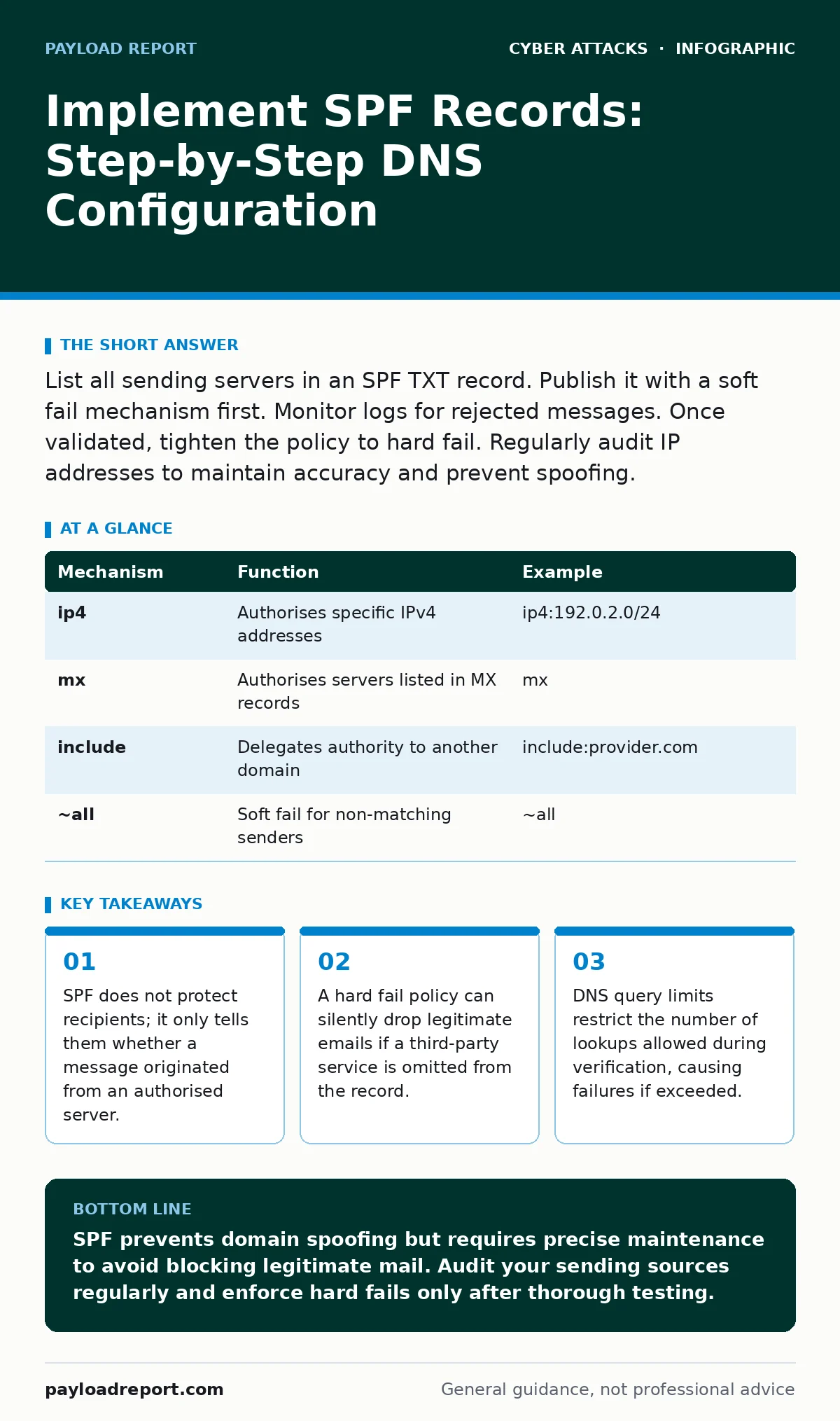
| Mechanism | Function | Example |
|---|---|---|
ip4 | Authorises specific IPv4 addresses | ip4:192.0.2.0/24 |
mx | Authorises servers listed in MX records | mx |
include | Delegates authority to another domain | include:provider.com |
~all | Soft fail for non-matching senders | ~all |
Publish and Verify Syntax
Add the constructed string as a TXT record for your root domain. Do not place it in a subdomain unless you specifically intend to protect that subdomain only. DNS propagation can take time, so wait before testing.
Use a public DNS lookup tool to query the TXT record for your domain. The output must match your input exactly, including spaces and punctuation. A single missing character can break the entire record. Ensure the record is not split across multiple lines in a way that violates DNS length limits.
Test with Soft Fail
Send test messages from every source listed in your record. Also send messages from an unlisted source to simulate a spoofing attempt. Check the headers of received messages to see how the receiver interprets the SPF result.
Look for the Received-SPF header or the Authentication-Results header. A pass result means the sending IP matched the record. A softfail result means the IP did not match, but the message was still delivered. This confirms your record is active and being evaluated.
Tighten to Hard Fail
Once you have confirmed that all legitimate traffic passes and no false positives exist, change the final mechanism from ~all to -all. This is a hard fail. Receivers will reject messages from unlisted sources outright.
This step carries risk. If you later add a new sending service and forget to update the SPF record, those emails will bounce. Monitor bounce logs closely for the first few weeks after this change. Address any unexpected rejections immediately.
See also: DNS Filtering: What It Blocks and What It Misses
Manage DNS Lookup Limits
SPF verification involves DNS lookups. Each include, a, mx, ptr, or exists mechanism consumes one lookup. The standard limit is ten lookups per verification. Exceeding this limit causes the verification to fail, often resulting in a neutral or hard fail result.
Count your mechanisms carefully. Nested includes multiply the cost. If you include a provider that itself includes other services, each step adds to the total. Consolidate IP addresses into CIDR blocks where possible to reduce the number of mechanisms.
Maintain and Monitor
SPF records are not static. Sending infrastructure changes. Services are added, decommissioned, or migrated. You must update the record to reflect these changes. Stale records lead to delivery issues or security gaps.
Set up a process to review your SPF record quarterly. Check for new sending services. Remove IP addresses that are no longer in use. Monitor your email deliverability metrics for spikes in hard bounces, which may indicate an SPF mismatch.
Verification Checklist
Use this list to ensure your implementation is correct and secure.
- All sending IPs and hostnames are identified.
- The record starts with
v=spf1. - The record ends with
~allor-all. - DNS propagation is confirmed.
- Test emails from all sources pass.
- Test emails from unlisted sources fail as expected.
- Lookup count is under ten.
- No syntax errors exist in the TXT record.
Key takeaways
- SPF does not protect recipients; it only tells them whether a message originated from an authorised server.
- A hard fail policy can silently drop legitimate emails if a third-party service is omitted from the record.
- DNS query limits restrict the number of lookups allowed during verification, causing failures if exceeded.
SPF prevents domain spoofing but requires precise maintenance to avoid blocking legitimate mail. Audit your sending sources regularly and enforce hard fails only after thorough testing.
Frequently asked questions
Does SPF protect against phishing?
SPF only verifies the sending IP address. It does not validate the content or the "From" name. Attackers can still spoof the display name even if SPF fails.
What happens if I exceed the lookup limit?
The SPF check fails. Receivers may treat the message as neutral or fail it, depending on their policy. This can cause legitimate emails to be rejected.
Can I have multiple SPF records?
No. Only one SPF record per domain is allowed. Multiple records cause a permanent error, leading receivers to ignore all SPF data for that domain.
Does SPF work with subdomains?
SPF is domain-specific. You must publish separate records for subdomains if they send email. The root domain record does not automatically apply to subdomains.
How this guide was produced: written by the Payload Report editorial team with AI assistance, checked against the public references listed below, and reviewed when the facts change. See our editorial policy or report an error.