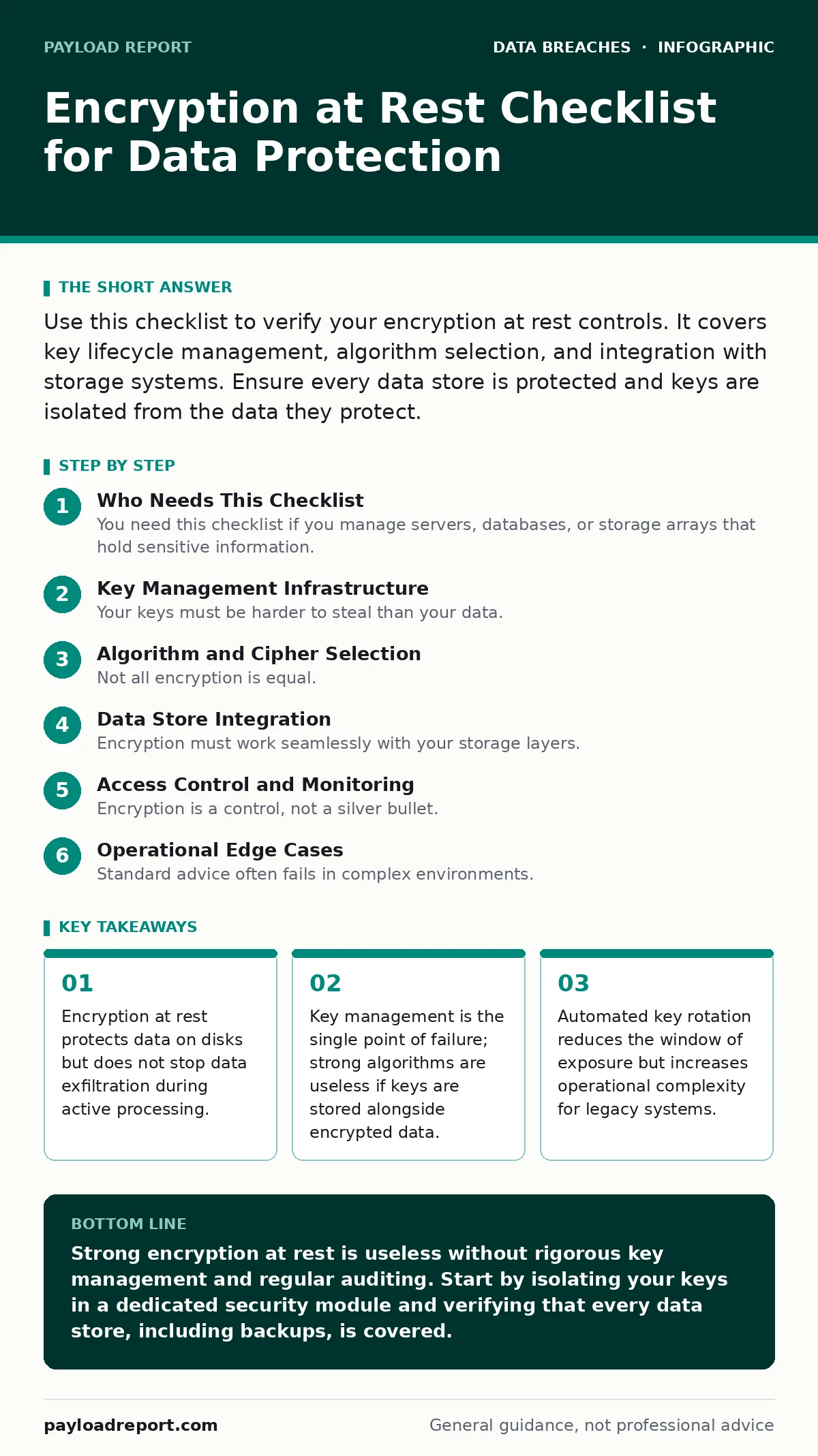
Use this checklist to verify your encryption at rest controls. It covers key lifecycle management, algorithm selection, and integration with storage systems. Ensure every data store is protected and keys are isolated from the data they protect.
Who Needs This Checklist
You need this checklist if you manage servers, databases, or storage arrays that hold sensitive information. It is not for casual users who rely on default device settings. This list applies to system administrators, security engineers, and compliance officers who must prove that data is inaccessible to unauthorised parties. Use it before deploying new infrastructure and annually during audits. It forces you to look beyond the "encryption enabled" box in your control panel.
Key Management Infrastructure
Your keys must be harder to steal than your data. If an attacker gains root access, they should not automatically gain decryption capabilities.
- Store keys in a dedicated Hardware Security Module: HSMs provide physical tamper resistance and isolate cryptographic operations from the general-purpose operating system.
- Enforce separation of duties for key access: No single administrator should hold all permissions to generate, rotate, or destroy keys.
- Implement automated key rotation policies: Regularly changing keys limits the amount of data exposed if a specific key is compromised.
- Disable soft-delete for key archives: Once a key is permanently deleted, data encrypted with it becomes irretrievable, causing accidental data loss.
- Audit key usage logs monthly: Review logs to detect unusual access patterns that may indicate insider threats or compromised credentials.
Algorithm and Cipher Selection
Not all encryption is equal. Some algorithms are broken or too slow for high-volume data. You must choose standards that remain secure against current computing power.
- Use AES-256 for symmetric encryption: This standard is widely accepted, hardware-accelerated, and resistant to known cryptographic attacks.
- Avoid RC4 and DES algorithms: These are obsolete and can be broken with modest computing resources within minutes.
- Verify cipher mode security: Use GCM or CCM modes which provide both confidentiality and integrity checks, preventing tampering.
- Check for implementation side-channels: Poorly written code can leak key information through timing variations or power consumption.
- Validate library updates regularly: Cryptographic libraries often receive patches for subtle bugs that do not break the math but expose the key.
Data Store Integration
Encryption must work seamlessly with your storage layers. If it slows down performance too much, teams will bypass it.
- Encrypt database files at the application level: This protects data even if the underlying volume encryption is disabled or compromised.
- Enable transparent data encryption for block storage: This ensures data is encrypted before it hits the physical disk without application changes.
- Protect backup tapes and cloud snapshots: Backups are often forgotten in security policies but contain the same sensitive data as production.
- Verify encryption of temporary files: Swap space and temp directories can contain fragments of sensitive data if not explicitly encrypted.
- Test recovery procedures with encrypted backups: Ensure you can restore data quickly when keys are available, avoiding ransomware-style paralysis.
Access Control and Monitoring
Encryption is a control, not a silver bullet. You must monitor who is accessing the encrypted data and how.
- Restrict key management console access: Limit IAM roles to only those who strictly need to manage cryptographic materials.
- Monitor for unauthorized access attempts: Alert on repeated failed attempts to access key stores or encrypted volumes.
- Integrate with database activity monitoring: Track queries that touch sensitive columns to detect data scraping inside the encrypted environment.
- Log all key export events: Exporting keys for migration or backup is a high-risk activity that requires strict auditing.
- Review permissions quarterly: Remove access for staff who have changed roles or left the organisation to prevent privilege creep.
See also: GDPR Breach Notification Rules Explained for Beginners
Operational Edge Cases
Standard advice often fails in complex environments. You must account for scenarios where encryption might hinder business continuity or expose data unexpectedly.
- Define a key escrow strategy: Have a secure, separate method to recover keys if the primary key manager fails, avoiding total data loss.
- Encrypt data in transit between encrypted stores: Moving data between two encrypted systems in plain text creates a window of exposure.
- Handle misdirected emails with encrypted attachments: Ensure email gateways do not strip encryption headers when forwarding messages internally.
- Plan for cross-border data transfers: Different jurisdictions may have restrictions on cryptographic key storage or algorithm strength.
- Test disaster recovery with lost keys: Simulate a scenario where the key server is gone to verify your business continuity plan works.
Maintenance and Lifecycle
Encryption requires ongoing maintenance. Algorithms weaken over time as computing power increases.
- Schedule annual algorithm reviews: Assess if current standards still meet your threat model and regulatory requirements.
- Re-encrypt legacy data with new keys: Old data often remains encrypted with weaker keys or older versions of strong keys.
- Document key dependencies: Map which keys protect which datasets to simplify rotation and incident response.
- Update software dependencies: Ensure operating systems and libraries support the latest cryptographic standards.
- Train staff on cryptographic hygiene: Human error in key handling is more common than mathematical flaws in the algorithms.
Key takeaways
- Encryption at rest protects data on disks but does not stop data exfiltration during active processing.
- Key management is the single point of failure; strong algorithms are useless if keys are stored alongside encrypted data.
- Automated key rotation reduces the window of exposure but increases operational complexity for legacy systems.
Strong encryption at rest is useless without rigorous key management and regular auditing. Start by isolating your keys in a dedicated security module and verifying that every data store, including backups, is covered.
Frequently asked questions
Does encryption at rest protect against ransomware?
It protects the data if the attacker steals the files, but ransomware often encrypts data before your controls engage or targets the encryption keys themselves.
How often should I rotate encryption keys?
Rotate keys annually or when a key is suspected to be compromised, balancing security gains against the operational cost of re-encrypting large datasets.
Can I use the same key for different databases?
You can, but it creates a single point of failure. Using unique keys per environment limits the blast radius of a key compromise.
Is cloud storage encryption enough?
Cloud providers offer default encryption, but you must manage your own keys to retain control and prevent the provider from accessing your data.
How this guide was produced: written by the Payload Report editorial team with AI assistance, checked against the public references listed below, and reviewed when the facts change. See our editorial policy or report an error.