
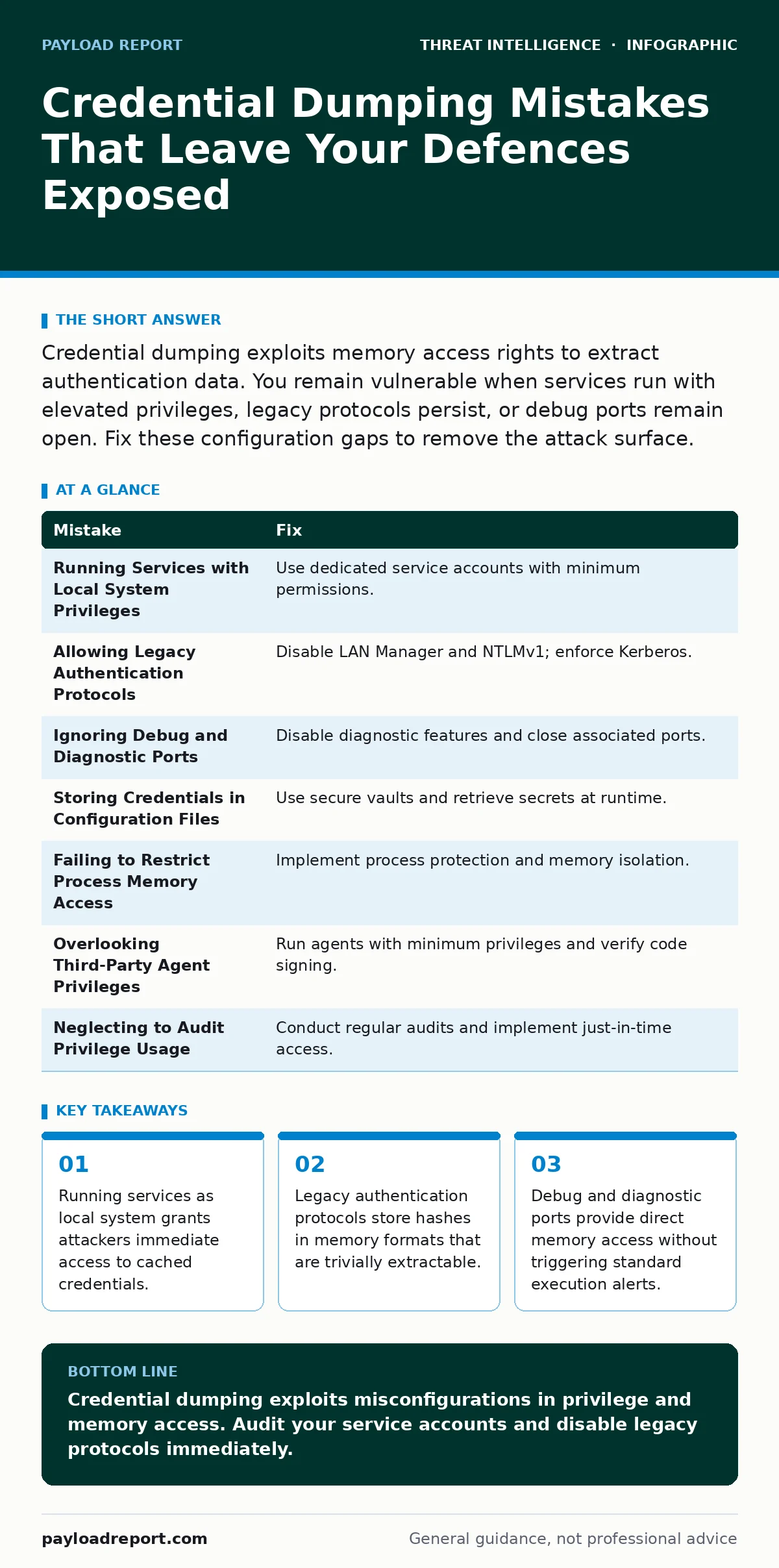
Credential dumping exploits memory access rights to extract authentication data. You remain vulnerable when services run with elevated privileges, legacy protocols persist, or debug ports remain open. Fix these configuration gaps to remove the attack surface.
Mistake 1: Running Services with Local System Privileges
Administrators often assign the Local System account to application services for convenience. This account possesses unrestricted access to the local machine and its credential cache. When a service running as Local System is compromised, the attacker inherits those same rights. They can read the Security Account Manager database and extract credentials for any user logged into the machine. The attack path analysis reveals that privilege escalation is unnecessary when the initial foothold already holds the keys to the kingdom.
Why it hurts:
The attacker gains immediate access to the entire credential store on the host. They do not need to exploit further vulnerabilities or guess passwords. The compromise spreads laterally across the network because the extracted credentials often include domain administrative rights. This bypasses many standard detection rules that look for privilege escalation attempts.
The fix:
Create dedicated service accounts with the minimum permissions required for the application to function. Use Group Managed Service Accounts where possible to automate password rotation and restrict logon rights. Ensure these accounts cannot logon interactively or via remote desktop. This limits the blast radius if the service is compromised.
Mistake 2: Allowing Legacy Authentication Protocols
Organisations frequently disable modern authentication methods but leave legacy protocols enabled for backward compatibility. Protocols like LAN Manager and NTLMv1 store credential hashes in memory in formats that are easy to extract and crack. These protocols do not support strong encryption and are vulnerable to interception. Attackers target processes using these protocols because the credential material is stored in plaintext or weakly hashed formats within the process memory.
Why it hurts:
The credential hashes extracted from memory can be cracked offline with minimal computational effort. Once cracked, the attacker obtains the plain-text password. This allows them to perform pass-the-hash attacks against other systems that accept the same authentication protocol. The security posture degrades because the weakest link in the authentication chain becomes the primary target.
The fix:
Disable legacy authentication protocols at the domain level. Enforce Kerberos for internal authentication where supported. Configure security policies to reject NTLM authentication for domain controllers. Monitor for any remaining NTLM usage and remediate those connections. This removes the easy target from the attacker's view.
Mistake 3: Ignoring Debug and Diagnostic Ports
Many enterprise applications include diagnostic features that remain enabled in production environments. These features often open debug ports or allow direct memory access for troubleshooting. Attackers scan for these open ports to find direct access to process memory. They do not need to inject code or exploit vulnerabilities. They simply connect to the debug interface and read the memory contents, including credentials, directly.
Why it hurts:
This method bypasses traditional endpoint detection and response solutions. The activity appears as legitimate application traffic rather than malicious code execution. The attacker extracts credentials silently without triggering alerts for process injection or suspicious DLL loading. The compromise remains undetected until lateral movement begins.
The fix:
Disable all diagnostic and debug features in production environments. Close unnecessary network ports associated with these features. Use application whitelisting to prevent unauthorized access to diagnostic interfaces. Regularly audit open ports to ensure no debug interfaces are exposed. This closes a direct line of sight into process memory.
Mistake 4: Storing Credentials in Application Configuration Files
Developers often embed database passwords or API keys in configuration files for ease of deployment. These files are stored on disk in plain text or with weak encryption. If an attacker gains read access to the application directory, they can extract these credentials directly. They do not need to dump memory or exploit runtime processes. The credentials are available statically on the file system.
Why it hurts:
The credentials are exposed to any user with read access to the application directory. This includes standard users and service accounts. The attacker can use these credentials to access backend databases or external services. The compromise extends beyond the local machine to connected systems.
The fix:
Use a secure vault or secrets management solution to store credentials. Retrieve secrets at runtime rather than storing them in configuration files. Ensure configuration files are encrypted at rest and have strict file permissions. Rotate secrets regularly to limit the window of exposure. This removes static credential stores from the file system.
Mistake 5: Failing to Restrict Process Memory Access
Operating systems allow processes to read the memory of other processes under certain conditions. Administrators often leave these default permissions in place. Attackers exploit this by attaching to a high-privilege process and reading its memory. They look for credential structures like LSASS in Windows or keychain data in macOS. The lack of strict memory isolation allows this cross-process reading.
Why it hurts:
The attacker can extract credentials from any process they can attach to. This includes critical security processes that hold authentication data. The technique is widely used and well understood by attackers. It requires minimal effort to execute. The resulting credential dump provides immediate access to the network.
The fix:
Implement process protection mechanisms that restrict memory access. Use operating system features like Credential Guard on Windows or similar isolation features on other platforms. Ensure that only authorised processes can attach to critical security processes. Monitor for unauthorized process injection attempts. This adds a layer of defence against memory scraping.
Mistake 6: Overlooking Third-Party Agent Privileges
Security and management agents often run with high privileges to monitor system activity. These agents are trusted components that have deep access to the operating system. Attackers target these agents to steal their credentials or use their privileges to dump memory. The agents themselves become the vector for credential theft. The trust placed in these tools is exploited to bypass security controls.
Why it hurts:
The attacker gains the same privileges as the security agent. This allows them to read memory, modify logs, or disable protections. The compromise is difficult to detect because the activity appears to come from a trusted source. The trust model is broken when third-party tools are not properly secured.
The fix:
Run security agents with the minimum privileges necessary. Implement code signing verification to ensure only authorised updates are installed. Monitor for unusual behaviour from agent processes. Regularly audit the permissions granted to third-party tools. This reduces the risk of agent compromise.
Mistake 7: Neglecting to Audit Privilege Usage
Organisations often fail to regularly audit the privileges assigned to accounts and services. Over time, privileges accumulate through ad-hoc changes and forgotten projects. This privilege creep creates unnecessary access points. Attackers exploit these excess privileges to gain access to credential stores. The lack of visibility into privilege usage allows these gaps to persist.
Why it hurts:
The attacker finds an account with excessive privileges that should not exist. This account provides access to sensitive data and systems. The compromise is easier to execute because the attacker does not need to escalate privileges. The security team is unaware of the excess privileges until the breach occurs.
The fix:
Conduct regular privilege audits to identify and remove unnecessary access rights. Implement just-in-time access controls to limit privilege duration. Use automated tools to monitor privilege usage and detect anomalies. This ensures that privileges are aligned with current operational needs.
| Mistake | Fix |
|---|---|
| Running Services with Local System Privileges | Use dedicated service accounts with minimum permissions. |
| Allowing Legacy Authentication Protocols | Disable LAN Manager and NTLMv1; enforce Kerberos. |
| Ignoring Debug and Diagnostic Ports | Disable diagnostic features and close associated ports. |
| Storing Credentials in Configuration Files | Use secure vaults and retrieve secrets at runtime. |
| Failing to Restrict Process Memory Access | Implement process protection and memory isolation. |
| Overlooking Third-Party Agent Privileges | Run agents with minimum privileges and verify code signing. |
| Neglecting to Audit Privilege Usage | Conduct regular audits and implement just-in-time access. |
Key takeaways
- Running services as local system grants attackers immediate access to cached credentials.
- Legacy authentication protocols store hashes in memory formats that are trivially extractable.
- Debug and diagnostic ports provide direct memory access without triggering standard execution alerts.
Credential dumping exploits misconfigurations in privilege and memory access. Audit your service accounts and disable legacy protocols immediately.
Frequently asked questions
How do I know if my systems are vulnerable to credential dumping?
Check if services run as Local System and if legacy authentication protocols are enabled. Review process memory access permissions.
Can endpoint detection prevent all credential dumping attempts?
No. Endpoint detection may miss techniques that use legitimate debug interfaces or trusted agent privileges. Combine detection with configuration hardening.
What is the difference between pass-the-hash and credential dumping?
Credential dumping extracts hashes from memory. Pass-the-hash uses those extracted hashes to authenticate to other systems without cracking them.
How often should I audit service account privileges?
Conduct audits quarterly or whenever significant changes occur. Use automated tools to monitor for privilege creep continuously.
How this guide was produced: written by the Payload Report editorial team with AI assistance, checked against the public references listed below, and reviewed when the facts change. See our editorial policy or report an error.