Penetration testing is a simulated cyber-attack designed to find and exploit security weaknesses. It moves beyond automated scanning by using human logic to chain vulnerabilities together. This process identifies how an attacker could move from an initial foothold to critical data, revealing risks that standard tools overlook.
Defining the Scope and Rules of Engagement
Before any technical work begins, you must establish the boundaries of the test. This phase defines what systems are fair game and what actions are strictly forbidden. You agree on the rules of engagement, which dictate whether the tester has any prior knowledge of your infrastructure. This agreement prevents accidental disruption to live services and ensures legal protection for both parties.
You decide between black box, white box, or grey box testing. In a black box test, the tester knows nothing about the target, simulating an external attacker. White box testing provides full access to source code and architecture, mimicking an insider threat or a thorough audit. Grey box testing offers partial information, such as user credentials, to test how easily an attacker can escalate privileges.
Reconnaissance and Information Gathering
The tester begins by collecting as much information as possible about the target. This is not passive observation; it is active intelligence gathering. They map the attack surface by identifying public-facing services, domain records, and employee profiles. This stage relies on open-source intelligence to build a profile of the organisation without triggering alarms.
They look for misconfigurations in public DNS records or exposed cloud storage buckets. They might analyse the technology stack by examining HTTP headers or JavaScript libraries. This data helps them prioritise which systems are likely to be vulnerable. The goal is to find the path of least resistance into the network.
Threat Modelling and Attack Path Planning
With data collected, the tester constructs potential attack paths. They do not simply run tools against every IP address. Instead, they hypothesise how specific vulnerabilities could be chained together. This human element is where automation fails. An automated scanner sees a vulnerability and reports it. A human tester asks how that vulnerability allows access to the next layer.
They consider business logic flaws that scanners cannot detect. For instance, a system might allow a user to view another user’s data if they change an ID number in the URL. Scanners miss this because the application responds with a valid page, not an error. The tester maps out these logical gaps and plans the sequence of exploits needed to reach the target objective.
Exploitation and Validation
This is the execution phase where the tester attempts to breach the system. They use the vulnerabilities identified in the planning stage to gain initial access. This might involve exploiting a known software flaw, abusing weak password policies, or leveraging a misconfigured service. The key difference from vulnerability scanning is the attempt to actually execute code or gain control.
Once inside, the tester validates the exploit. They prove that the vulnerability is not just theoretical. They demonstrate that they can read data, modify files, or execute commands. This validation is critical because it confirms the risk is real and actionable. It transforms a potential issue into a confirmed security failure.
Post-Exploitation and Lateral Movement
Gaining initial access is only the first step. The tester now attempts to move laterally through the network. They look for ways to escalate privileges from a standard user to an administrator. They search for stored credentials, weak internal trust relationships, or unpatched internal services. This stage reveals how well your internal segmentation works.
They simulate what an attacker would do after the initial breach. Can they access the database? Can they move to the finance server? This phase highlights the lack of defence in depth. Even if the perimeter is strong, poor internal controls allow an attacker to roam freely. It exposes the true impact of the initial vulnerability.
See also: Vulnerability Scanning for Small Teams: Practical Steps and Limits
Reporting and Remediation Guidance
The final stage involves documenting the findings in detail. The report must explain not just what was broken, but how it was broken and why it matters. It includes evidence of the exploit, such as screenshots or logs. More importantly, it provides actionable remediation steps. These steps should address the root cause, not just the symptom.
The report often includes a risk rating based on the business impact. A vulnerability that leads to full system compromise is rated higher than one that only leaks minor information. This context helps you prioritise fixes. You cannot patch everything at once, so the report guides you to the most critical issues first.
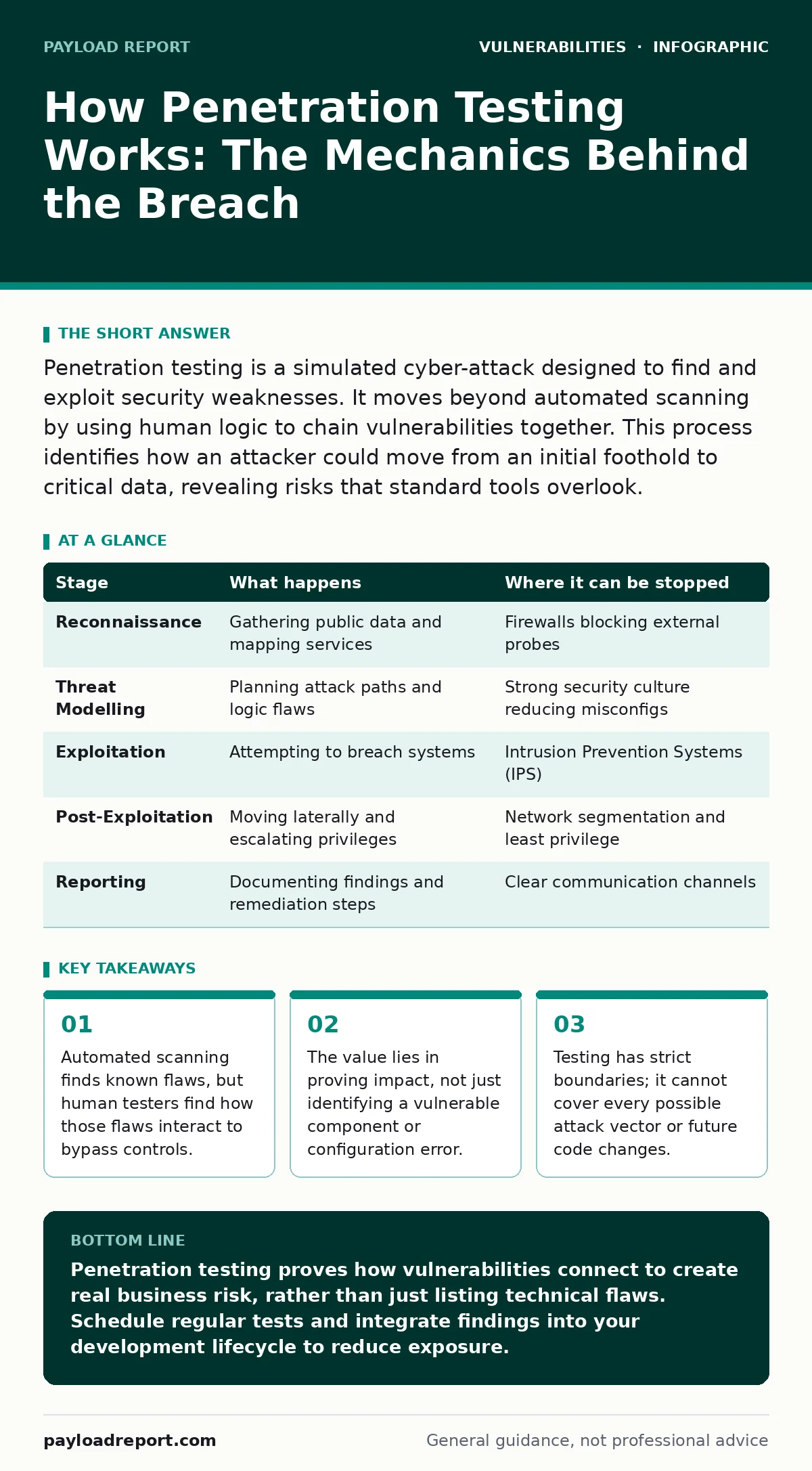
| Stage | What happens | Where it can be stopped |
|---|---|---|
| Reconnaissance | Gathering public data and mapping services | Firewalls blocking external probes |
| Threat Modelling | Planning attack paths and logic flaws | Strong security culture reducing misconfigs |
| Exploitation | Attempting to breach systems | Intrusion Prevention Systems (IPS) |
| Post-Exploitation | Moving laterally and escalating privileges | Network segmentation and least privilege |
| Reporting | Documenting findings and remediation steps | Clear communication channels |
The Limits of Penetration Testing
Penetration testing is a point-in-time assessment. It tells you the state of your security on the day the test ended. It does not guarantee future security. New vulnerabilities emerge daily, and code changes can introduce new flaws. You cannot rely on a single test to maintain a secure posture.
It also misses things by design. Testers follow the scope. They do not attack systems outside the agreed boundaries. They also have limited time. They cannot test every single input field or edge case. Think of it as a sample, not a census. It reveals high-impact risks, but it may miss minor issues that could be chained together later.
Integrating with Continuous Security
To maintain security, you must integrate testing with other practices. Combine penetration testing with secure code review to catch logic errors before deployment. Use security regression testing to ensure that fixes do not break existing security controls. This creates a continuous feedback loop.
Consider supplementing manual testing with bug bounty programs. These programmes crowdsource security testing, allowing many researchers to find issues that your internal team or contracted testers might miss. They provide ongoing coverage between scheduled penetration tests. This layered approach ensures that security gaps are identified and closed quickly.
Key takeaways
- Automated scanning finds known flaws, but human testers find how those flaws interact to bypass controls.
- The value lies in proving impact, not just identifying a vulnerable component or configuration error.
- Testing has strict boundaries; it cannot cover every possible attack vector or future code changes.
Penetration testing proves how vulnerabilities connect to create real business risk, rather than just listing technical flaws. Schedule regular tests and integrate findings into your development lifecycle to reduce exposure.
Frequently asked questions
How often should we perform penetration testing?
Conduct tests at least annually or whenever significant changes occur to the architecture or codebase. High-risk systems may require more frequent testing.
Is penetration testing the same as vulnerability scanning?
No. Scanning automates the detection of known flaws, while penetration testing involves human-led exploitation to prove impact and chain vulnerabilities.
Can penetration testing cause downtime?
It can if not managed correctly. Strict rules of engagement and testing in non-production environments first minimise this risk.
Do we need penetration testing if we have a bug bounty?
Yes. Bug bounties find diverse issues, but penetration testing provides a structured assessment of business logic and lateral movement paths.
How this guide was produced: written by the Payload Report editorial team with AI assistance, checked against the public references listed below, and reviewed when the facts change. See our editorial policy or report an error.