
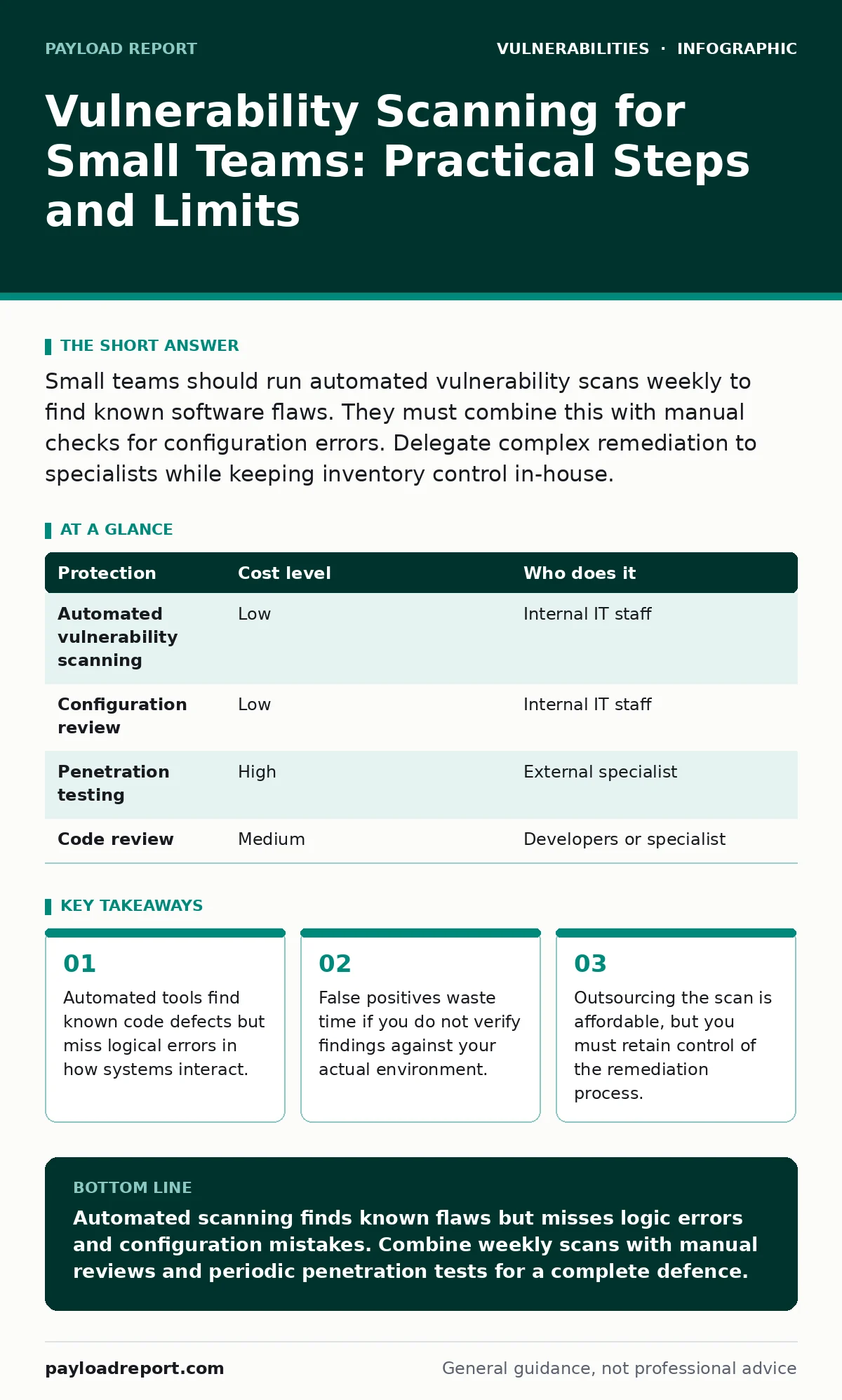
Small teams should run automated vulnerability scans weekly to find known software flaws. They must combine this with manual checks for configuration errors. Delegate complex remediation to specialists while keeping inventory control in-house.
The Limits of Automation in Small Environments
Vulnerability scanning is the automated process of checking systems for known security weaknesses. It compares your software versions and configurations against a database of documented flaws. For a small team, this is the only way to keep pace with the volume of new threats. However, the tool only sees what it is programmed to look for. It cannot understand the intent behind your application logic.
Imagine a web form that accepts user input. A scanner might confirm the server software is up to date. It will not notice that the form allows a user to inject code that changes their own account permissions. This is a logic error, not a software version issue. You must treat scanning as a baseline check, not a final verdict.
Choosing Affordable Scanning Methods
You do not need enterprise-grade suites to start. Open-source tools provide a reliable foundation for small-scale operations. These tools are free to download and run on your own hardware. They require technical knowledge to configure but avoid licensing fees. Commercial scanners offer easier interfaces and better support, but the cost scales with the number of assets.
For a small business, the trade-off is clear. Free tools save money but demand time. Paid tools save time but cost money. Choose based on your staff’s availability. If you have one technical person, a paid tool with automated reporting may be worth the expense. If you have a team that enjoys tinkering, open-source solutions offer deeper control.
| Protection | Cost level | Who does it |
|---|---|---|
| Automated vulnerability scanning | Low | Internal IT staff |
| Configuration review | Low | Internal IT staff |
| Penetration testing | High | External specialist |
| Code review | Medium | Developers or specialist |
What to Delegate and What to Keep
You should keep asset inventory and scan scheduling in-house. Only you know exactly what devices and software you run. Outsourcing this leads to gaps in coverage. However, you can delegate the initial scan execution to a managed service provider. This frees your team from maintaining the scanning infrastructure.
Do not delegate the decision on which vulnerabilities to fix. A provider may list hundreds of issues, but only a few pose real risk to your specific business. You must prioritise remediation based on your context. A flaw in an internal tool that no one uses is less urgent than a flaw in your customer-facing portal.
Ask your IT provider these questions before signing a contract:
- How do you validate findings to reduce false positives?
- What is the turnaround time for reporting critical issues?
- Do you provide remediation guidance or just a list of flaws?
- How do you handle access to our systems during the scan?
The Hidden Cost of False Positives
A false positive is a report of a vulnerability that does not actually exist in your system. Scanners often flag components that are present but not exposed. They may also misidentify software versions due to obfuscation. For a small team, investigating a false positive can take hours. This drains resources and leads to alert fatigue.
You must verify every finding before acting. Check if the vulnerable component is actually reachable from the outside. If it is only used internally, the risk is lower. Document your verification steps. This builds a knowledge base that helps you ignore similar false alarms in the future.
Integrating with Your Security Workflow
Scanning is useless if the results sit in a report. You need a workflow to act on the findings. Start by categorising vulnerabilities by severity. Focus on critical and high issues first. These are the most likely to be exploited in the wild. Low-severity issues can wait for the next maintenance window.
Combine scanning with regular patching cycles. If you patch software monthly, run scans weekly. This ensures you catch new flaws before your next patch window. If you patch ad-hoc, run scans after every major change. This prevents new vulnerabilities from lingering unnoticed.
Beyond Scanning: Manual Checks and Reviews
Automated tools cannot find every risk. You must supplement scanning with manual reviews. Check your configuration settings for default passwords or open ports. Review your access controls to ensure only authorised users can reach sensitive data. These tasks require human judgement.
Consider your attack surface carefully. Every service you expose to the internet is a potential entry point. Minimise this surface by disabling unused services. Use firewalls to restrict access to only necessary ports. This reduces the number of targets a scanner needs to check.
For deeper insights, read our guide on attack surface management. It explains how to map and reduce your exposed assets. You may also find our guide on authentication bypass vulnerabilities useful, as these are often missed by automated tools.
The Role of External Validation
While scanning is routine, external validation is periodic. Penetration testing involves a human expert attempting to break into your systems. This simulates a real attack and finds logic errors that scanners miss. It is more expensive than scanning but provides a higher level of assurance.
You do not need penetration testing every month. Once or twice a year is sufficient for most small businesses. Use the results to improve your scanning rules. If a pentester found a flaw your scanner missed, adjust your scanner to look for similar patterns. This creates a feedback loop that improves your overall security.
Our guide on penetration testing details how to prepare for an external audit. It also covers how to interpret the results and prioritise fixes.
Building a Sustainable Security Habit
Security is not a one-time project. It is a continuous process. Small teams often struggle with consistency. They scan once, find issues, fix them, and then forget. This leaves gaps as new software is installed and configurations drift.
Set up automated reminders for scanning. Integrate scan results into your regular team meetings. Discuss the top three findings and assign owners. This keeps security visible and accountable. Over time, this habit reduces the effort required to stay secure.
Our guide on weak password policies offers practical steps to strengthen your first line of defence. While scanning finds software flaws, strong passwords prevent many common attacks.
Key takeaways
- Automated tools find known code defects but miss logical errors in how systems interact.
- False positives waste time if you do not verify findings against your actual environment.
- Outsourcing the scan is affordable, but you must retain control of the remediation process.
Automated scanning finds known flaws but misses logic errors and configuration mistakes. Combine weekly scans with manual reviews and periodic penetration tests for a complete defence.
Frequently asked questions
How often should a small business run vulnerability scans?
Run scans weekly to catch new flaws quickly. Increase frequency to daily if you deploy new software or make configuration changes often.
Can I use free vulnerability scanners for production systems?
Yes, free open-source scanners are effective for production. Ensure you configure them correctly and verify results manually to avoid false positives.
What is the difference between scanning and penetration testing?
Scanning is automated and finds known software flaws. Penetration testing is manual and finds logic errors and complex attack paths that tools miss.
How do I prioritise which vulnerabilities to fix first?
Prioritise based on severity and exposure. Fix critical flaws in public-facing systems first. Internal systems with low exposure can wait.
How this guide was produced: written by the Payload Report editorial team with AI assistance, checked against the public references listed below, and reviewed when the facts change. See our editorial policy or report an error.