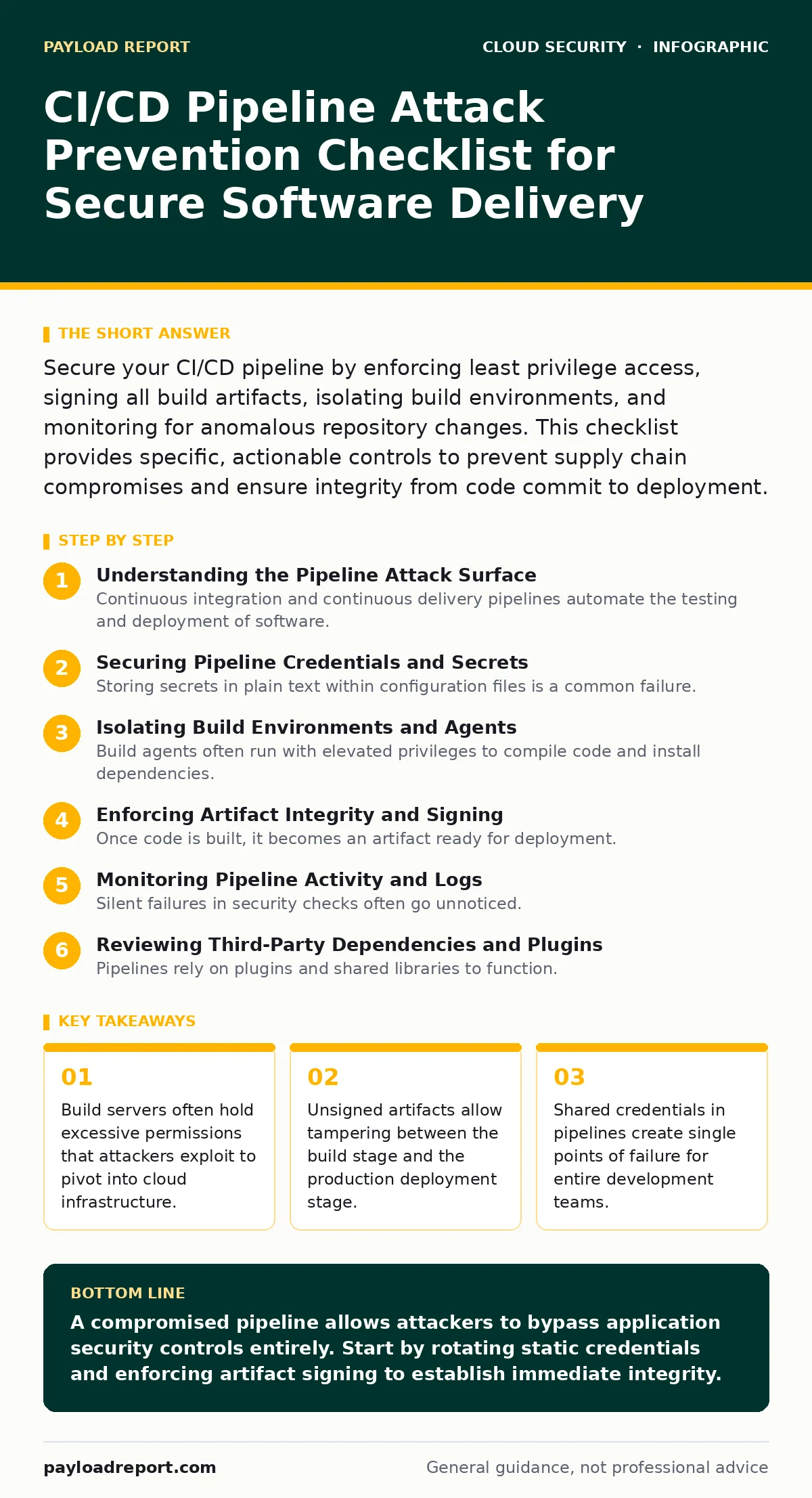
Secure your CI/CD pipeline by enforcing least privilege access, signing all build artifacts, isolating build environments, and monitoring for anomalous repository changes. This checklist provides specific, actionable controls to prevent supply chain compromises and ensure integrity from code commit to deployment.
Understanding the Pipeline Attack Surface
Continuous integration and continuous delivery pipelines automate the testing and deployment of software. This automation creates a high-value target because the pipeline holds the keys to your production environment. Attackers who compromise a pipeline can insert malicious code into legitimate releases. This method bypasses traditional security controls that inspect running applications. You must treat the pipeline as a critical security boundary. The goal is to ensure that only trusted code reaches production. This requires strict controls on who can modify the pipeline and how builds are executed. Refer to identity and access management for deeper context on role definition.
Securing Pipeline Credentials and Secrets
Storing secrets in plain text within configuration files is a common failure. Attackers search repositories for hardcoded passwords or API keys. You must move these secrets to a dedicated vault. The pipeline should retrieve secrets at runtime rather than storing them. This reduces the attack surface significantly.
- Rotate pipeline service account credentials regularly: Static credentials remain valid indefinitely, allowing long-term persistence.
- Use a secrets manager for dynamic access: Dynamic tokens expire quickly, limiting the window for misuse.
- Scan repositories for leaked keys: Automated scans catch accidental commits before they spread across branches.
- Restrict secret access to specific jobs: Limiting scope prevents a compromised job from accessing unrelated infrastructure.
Isolating Build Environments and Agents
Build agents often run with elevated privileges to compile code and install dependencies. If an attacker compromises a build agent, they can access the host system. You must isolate these environments to contain potential breaches. Running builds in ephemeral containers ensures that state does not persist between jobs. This limits the ability of an attacker to hide malware or exfiltrate data.
- Run builds in ephemeral containers: Ephemeral environments reset after each job, removing persistent threats.
- Restrict host network access from agents: Agents should not reach internal networks unless explicitly required for deployment.
- Apply Pod Security Standards to build clusters: Standards enforce non-root execution and read-only file systems.
- Monitor agent resource usage: Sudden spikes in CPU or memory may indicate cryptomining or compilation of malware.
Enforcing Artifact Integrity and Signing
Once code is built, it becomes an artifact ready for deployment. If this artifact is not signed, an attacker can replace it with a malicious version. Signing creates a cryptographic proof of origin. You must verify signatures before deploying any artifact to production. This prevents man-in-the-middle attacks on your package registries. It also provides non-repudiation for the build process.
- Sign all container images and packages: Digital signatures prove that the artifact has not been altered since the build.
- Verify signatures at the deployment stage: Deployment tools must reject unsigned or invalidly signed artifacts.
- Use open standards like Sigstore: Standardised formats ensure compatibility across different tools and platforms.
- Audit signature keys regularly: Compromised signing keys allow attackers to create valid-looking malicious artifacts.
Monitoring Pipeline Activity and Logs
Silent failures in security checks often go unnoticed. You need continuous monitoring to detect anomalies in pipeline behaviour. Logs provide the evidence needed to investigate incidents. Without proper logging, you cannot prove whether a breach occurred. Define clear baselines for normal pipeline activity. Alert on deviations from these baselines. This helps you catch automated attacks that operate outside business hours.
- Centralise pipeline logs in a SIEM: Centralised storage allows for correlation with other security events.
- Alert on unusual deployment times: Deployments outside normal hours may indicate automated exploitation.
- Track changes to pipeline configuration: Unauthorized changes to workflows can introduce backdoors.
- Review access logs for service accounts: Unused or rarely accessed accounts may have been compromised.
Reviewing Third-Party Dependencies and Plugins
Pipelines rely on plugins and shared libraries to function. These components expand the attack surface. A vulnerable plugin can compromise the entire build process. You must audit all third-party components used in your pipeline. Remove unused plugins to reduce risk. Keep all components updated to patch known vulnerabilities. This is similar to managing software dependencies in your application code.
- Audit installed pipeline plugins: Identify plugins that are no longer maintained or have known vulnerabilities.
- Restrict plugin installation permissions: Only trusted administrators should be able to add new plugins.
- Scan dependencies for known vulnerabilities: Automated scanners check for CVEs in shared libraries.
- Isolate plugin execution where possible: Sandbox plugins to limit their access to the host system.
Implementing Least Privilege for Deployments
Deployment stages often require access to cloud infrastructure. Granting broad permissions to deployment jobs is dangerous. If a deployment job is compromised, the attacker gains full access to your cloud account. You must apply the principle of least privilege. Each job should only have the permissions it strictly needs to complete its task. This limits the blast radius of a compromise.
- Use short-lived tokens for cloud access: Tokens that expire quickly reduce the risk of credential theft.
- Scope permissions to specific resources: Jobs should not access resources outside their deployment target.
- Separate build and deployment permissions: Building code should not grant access to production infrastructure.
- Regularly review IAM policies: Permissions often accumulate over time, creating unnecessary risk.
Key takeaways
- Build servers often hold excessive permissions that attackers exploit to pivot into cloud infrastructure.
- Unsigned artifacts allow tampering between the build stage and the production deployment stage.
- Shared credentials in pipelines create single points of failure for entire development teams.
A compromised pipeline allows attackers to bypass application security controls entirely. Start by rotating static credentials and enforcing artifact signing to establish immediate integrity.
Frequently asked questions
How do I detect a compromised CI/CD pipeline?
Look for unexpected changes in build scripts, unusual network traffic from build agents, or deployments occurring outside normal schedules.
Can container images be trusted if they come from a private registry?
Private registries do not guarantee integrity. You must still verify digital signatures to ensure the image has not been tampered with.
What is the risk of using shared build agents?
Shared agents increase the risk of cross-project contamination. One compromised build can expose secrets or code from other projects.
How often should I rotate pipeline credentials?
Rotate credentials regularly, ideally on a schedule that matches your security policy, and immediately after any suspected compromise.
How this guide was produced: written by the Payload Report editorial team with AI assistance, checked against the public references listed below, and reviewed when the facts change. See our editorial policy or report an error.