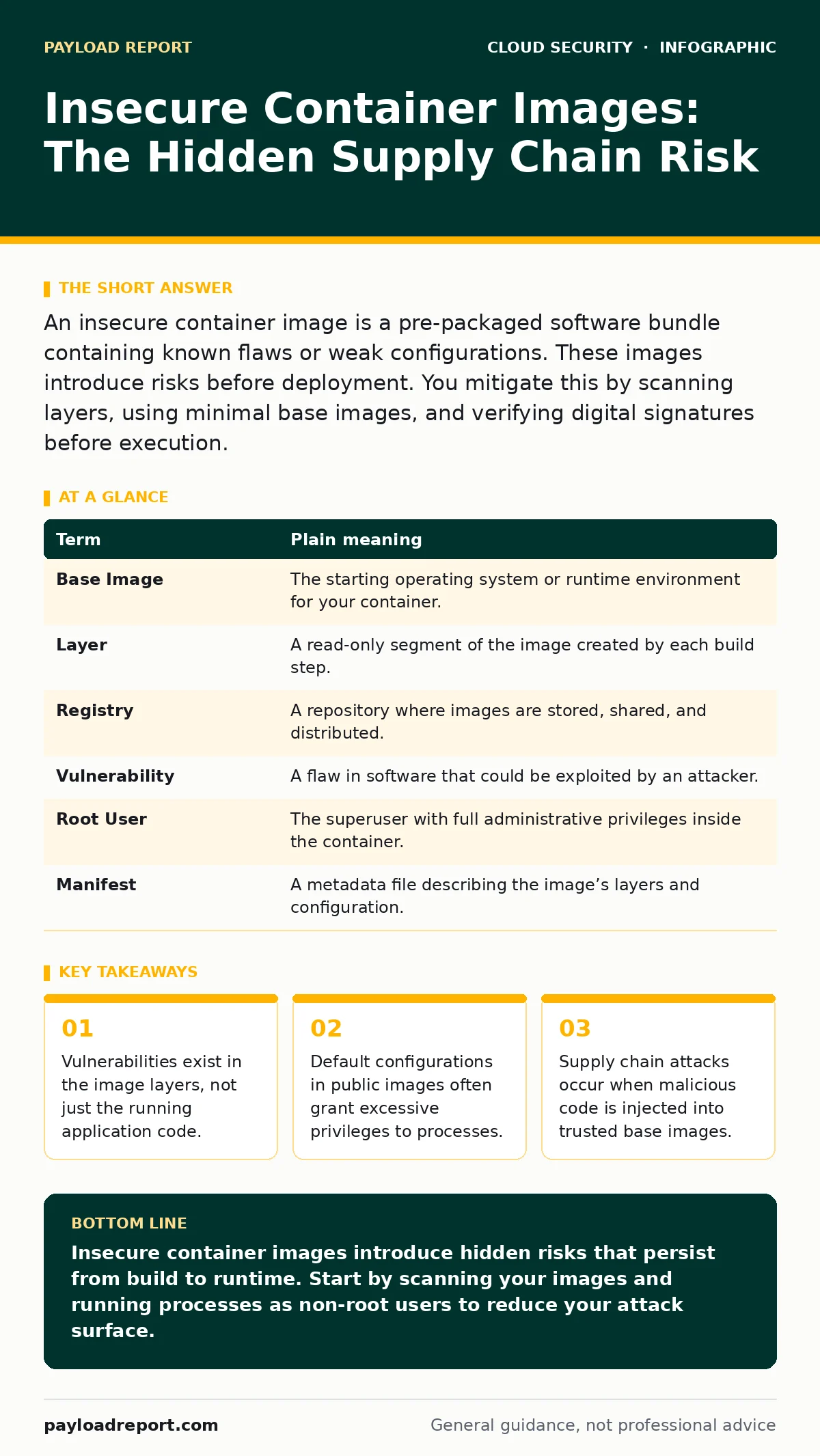
An insecure container image is a pre-packaged software bundle containing known flaws or weak configurations. These images introduce risks before deployment. You mitigate this by scanning layers, using minimal base images, and verifying digital signatures before execution.
The Frozen Sandwich Analogy
Imagine you order a sandwich from a popular deli. You expect fresh ingredients, but the deli buys its bread from a supplier who reused yesterday’s stale loaf. You do not see the stale bread until you take a bite. The sandwich looks perfect on the outside, but the foundation is rotten.
In cloud computing, a container image is that sandwich. It is a static file that bundles your application code, libraries, and system tools. If the underlying "bread" (the base operating system) contains a flaw, your entire application inherits that risk, even if your code is flawless.
Most teams focus on securing the application logic. They forget that the environment running that logic is often built from public, unverified components. This oversight creates a hidden surface area for attackers to exploit.
What Is a Container Image?
A container image is a lightweight, standalone package that includes everything needed to run a piece of software. Unlike virtual machines, which emulate entire hardware stacks, containers share the host system’s kernel. This makes them faster and more efficient, but also more dependent on the integrity of the image itself.
The image is built in layers. Each instruction in the build file creates a new layer. If one layer contains a vulnerability, every subsequent layer inherits it. You cannot simply patch a running container; you must rebuild the image from the ground up.
This immutability is a strength for consistency but a weakness for security. Once an image is pushed to a registry, it remains unchanged. If a new vulnerability is discovered in a library within that image, the old image remains vulnerable forever.
Key Terms for Beginners
Understanding the vocabulary helps you communicate risks effectively. Here are the core concepts you will encounter when discussing image security.
| Term | Plain meaning |
|---|---|
| Base Image | The starting operating system or runtime environment for your container. |
| Layer | A read-only segment of the image created by each build step. |
| Registry | A repository where images are stored, shared, and distributed. |
| Vulnerability | A flaw in software that could be exploited by an attacker. |
| Root User | The superuser with full administrative privileges inside the container. |
| Manifest | A metadata file describing the image’s layers and configuration. |
The Hidden Cost of Convenience
Developers often pull base images from public registries without checking their provenance. These images are convenient but risky. They may contain outdated libraries, unnecessary tools, or backdoors inserted by malicious actors.
Consider the risk of a compromised base image. An attacker does not need to break into your application. They only need to compromise the foundation. This is a supply chain attack, where trust is placed in the builder rather than the final product.
You might think that running a container isolates your application. While true to an extent, a privileged container can escape its boundaries. If the image grants root access, an attacker can potentially access the host machine. This breaks the isolation promise of containerisation.
Simple Safety Habits
You can reduce risk by adopting a few disciplined practices. These steps do not require complex tools, just a change in workflow.
- Use minimal base images. Choose images that contain only the necessary components. Smaller images have fewer libraries, which means fewer potential vulnerabilities. Alpine Linux is a common choice for its small footprint.
- Scan images before deployment. Integrate automated scanning into your build pipeline. This checks every layer against known vulnerability databases. Do not wait until the image is running in production to discover flaws.
- Run as a non-root user. Configure your image to switch to a standard user account after installation. This limits the damage an attacker can do if they compromise the application. Never run your application as the root user unless absolutely necessary.
See also: Cloud Access Security Brokers: 8 FAQs on Policy and Visibility · Serverless Incident Response: Containment, Recovery and Prevention Steps
The Edge Case of Multi-Stage Builds
Many teams use multi-stage builds to reduce image size. This technique copies only the compiled application from a build stage to a clean runtime stage. It sounds secure, but it often hides secrets.
If you compile code in the first stage using environment variables for API keys, those keys may remain in the image layers. Even if you delete them in the final stage, the data is still present in the history. Attackers can extract these secrets by inspecting the image layers.
Always ensure that sensitive data is not baked into the image. Use external secret management systems instead. This separates credentials from the code, allowing you to rotate keys without rebuilding the image.
Beyond the Image: Runtime and Policy
Securing the image is only half the battle. How the container runs matters just as much. Even a secure image can be misconfigured at runtime.
For example, mounting the host’s filesystem into the container gives the application access to the entire host. This is a common mistake in development that sometimes leaks into production. Similarly, allowing network access to all ports increases the attack surface.
You should enforce policies that restrict what containers can do. This includes limiting resource usage, denying privilege escalation, and restricting network traffic. Understanding Kubernetes security basics helps you implement these constraints effectively.
Integrating with Broader Security
Container security does not exist in a vacuum. It connects to broader cloud security strategies. For instance, cloud access security brokers (CASB) can monitor traffic from containers to cloud services, ensuring data is not exfiltrated.
Similarly, cloud compliance frameworks often require evidence of image scanning and vulnerability management. Keeping records of your security practices helps you meet these requirements. If you are using Kubernetes, familiarise yourself with Pod Security Standards to enforce baseline security for all workloads.
Even serverless architectures face similar risks. While you do not manage the underlying infrastructure, you still provide code and dependencies. Understanding serverless security risks ensures you do not overlook vulnerabilities in your function packages.
Key takeaways
- Vulnerabilities exist in the image layers, not just the running application code.
- Default configurations in public images often grant excessive privileges to processes.
- Supply chain attacks occur when malicious code is injected into trusted base images.
Insecure container images introduce hidden risks that persist from build to runtime. Start by scanning your images and running processes as non-root users to reduce your attack surface.
Frequently asked questions
Do container images need antivirus software?
No, traditional antivirus is ineffective for images. Use vulnerability scanners that analyse layers and dependencies for known flaws instead of scanning for malware signatures.
Is it safe to use public base images?
It is risky if you do not verify them. Always pin images to specific SHA-256 digests rather than tags like "latest" to ensure you are running a known, unaltered version.
How often should I rebuild my container images?
Rebuild images whenever you update dependencies or when new vulnerabilities are discovered in your base layers. Regular rebuilds ensure you are not running on outdated, vulnerable software.
Can a container escape its isolation?
Yes, if misconfigured. Running as root, mounting host directories, or using privileged mode can allow a container to break out and access the host system. Always follow least-privilege principles.
How this guide was produced: written by the Payload Report editorial team with AI assistance, checked against the public references listed below, and reviewed when the facts change. See our editorial policy or report an error.