
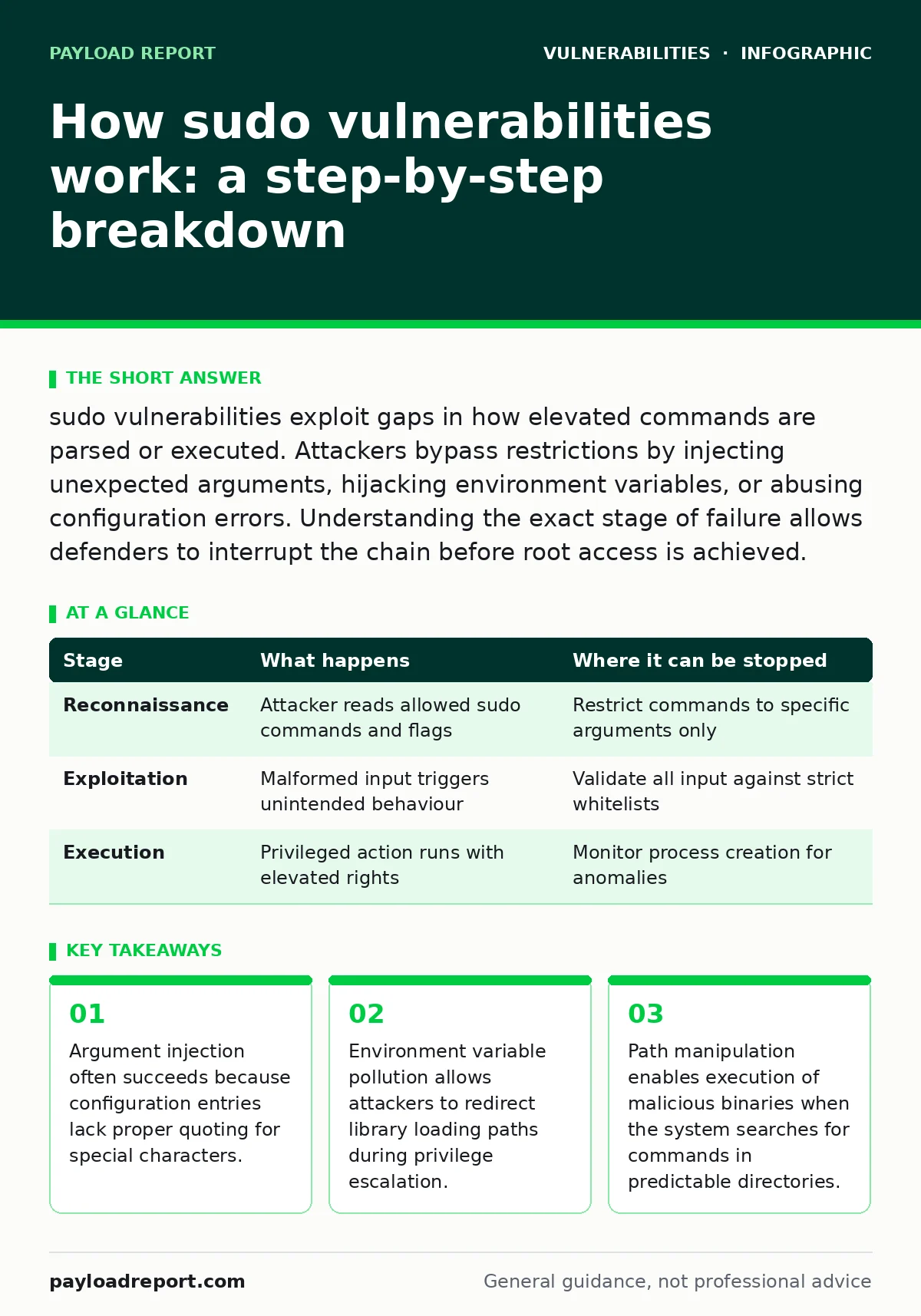
sudo vulnerabilities exploit gaps in how elevated commands are parsed or executed. Attackers bypass restrictions by injecting unexpected arguments, hijacking environment variables, or abusing configuration errors. Understanding the exact stage of failure allows defenders to interrupt the chain before root access is achieved.
Understanding the privilege escalation mechanism
sudo operates as a setuid binary, meaning it executes with the permissions of its owner rather than the user who invoked it. This design allows standard users to run specific commands as root. The vulnerability surface exists because the program must translate a user request into a privileged action. If the translation process fails to sanitise input correctly, the boundary between user and root collapses.
The system relies on a configuration file to define which commands are permitted. This file maps users to allowed executables and arguments. Any deviation from the strict whitelist creates an opening. Attackers do not need to crack passwords. They need to find a misconfiguration or a logic error in how the binary handles the transition between privilege levels.
Stage 1: Reconnaissance and configuration analysis
The attacker begins by identifying what actions are permitted for their current user account. They examine the sudoers configuration to find allowed commands. A common mistake is listing a command without specifying allowed arguments. This grants the user the ability to run that command with any flags they choose.
Suppose the configuration allows a user to run a package manager. If the manager supports installing packages from arbitrary sources, the attacker can force it to download and execute malicious code. The attacker looks for binaries that have complex argument structures or support file system operations. They also check for environment variables that might influence the execution path.
| Stage | What happens | Where it can be stopped |
|---|---|---|
| Reconnaissance | Attacker reads allowed sudo commands and flags | Restrict commands to specific arguments only |
| Exploitation | Malformed input triggers unintended behaviour | Validate all input against strict whitelists |
| Execution | Privileged action runs with elevated rights | Monitor process creation for anomalies |
Stage 2: Input manipulation and argument injection
Once a vulnerable command is identified, the attacker crafts input to alter its behaviour. This often involves argument injection. Many configuration entries list a command name but forget to quote special characters like dashes or spaces. The parser may interpret these characters as new arguments rather than part of a filename or path.
For example, a command intended to restart a service might be misconfigured. The attacker injects a flag that tells the service to drop a shell instead of restarting. The system accepts this because the argument is syntactically valid for the binary. This mirrors how authentication bypass vulnerabilities allow access without credentials by manipulating the validation logic. The flaw is not in the password check but in the assumption that the input structure will remain constant.
Stage 3: Environment variable pollution
Some vulnerabilities exploit the environment in which the command runs. The sudo program can be configured to preserve certain environment variables. If an attacker controls a variable that influences library loading or script execution, they can hijack the process. This is similar to unsafe YAML deserialization where untrusted data is processed without validation, leading to arbitrary code execution.
The attacker sets a variable that points to a malicious library or script. When the privileged command executes, it loads this malicious component instead of the legitimate one. The system trusts the environment because the configuration explicitly allowed it. This bypasses the intent of the privilege restriction. The attacker gains root access by replacing a harmless library function with one that opens a shell.
Stage 4: Path manipulation and binary substitution
Another vector involves the system path. When a command is invoked, the system searches directories in a predefined order to find the executable. If the configuration allows a command to be run by name rather than absolute path, an attacker can place a malicious binary in a directory that is searched first.
Imagine a configuration allows a user to run a text editor. The attacker creates a malicious executable with the same name in their home directory. If the path environment is manipulated to prioritise the home directory, the system runs the attacker's binary with root privileges. This technique requires the attacker to have write access to a directory in the search path. It highlights the danger of relying on relative paths for privileged operations.
Stage 5: Execution and persistence
The final stage involves executing the malicious payload and maintaining access. The attacker now has a root shell or has executed a command that grants persistent access. They may install a backdoor or modify system files to ensure they can return later. This phase is often silent. The system logs may show a legitimate command being run, masking the malicious intent.
Defenders must look for anomalies in process trees. A text editor spawning a shell is unusual. A package manager downloading from an unknown source is suspicious. Monitoring the execution context rather than just the command name helps identify these breaches. This approach complements penetration testing efforts, which often simulate this exact chain of events to verify defences.
Interrupting the attack chain
You can stop this process at multiple points. The most effective defence is strict configuration. Specify exact arguments for every allowed command. Use absolute paths to prevent path manipulation. Disable the preservation of environment variables unless strictly necessary. These measures reduce the surface area for injection and hijacking.
Regular audits of the sudoers file are necessary. Check for entries that allow too much flexibility. Review logs for unusual argument patterns. Implement application control to prevent unauthorised binaries from running. These steps create layers of defence. Even if one layer fails, the next may stop the attacker. This depth is similar to mitigating Microsoft Exchange vulnerabilities, where multiple patches and configurations are required to secure the environment.
Long-term mitigation strategies
Fixing a specific vulnerability is not enough. You must address the underlying configuration habits. Train administrators to understand the risks of broad permissions. Use automated tools to scan for misconfigurations. Integrate these checks into your deployment pipeline.
This proactive approach prevents new vulnerabilities from emerging as systems change. It also helps identify legacy configurations that may have been overlooked. By treating sudo configuration as a critical security component, you reduce the risk of privilege escalation. This mindset aligns with the goals of bug bounty programs, which reward the discovery of such misconfigurations before attackers exploit them.
Key takeaways
- Argument injection often succeeds because configuration entries lack proper quoting for special characters.
- Environment variable pollution allows attackers to redirect library loading paths during privilege escalation.
- Path manipulation enables execution of malicious binaries when the system searches for commands in predictable directories.
Frequently asked questions
How do I check my current sudo permissions?
Run the command `sudo -l` to list the commands you are allowed to execute. Review the output for any commands that lack specific argument restrictions.
Can environment variables always be used to exploit sudo?
No, modern configurations often restrict environment variable preservation. However, if the configuration explicitly allows variables like `LD_PRELOAD`, the risk remains high.
What is the difference between sudo and su?
sudo executes specific commands with elevated privileges, while su switches the user identity entirely. sudo is generally more secure because it logs actions and allows finer-grained control.
How often should I audit sudo configurations?
Audit configurations after any changes are made. Regular quarterly reviews are recommended to catch drift and ensure compliance with security policies.
How this guide was produced: written by the Payload Report editorial team with AI assistance, checked against the public references listed below, and reviewed when the facts change. See our editorial policy or report an error.