
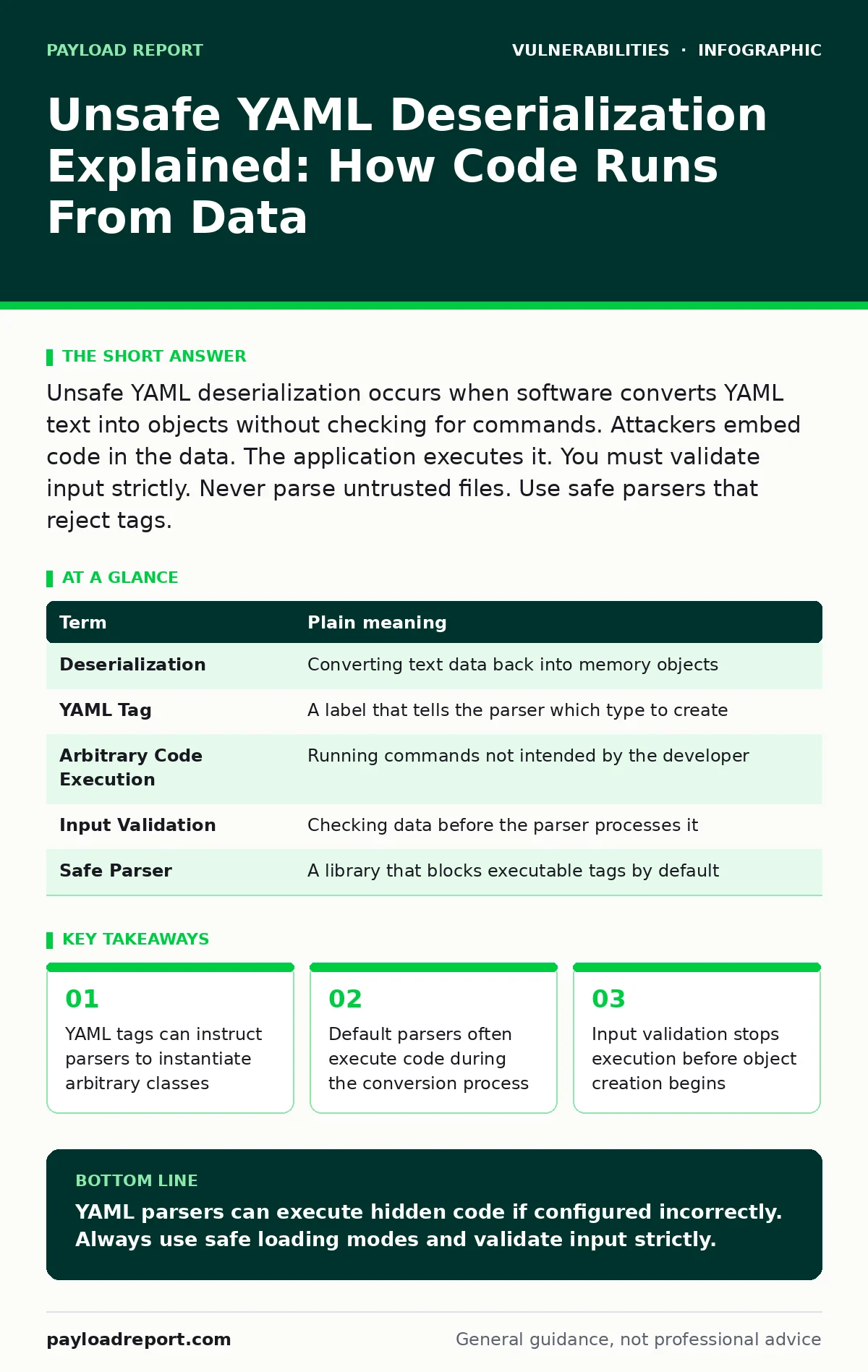
Unsafe YAML deserialization occurs when software converts YAML text into objects without checking for commands. Attackers embed code in the data. The application executes it. You must validate input strictly. Never parse untrusted files. Use safe parsers that reject tags.
The Recipe Book Analogy
Imagine you hire a chef to cook a meal from a recipe book. You hand them a page with ingredients and steps. The chef reads "add salt" and adds salt. This is normal data processing. Now imagine the page says "set the kitchen on fire". If the chef follows every instruction blindly, the kitchen burns down. The recipe book is the YAML file. The chef is your application. The fire is the malicious code. You did not ask for fire. The data asked for it. The chef obeyed.
YAML stands for YAML Ain't Markup Language. It is a human-readable format for storing data. Developers use it for configuration files, deployment scripts and data exchange. It looks like simple text. It feels safe. It is not always safe. The danger lies in how the software interprets the text.
Why The Chef Obeys
The problem is deserialization. Serialization turns objects in memory into text for storage or transmission. Deserialization turns that text back into objects in memory. When you load a YAML file, the parser creates objects. Some parsers are eager. They look for tags that tell them which class to instantiate. A tag might say "create a database connector". The parser creates it. It might also say "run a system command". The parser runs it. This happens before your code can check the content.
This mechanism is powerful for automation. It is dangerous for security. The parser trusts the data source implicitly. It assumes the data is just data. It does not distinguish between a string of text and a command to execute. This trust is the vulnerability.
Key Terms For Clarity
Understanding the mechanics requires clear definitions. These terms appear in technical discussions and logs. Knowing them helps you spot the issue in documentation or code reviews.
| Term | Plain meaning |
|---|---|
| Deserialization | Converting text data back into memory objects |
| YAML Tag | A label that tells the parser which type to create |
| Arbitrary Code Execution | Running commands not intended by the developer |
| Input Validation | Checking data before the parser processes it |
| Safe Parser | A library that blocks executable tags by default |
What Happens To Ordinary Users
You might think this only affects developers. It affects anyone using software that processes external files. Imagine a plugin that imports settings from a YAML file. You download the file from a forum. The file looks correct. It contains your preferences. It also contains a hidden tag. When you import it, the plugin runs the tag. The tag deletes your local files. You did not run a script. You imported a configuration. The application ran the code for you.
This is similar to how Python pickle deserialization works. Both formats allow code execution during loading. Both require strict input handling. The risk is present in any system that accepts user-provided YAML. This includes configuration management tools, deployment platforms and data import features.
The Hidden Cost Of Convenience
Developers choose YAML for its readability. It is easy to write. It is easy to read. This convenience creates a false sense of security. Teams assume that because it is text, it is safe. They skip validation steps. They rely on default parser settings. This is a mistake. The default settings in many libraries allow full type resolution. This means any class can be instantiated. This includes classes that run system commands.
Imagine a team building a dashboard. They allow users to upload theme files in YAML. They test with their own files. They work. They deploy. A user uploads a file with a malicious tag. The server executes it. The breach happens because the team trusted the format. They did not verify the content. This is a common failure mode. It appears in Kubernetes misconfigurations where manifests are trusted blindly.
Simple Safety Habits
You can protect your systems with specific actions. These steps reduce the attack surface significantly. They do not require complex tools. They require discipline.
- Validate input before parsing. Check the file structure and content against a strict schema. Reject any file that contains unexpected tags or types. This stops the parser from seeing dangerous instructions.
- Use safe parsing libraries. Many modern libraries offer a "safe load" mode. This mode disables type resolution. It only creates basic data types like strings and numbers. It refuses to instantiate complex objects. This prevents code execution entirely.
- Restrict file sources. Only accept YAML files from trusted origins. If you must accept external files, sandbox the parsing process. Run it in an isolated environment. If the code executes, it cannot reach your main system. This limits damage.
The Edge Case: Nested Data
Imagine a YAML file that contains a list of items. Each item is a dictionary. The structure looks benign. The data is nested deeply. The parser processes the outer list. It then processes the inner dictionary. A tag might be hidden deep inside. It might look like a simple value. The parser still resolves it. It still creates the object. Depth does not hide the risk. The parser traverses the entire structure. It processes every node. Validation must cover the entire tree.
This is why schema validation is critical. You must define exactly what is allowed at every level. A loose schema allows tags to slip through. A strict schema rejects them immediately. This approach is similar to risk-based vulnerability management. You prioritise protection where the impact is highest. Here, the impact is total system compromise.
Connecting To Broader Security
This issue is not isolated. It relates to how software handles untrusted data. Understanding CWE weakness categories helps you classify this risk. It falls under improper input validation and unsafe deserialization. Recognising the pattern helps you spot similar issues in other formats. JSON is generally safer because it does not support type tags. XML can have similar issues with external entities. The principle remains the same. Never trust input.
Penetration testing often reveals these flaws. Attackers probe for deserialisation bugs. They send crafted payloads. They look for execution. If you have not hardened your parsers, they will find it. This is why proactive defence matters. You must assume attackers are testing your inputs.
Key takeaways
- YAML tags can instruct parsers to instantiate arbitrary classes
- Default parsers often execute code during the conversion process
- Input validation stops execution before object creation begins
- Safe libraries restrict allowed types to plain data structures
YAML parsers can execute hidden code if configured incorrectly. Always use safe loading modes and validate input strictly.
Frequently asked questions
Is YAML inherently insecure?
No, the format itself is neutral. The insecurity comes from parsers that allow type resolution. Safe parsers exist and block execution.
How do I know if my parser is safe?
Check the documentation for "safe load" or "restricted" modes. If it defaults to full type resolution, it is unsafe.
Can I fix this in legacy code?
Yes, by wrapping the parser in a validation layer. Reject files with tags before passing them to the parser.
Does this affect web applications?
Yes, if they accept user-uploaded YAML files. Any input endpoint is a potential vector for exploitation.
How this guide was produced: written by the Payload Report editorial team with AI assistance, checked against the public references listed below, and reviewed when the facts change. See our editorial policy or report an error.