
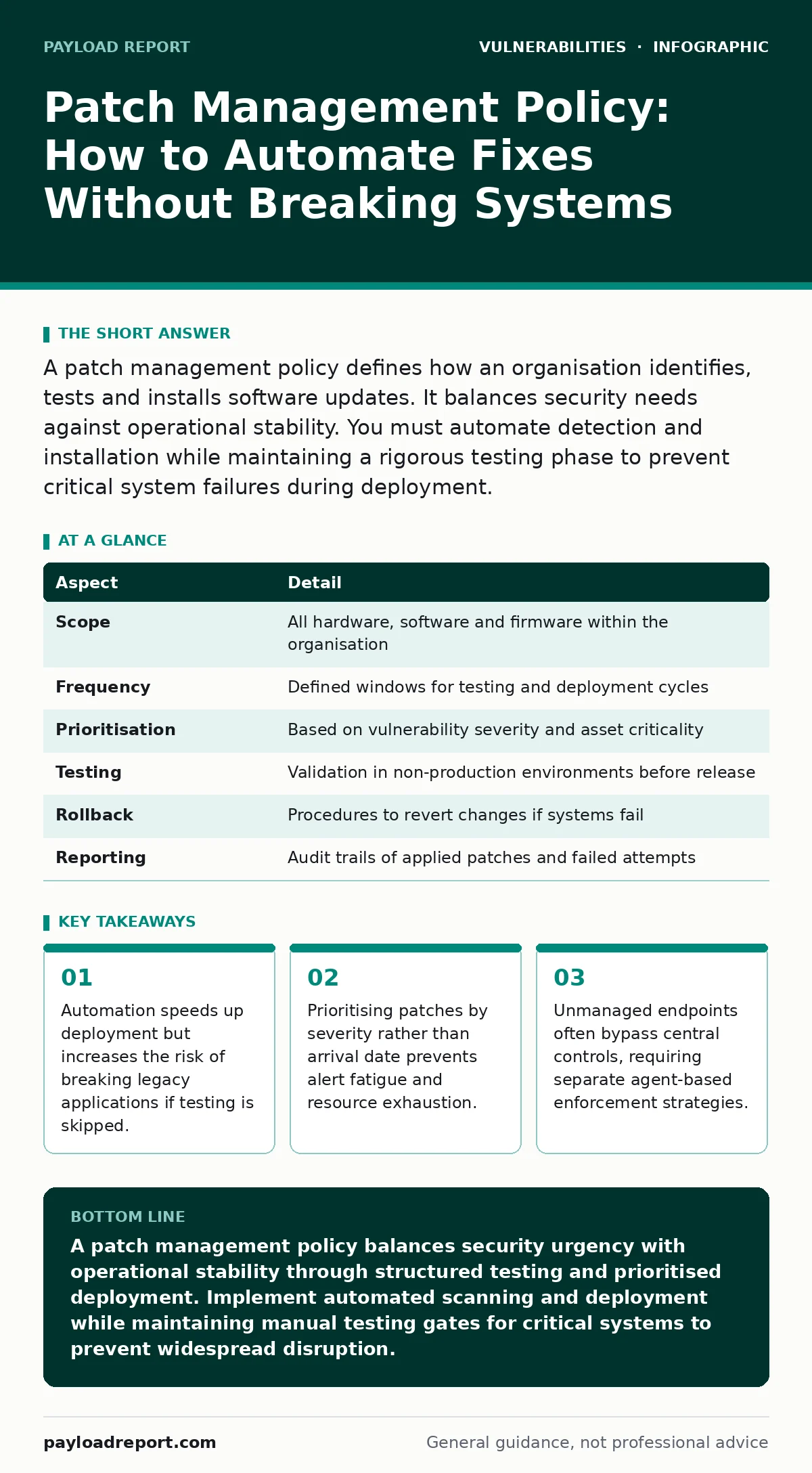
A patch management policy defines how an organisation identifies, tests and installs software updates. It balances security needs against operational stability. You must automate detection and installation while maintaining a rigorous testing phase to prevent critical system failures during deployment.
The Analogy: Maintaining a Power Grid
Imagine a national electricity grid. Engineers discover a flaw in the transformer design that could cause overheating. They release a new component to fix it. Replacing every transformer immediately would cause widespread blackouts. Leaving them all untouched invites fires. A maintenance schedule allows engineers to test the new component on a single substation first. They verify it works without disrupting service. Only then do they roll it out to the wider network. This balance between urgency and stability defines patch management.
What Is a Patch Management Policy?
A patch management policy is the formal set of rules governing how software updates are handled across an organisation. It dictates which systems receive updates, how quickly they are installed and who approves the changes. This framework applies to operating systems, applications and firmware. It affects every device connected to your network, from servers to mobile phones. Without this structure, updates arrive randomly, causing conflicts and leaving gaps in security.
| Aspect | Detail |
|---|---|
| Scope | All hardware, software and firmware within the organisation |
| Frequency | Defined windows for testing and deployment cycles |
| Prioritisation | Based on vulnerability severity and asset criticality |
| Testing | Validation in non-production environments before release |
| Rollback | Procedures to revert changes if systems fail |
| Reporting | Audit trails of applied patches and failed attempts |
How Patch Management Works
The process begins with vulnerability scanning to identify missing updates. Tools crawl the network to find out-of-date software. Next, the policy requires risk assessment. Not every update is equally urgent. Critical security fixes take precedence over feature improvements. Then comes testing. You install the patch on a replica of your production environment. This step reveals compatibility issues. For example, an update might break an older database driver. If the test passes, you deploy the patch to the live environment. Automation handles the bulk installation. Monitoring follows to ensure systems remain stable. You can also use dynamic application security testing (DAST) to verify that the patched code does not introduce new weaknesses in the runtime environment.
Prioritising Updates Effectively
You cannot patch everything at once. Resources are limited. A patch management policy must define prioritisation criteria. Use Common Vulnerability Scoring System (CVSS) ratings as a baseline. High-severity vulnerabilities require immediate attention. Low-severity ones can wait for scheduled maintenance. Consider the asset’s role. A public-facing web server needs faster updates than an isolated internal printer. External exposure increases risk. Also consider the exploitability. If active exploits are circulating, urgency rises. Prioritisation prevents teams from drowning in trivial updates while critical holes remain open. This approach reduces the attack surface without paralling operations.
Automating the Deployment
Manual patching is slow and error-prone. Automation ensures consistency. Group Policy Objects or Mobile Device Management tools push updates to devices. These agents check for updates at defined intervals. They download and install them silently. Automation also handles reboots. Many patches require a restart to take effect. Automated scheduling ensures reboots happen during off-hours. This minimises disruption to users. However, automation has limits. It cannot judge context. An automated tool might patch a server running a critical batch job. The job fails. Therefore, automation must include exceptions. You must define which systems are exempt from automatic reboots or immediate installs. This balance prevents downtime while maintaining security.
Common Mistakes in Policy Design
Many organisations treat patching as a one-off task. They focus only on operating systems. This ignores third-party applications. Web browsers, PDF readers and database engines often contain critical flaws. Ignoring them leaves significant gaps. Another mistake is skipping the testing phase. Teams assume updates are safe because the vendor released them. Vendors test in controlled environments. They cannot replicate every unique configuration in your network. Skipping testing leads to unexpected failures. A third error is lacking a rollback plan. When a patch breaks a system, you need a way to revert. Without a backup image or snapshot, recovery takes days. Documented rollback procedures are as important as the installation steps. You should also review your software bill of materials (SBOM) to understand exactly which components need updating, ensuring no hidden dependencies are overlooked.
Addressing Edge Cases and Legacy Systems
Some systems cannot be patched. Legacy hardware may no longer receive updates. Unsupported software lacks fixes. These assets require compensating controls. Network segmentation isolates them from the main network. You restrict access to only necessary services. Firewalls block unnecessary traffic. This reduces the chance of exploitation. Another edge case is virtualisation. Virtual machines often share underlying code. A patch applied to the host may not fix guest OS vulnerabilities. You must patch each layer independently. IoT device vulnerabilities often fall into this category. Many IoT devices run custom firmware that cannot be easily updated. Treat them as unpatchable assets. Isolate them and monitor their traffic for anomalies. This containment strategy mitigates risk when direct fixes are impossible.
Measuring Policy Success
A policy is only effective if you measure it. Track patch compliance rates. Monitor mean time to patch. How long does it take from vulnerability disclosure to installation? These metrics reveal bottlenecks. High compliance rates suggest the process works. Long mean times indicate delays in testing or approval. Audit logs provide evidence for compliance frameworks. They show who approved each patch and when it was applied. Regular reviews of the policy ensure it adapts to new threats. Technology changes. Operating systems evolve. Your policy must evolve with them. Review the process annually. Update prioritisation rules as new vulnerability trends emerge. This continuous improvement keeps your defences relevant.
Key takeaways
- Automation speeds up deployment but increases the risk of breaking legacy applications if testing is skipped.
- Prioritising patches by severity rather than arrival date prevents alert fatigue and resource exhaustion.
- Unmanaged endpoints often bypass central controls, requiring separate agent-based enforcement strategies.
A patch management policy balances security urgency with operational stability through structured testing and prioritised deployment. Implement automated scanning and deployment while maintaining manual testing gates for critical systems to prevent widespread disruption.
Frequently asked questions
How often should patches be applied?
Critical security patches should be applied within days of release. Non-critical updates can follow a monthly or quarterly schedule based on your testing capacity and risk tolerance.
Who is responsible for patch management?
Responsibility typically lies with the IT operations team, overseen by security leadership. Clear roles must be defined for testing, approval and deployment to avoid ambiguity.
Can automation replace human oversight?
No. Automation handles volume and consistency. Human oversight is required for risk assessment, testing validation and handling exceptions where automated rules fail.
What happens if a patch fails?
The system should roll back to the previous state. Your policy must include documented rollback procedures and backup strategies to restore functionality quickly.
How this guide was produced: written by the Payload Report editorial team with AI assistance, checked against the public references listed below, and reviewed when the facts change. See our editorial policy or report an error.