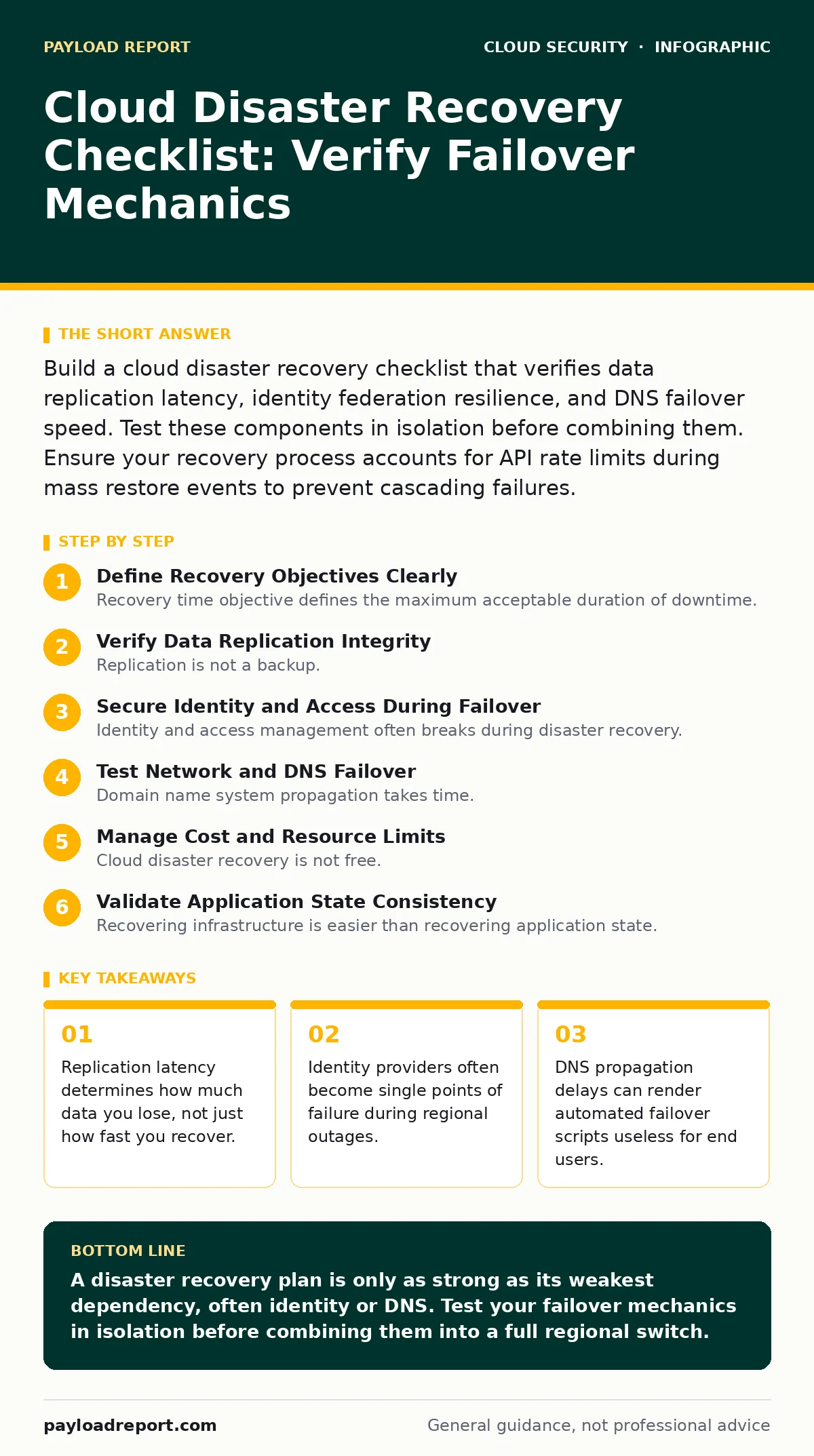
Build a cloud disaster recovery checklist that verifies data replication latency, identity federation resilience, and DNS failover speed. Test these components in isolation before combining them. Ensure your recovery process accounts for API rate limits during mass restore events to prevent cascading failures.
Define Recovery Objectives Clearly
- Set recovery time objective (RTO) targets per service tier: prioritising critical paths over auxiliary functions ensures resources focus on business continuity.
- Define recovery point objective (RPO) limits for each dataset: understanding acceptable data loss prevents over-engineering storage replication for low-value information.
- Map dependency chains between microservices: identifying hidden couplings prevents partial restores that leave the system in an inconsistent state.
Recovery time objective defines the maximum acceptable duration of downtime. Recovery point objective defines the maximum acceptable age of files restored from backup. You must distinguish between these two metrics. A fast restore of stale data fails the business need. A slow restore of current data may also fail. Define both clearly for each application component.
Verify Data Replication Integrity
- Validate cross-region replication status continuously: ensuring data reaches secondary regions prevents silent corruption or lag that goes unnoticed until a disaster strikes.
- Test restore procedures for large datasets: verifying that you can actually read and mount replicated volumes confirms the backup is usable, not just stored.
- Check encryption key availability in the secondary region: ensuring keys follow the data prevents you from having accessible but unreadable backups after a failover.
Replication is not a backup. It copies changes in near real-time. If the primary region suffers a ransomware attack, the malware replicates too. You need immutable backups or snapshot isolation. Verify that your replication mechanism handles schema changes and permission updates. Many teams assume replication handles permissions, but it often only copies object data. This creates access errors during recovery.
Secure Identity and Access During Failover
- Configure identity provider failover to a secondary region: ensuring authentication services remain available prevents a "locked out" scenario during the disaster.
- Audit service account permissions in the recovery environment: preventing privilege escalation in the secondary region stops attackers from exploiting the chaos of a transition.
- Verify session token validity across regions: ensuring user sessions survive the switch prevents mass logouts that degrade user experience and support ticket volume.
Identity and access management often breaks during disaster recovery. Users cannot log in if the primary identity provider is down. You must configure your identity federation to route to a secondary region. Check that service accounts have least privilege in the recovery region. Attackers target recovery environments because they are often less monitored. See our guide on identity and access management for deeper configuration details.
Test Network and DNS Failover
- Validate DNS propagation times for failover records: measuring actual propagation speed ensures users reach the secondary region within the acceptable recovery window.
- Verify cloud firewalls rules in the secondary region: ensuring security policies match the primary region prevents accidental exposure or blocked legitimate traffic during the switch.
- Test load balancer health checks in the recovery environment: confirming that unhealthy instances are removed prevents users from hitting broken services after failover.
Domain name system propagation takes time. Automated failover scripts may switch traffic before DNS updates propagate globally. This creates a split-brain scenario where some users hit the primary and others the secondary. You must measure this delay. Configure time-to-live values low enough to allow quick failover but high enough to prevent DNS server overload. Review your cloud firewalls to ensure they permit traffic from the secondary region’s IP ranges.
Manage Cost and Resource Limits
- Define budget alerts for recovery region resources: preventing runaway costs during extended outages ensures the disaster does not become a financial crisis.
- Verify service quotas in the secondary region: ensuring you have enough capacity to spin up instances prevents deployment failures during peak demand.
- Plan for data egress costs during failover: accounting for the expense of moving data out of the recovery region prevents unexpected billing shocks.
Cloud disaster recovery is not free. Running hot standby resources costs money. Running cold backups costs less but takes longer to restore. You must balance cost against recovery speed. Monitor service quotas. If your primary region uses 100 instances, ensure the secondary region allows 100 instances. If not, you will fail to scale during a disaster. See our guide on denial-of-wallet attacks to understand how resource exhaustion can mimic or exacerbate a disaster scenario.
See also: Cloud Access Security Brokers: 8 FAQs on Policy and Visibility
Validate Application State Consistency
- Check database transaction logs for gaps: ensuring no transactions are lost during the switch maintains data integrity and prevents financial discrepancies.
- Verify cache invalidation in the secondary region: preventing stale data from serving users ensures they see the most recent information after failover.
- Test application health endpoints in the recovery environment: confirming that the application is not just running but functioning correctly prevents silent failures.
Recovering infrastructure is easier than recovering application state. Databases must be in a consistent state. If you switch to a secondary database that is behind, you lose transactions. If you switch to one that is ahead, you risk conflicts. Verify that your application can handle reconnection logic. Ensure that cached data is cleared or updated. A running application that serves stale data is often worse than a stopped application.
Review and Update the Plan Regularly
- Schedule quarterly failover drills: testing the plan in a controlled environment reveals gaps that documentation reviews miss.
- Update contact lists and escalation paths: ensuring you know who to call prevents delays in decision-making during a real incident.
- Review third-party vendor recovery capabilities: understanding your suppliers’ resilience prevents your recovery from being blocked by their failures.
A disaster recovery plan is a living document. It must be updated as your infrastructure changes. If you add a new service, update the plan. If you change a configuration, update the plan. Test the plan regularly. Do not rely on theory. Real-world conditions differ from lab conditions. Network latency, human error, and unexpected dependencies will surprise you. Prepare for them.
Key takeaways
- Replication latency determines how much data you lose, not just how fast you recover.
- Identity providers often become single points of failure during regional outages.
- DNS propagation delays can render automated failover scripts useless for end users.
A disaster recovery plan is only as strong as its weakest dependency, often identity or DNS. Test your failover mechanics in isolation before combining them into a full regional switch.
Frequently asked questions
How often should I test my cloud disaster recovery plan?
Test critical components quarterly and the full plan annually. More frequent testing catches configuration drift before it becomes a failure point.
What is the biggest risk in cloud disaster recovery?
The biggest risk is assuming replication equals backup. Replication copies errors. You need immutable backups to protect against ransomware or accidental deletion.
Do I need a disaster recovery plan for serverless applications?
Yes. Serverless applications still depend on data stores, identity providers, and network routes. These components can fail or become unavailable.
How do I handle data compliance during failover?
Ensure your secondary region complies with data sovereignty laws. Some regulations require data to stay within specific geographic boundaries. See our guide on cloud compliance for details.
How this guide was produced: written by the Payload Report editorial team with AI assistance, checked against the public references listed below, and reviewed when the facts change. See our editorial policy or report an error.