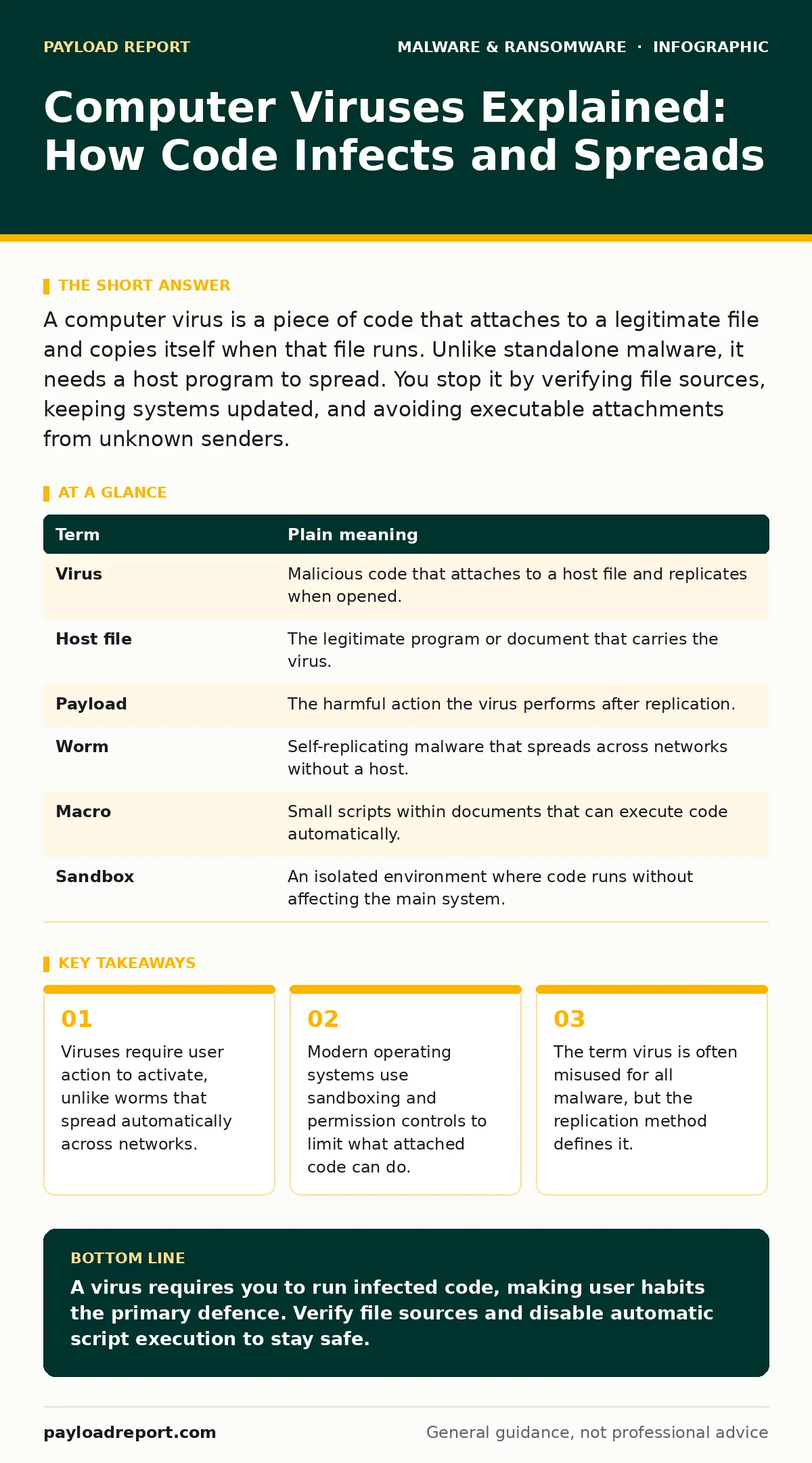
A computer virus is a piece of code that attaches to a legitimate file and copies itself when that file runs. Unlike standalone malware, it needs a host program to spread. You stop it by verifying file sources, keeping systems updated, and avoiding executable attachments from unknown senders.
The Sticker Analogy
Imagine a shop that sells high-quality posters. A virus is like a malicious sticker hidden behind the poster. When you buy the poster, you get what you paid for. But if you peel back the sticker to look at it, the adhesive activates and leaves a residue on your hands. That residue then sticks to everything you touch next.
The poster is the legitimate software you want. The sticker is the malicious code. You only suffer the consequences if you interact with the hidden element. Most modern threats do not work this way. They are more like spray paint, applied directly to the wall without needing a poster first. Understanding this distinction helps you see why certain habits matter.
Defining the Infection Mechanism
A computer virus is a type of malware that requires a host file to survive and spread. It cannot exist independently on a hard drive. It attaches itself to executable files, documents with macros, or scripts. When you open the host file, the virus code runs first. It then copies itself into other files or system areas.
This differs from a worm, which is a standalone program that replicates itself across networks without needing a host file. It also differs from spyware, which observes your activity but does not necessarily replicate. Many people use the word virus to describe any malicious software, but technically, replication via a host is the defining trait.
| Term | Plain meaning |
|---|---|
| Virus | Malicious code that attaches to a host file and replicates when opened. |
| Host file | The legitimate program or document that carries the virus. |
| Payload | The harmful action the virus performs after replication. |
| Worm | Self-replicating malware that spreads across networks without a host. |
| Macro | Small scripts within documents that can execute code automatically. |
| Sandbox | An isolated environment where code runs without affecting the main system. |
Why the Term Persists
You will still hear the word virus in security alerts and news reports. This is largely historical. Early personal computers lacked the memory protection and permission models found in modern operating systems. A virus could easily overwrite system files because the OS trusted all running code.
Today, operating systems use sandboxing to restrict what applications can access. If a browser tab tries to access your hard drive, the system blocks it. This makes classic viruses less effective. However, the concept remains relevant because social engineering still tricks users into running malicious code. The threat has shifted from technical exploitation to human error.
The Hidden Cost of Trust
The biggest risk is not the code itself, but your trust in the file source. Suppose you receive a PDF invoice from a supplier. The file looks normal. But if the PDF contains an embedded executable, opening it may trigger the virus. You trusted the supplier, so you did not check the file properties.
This is where endpoint detection and response (EDR) systems help. They monitor behaviour, not just file signatures. If a PDF tries to launch a command prompt, the EDR flags it as suspicious. Without such tools, you rely entirely on your own vigilance. Vigilance is tiring and prone to failure. Automated monitoring provides a safety net that human attention cannot match.
Simple Safety Habits
You can reduce your exposure to viruses by controlling how you interact with files. First, disable macro execution in office applications. Macros are a common vector for viruses because they allow code to run automatically when a document opens. Most users never need macros. If you do not create them, turn them off.
Second, verify the source of any executable file. If you download a setup file, compare its hash with the one published by the developer. A hash is a unique string of characters that represents the file content. If the hash changes, the file has been altered. This step takes seconds but prevents many infections.
Third, keep your operating system and applications updated. Updates often include patches for vulnerabilities that viruses exploit. An unpatched system is like leaving your front door unlocked. It does not guarantee a break-in, but it removes the first line of defence.
See also: Spyware in Small Business: Hidden Risks and Practical Defences · Spot Screen Locker Ransomware: Early Signs and Immediate Actions
Beyond the Basic Virus
While classic viruses are less common, other threats have evolved. Crypto-stealing malware targets your digital wallets by scanning for private keys. Screen locker ransomware encrypts your files and demands payment for the decryption key. These threats do not need to replicate like viruses. They just need to run once.
Spyware and keyloggers operate in the background, stealing credentials without alerting you. They often arrive through potentially unwanted programs that you install willingly. These programs may offer useful features but bundle tracking code. Reading the installation options carefully can prevent this. The ransomware attack chain often begins with such seemingly harmless downloads.
What to Try Now
You can improve your security posture immediately with these three steps. They require no new software, just a change in habit.
- Check your office application settings and disable automatic macro execution. This stops many document-based viruses before they start.
- Review your browser permissions and revoke access for sites you no longer visit. This limits the ability of web-based threats to interact with your system.
- Enable two-factor authentication on all critical accounts. If a keylogger steals your password, the attacker still cannot access your account without the second factor.
These steps address the human element of security. Technology can only do so much. Your habits determine whether a threat becomes an incident.
Key takeaways
- Viruses require user action to activate, unlike worms that spread automatically across networks.
- Modern operating systems use sandboxing and permission controls to limit what attached code can do.
- The term virus is often misused for all malware, but the replication method defines it.
A virus requires you to run infected code, making user habits the primary defence. Verify file sources and disable automatic script execution to stay safe.
Frequently asked questions
Can a virus delete my files?
Yes, some viruses are designed to corrupt or delete data. This is part of their payload, which executes after the virus replicates.
Do smartphones get viruses?
Smartphones can be infected, but the architecture limits how code spreads. You usually need to install a malicious app manually.
Is antivirus software still useful?
Yes, it provides a baseline of protection against known threats. It should be part of a broader strategy including system updates and user education.
How do I know if I have a virus?
Look for unusual system behaviour, such as slow performance, unexpected pop-ups, or programs opening on their own. Run a full system scan with your security software.
How this guide was produced: written by the Payload Report editorial team with AI assistance, checked against the public references listed below, and reviewed when the facts change. See our editorial policy or report an error.