Block outbound transfers to unapproved destinations and enforce least-privilege access immediately. These two steps stop the majority of accidental disclosures. Add automated redaction for sensitive fields to catch errors before data leaves your environment. Focus on restricting where data can go, not just who can see it.
Restrict where data can travel
The most effective way to prevent accidental disclosure is to limit the destinations where data can be sent. Users often upload sensitive files to personal cloud storage or share links with incorrect permissions. If your environment allows unrestricted outbound traffic to personal cloud providers, an employee can accidentally expose customer records with a single click.
Block access to unapproved cloud storage services at the network level. This measure stops the data from leaving your controlled environment. It does not stop users from writing sensitive information in emails, but it removes the largest volume of accidental leaks. Combine this with a data loss prevention policy that scans outbound traffic for known sensitive data patterns.
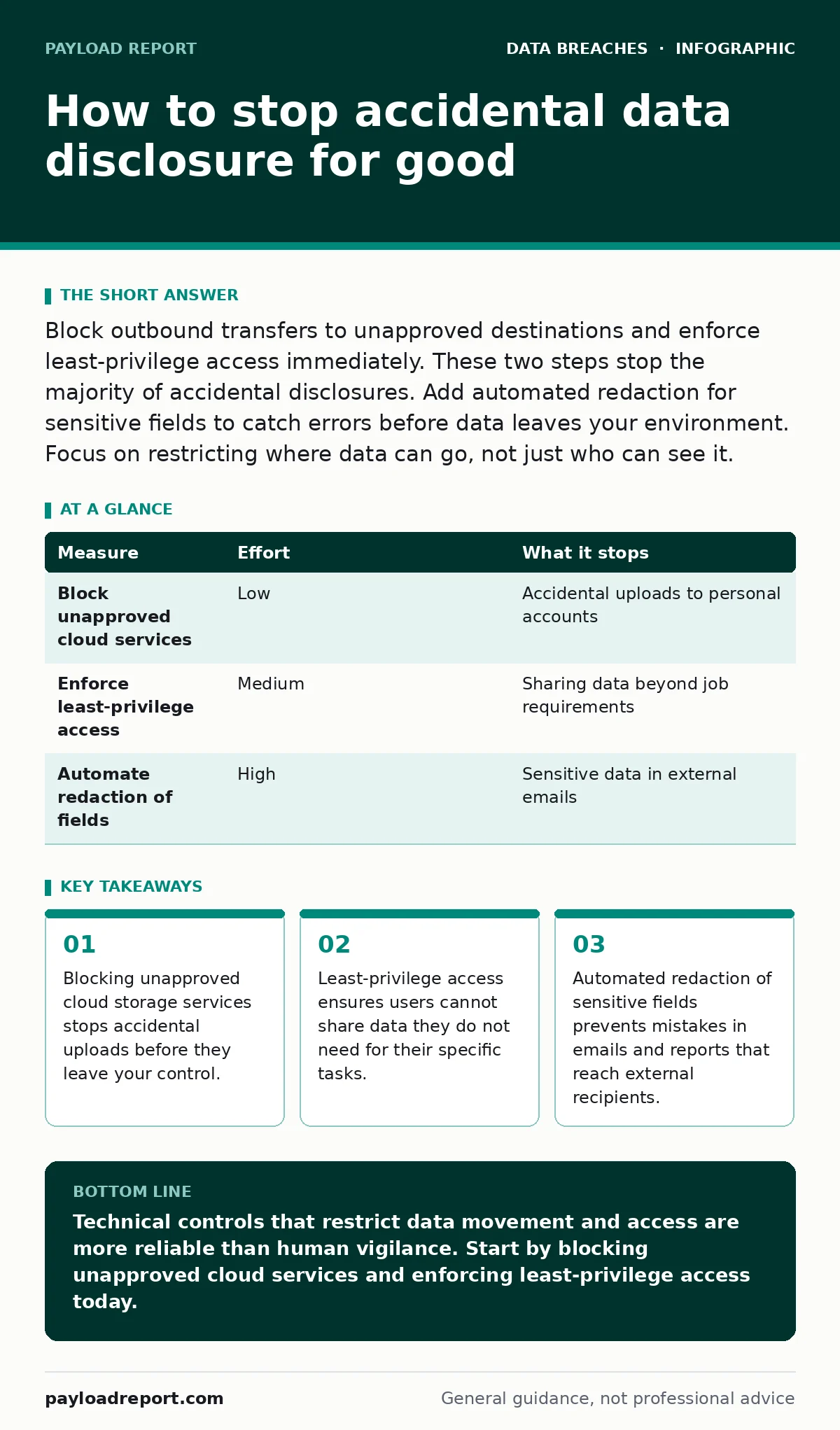
| Measure | Effort | What it stops |
|---|---|---|
| Block unapproved cloud services | Low | Accidental uploads to personal accounts |
| Enforce least-privilege access | Medium | Sharing data beyond job requirements |
| Automate redaction of fields | High | Sensitive data in external emails |
Limit who can see what
Accidental disclosure often happens because users have access to more data than they need. When a database allows a support agent to view all customer records, the agent might accidentally include extra rows in an export or send a report to the wrong distribution list. Reducing access rights reduces the blast radius of any human error.
Implement least-privilege access controls. This principle grants users only the permissions required to perform their immediate tasks. Review these permissions regularly to ensure they match current job roles. This approach aligns with best practices for user access provisioning. If a user leaves a role or the team, their access should be revoked automatically.
Catch errors before they leave
Even with strict access controls, users make mistakes. They attach the wrong file to an email or copy sensitive text into a public ticket. Automated redaction tools can identify and mask sensitive fields before data leaves your organisation. These tools scan outgoing emails and documents for patterns like payment card numbers or national identity numbers.
Integrate redaction into your communication platforms. When a user attempts to send an email containing sensitive data, the tool can block the send request or mask the data automatically. This adds a safety net for human error. It does not replace the need for training, but it catches mistakes that training fails to prevent.
Classify data correctly
You cannot protect what you do not recognise. Data classification labels help security tools and users understand the sensitivity of information. Without clear labels, automated tools cannot distinguish between a public marketing brochure and a confidential internal report. Mislabelled data often receives the wrong level of protection.
Apply classification labels at the point of creation. Ensure that sensitive data is tagged as confidential or restricted. This tagging allows your security tools to apply stricter controls to specific files. It also informs users that they are handling sensitive material. Clear classification is the foundation for all other prevention measures.
What does not work
Many organisations rely on security awareness training as their primary defence against accidental disclosure. Training is useful for raising general awareness, but it does not stop specific mistakes. People forget, rush, or misinterpret instructions. Expecting humans to perfectly identify sensitive data every time is unrealistic.
Another common failure is relying solely on perimeter firewalls. Accidental disclosure often occurs through allowed channels like email or collaboration tools. Firewalls allow these connections by design. You need application-level controls that inspect the content of the traffic, not just the destination.
See also: User Access Provisioning: Benefits, Limits and When to Skip It · Identity and Access Management Best Practices for Secure Cloud Infrastructure
Monitor for unusual activity
Anomalies in data access patterns can signal accidental disclosure. A user who normally downloads a few records suddenly exports thousands may have made a mistake. Database activity monitoring tools can detect these spikes in activity. They alert security teams to investigate before the data leaves the organisation.
Set up alerts for large data exports or access to sensitive tables outside normal working hours. These alerts help you catch errors early. Combine this with log retention policies to ensure you have the historical data needed for investigation. Quick detection limits the impact of any accidental leak.
Build a culture of caution
Technical controls are necessary, but they are not sufficient. Users need to understand why certain data must be protected. When employees understand the real-world impact of a leak, they are more likely to double-check their actions. This cultural shift supports technical measures by reducing the frequency of errors.
Encourage users to report potential mistakes without fear of punishment. If a user accidentally sends a sensitive email, they should report it immediately. This allows you to recall the message or mitigate the exposure. A blame-free environment promotes faster response times and better overall security hygiene.
Checklist for today
Start with these three actions to reduce your risk immediately. These steps require minimal effort but provide significant protection against common accidental disclosure scenarios. Implement them before moving to more complex solutions.
- Block access to personal cloud storage services on your network.
- Review and restrict access rights for users with broad data permissions.
- Enable automated scanning of outbound emails for sensitive data patterns.
Key takeaways
- Blocking unapproved cloud storage services stops accidental uploads before they leave your control.
- Least-privilege access ensures users cannot share data they do not need for their specific tasks.
- Automated redaction of sensitive fields prevents mistakes in emails and reports that reach external recipients.
Technical controls that restrict data movement and access are more reliable than human vigilance. Start by blocking unapproved cloud services and enforcing least-privilege access today.
Frequently asked questions
Does encryption stop accidental data disclosure?
Encryption protects data if it is stolen, but it does not stop a user from accidentally sending encrypted files to the wrong recipient. The data is still disclosed, even if unreadable.
How often should I review user access rights?
Review access rights quarterly or whenever a user changes roles. Regular reviews ensure that permissions match current job requirements and reduce the risk of excessive access.
Can I use data loss prevention for free?
Basic DLP features are often included in email and collaboration platforms. Advanced features that inspect content and enforce policies usually require additional investment or configuration.
What is the biggest cause of accidental disclosure?
The biggest cause is usually excessive user access combined with unrestricted outbound channels. Users accidentally share data they should not have seen through allowed communication tools.
How this guide was produced: written by the Payload Report editorial team with AI assistance, checked against the public references listed below, and reviewed when the facts change. See our editorial policy or report an error.