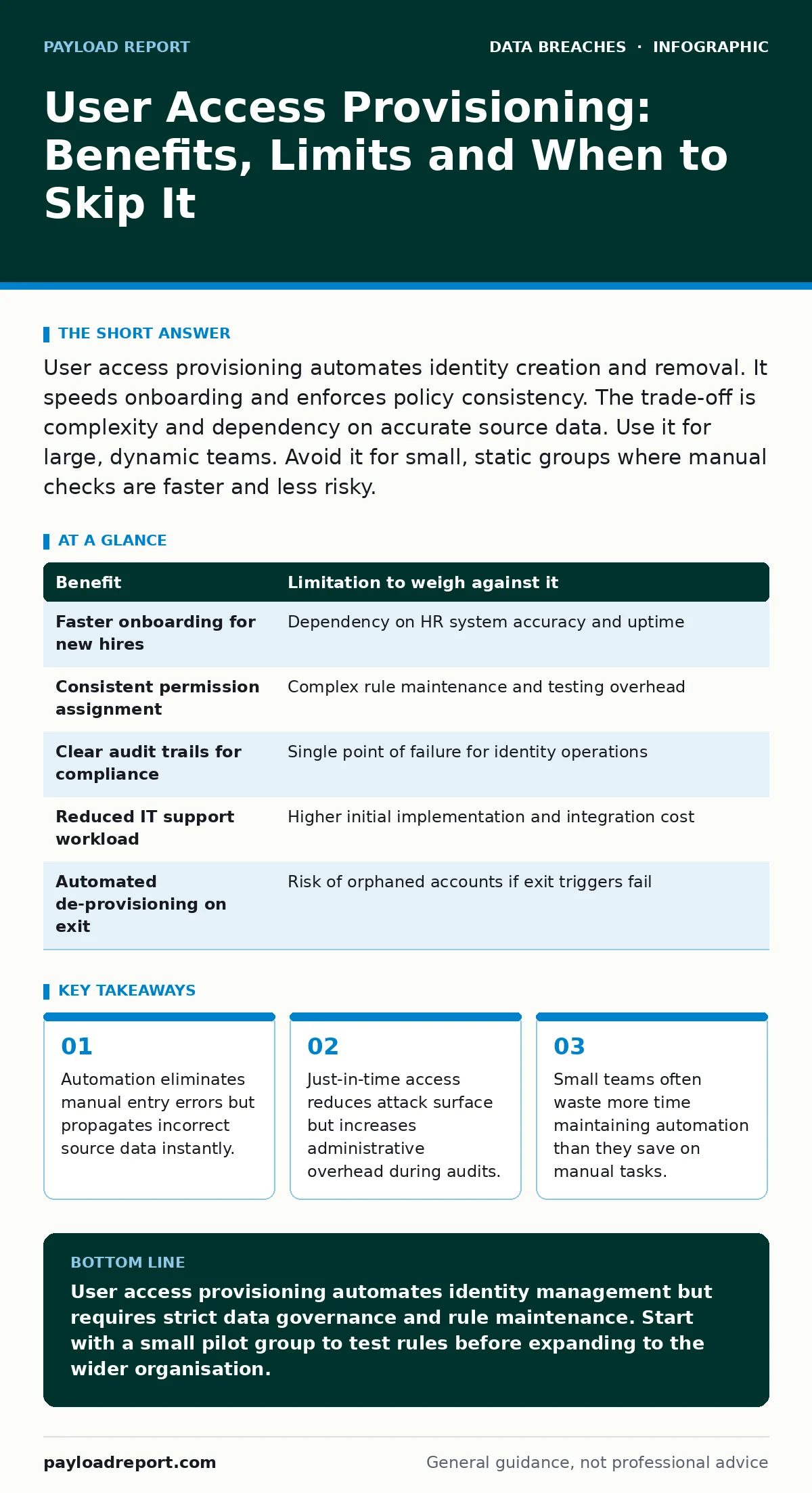
User access provisioning automates identity creation and removal. It speeds onboarding and enforces policy consistency. The trade-off is complexity and dependency on accurate source data. Use it for large, dynamic teams. Avoid it for small, static groups where manual checks are faster and less risky.
What User Access Provisioning Actually Does
User access provisioning is the automated process of creating, modifying and deleting digital identities. You define rules in an identity management system. The system reads a trigger from a human resources database or a ticketing tool. It then creates the user account, assigns group memberships and configures email aliases. The mechanism relies on a single source of truth. If that source is wrong, every downstream system becomes wrong.
Imagine a new engineer joins your organisation. The HR system records their start date. The provisioning engine detects the change. It creates an Active Directory account, adds the user to the engineering group and grants access to code repositories. This happens without human intervention. The speed is undeniable. The risk is that the engineer never receives the security awareness training required before accessing production data.
The Concrete Benefits of Automation
Automation removes the friction of manual account creation. You eliminate the delay between hiring and first day readiness. New staff can log in immediately. This improves morale and reduces the burden on IT support teams. You also gain consistency. Every user receives the exact same set of permissions based on their role. There is no variation between who created the account.
Audit trails become significantly clearer. Manual processes rely on email requests and spreadsheet logs. Automated systems log every action with timestamps. You can see exactly when an account was created, who triggered the creation and what permissions were assigned. This clarity helps during internal reviews. It demonstrates that you follow a defined process rather than relying on memory or informal agreements.
Scalability is the primary driver for large organisations. Manual provisioning does not scale. Adding 500 employees requires hundreds of hours of repetitive work. Automation handles volume without increasing error rates. You maintain the same quality of access control whether you have 50 users or 50,000. This consistency is vital for maintaining security posture across a growing workforce.
The Honest Limitations and Hidden Costs
Automation introduces a single point of failure. If the identity management system goes down, you cannot create or modify accounts. You lose the ability to onboard staff or rotate credentials. This dependency requires significant investment in high availability. You must ensure the provisioning engine is as reliable as the systems it controls.
Data quality is the silent killer of automated access. The system trusts the source data implicitly. If a manager changes a user’s department in the HR system but forgets to update the security clearance level, the provisioning engine applies the new department’s permissions. The user suddenly has access to sensitive data they should not see. This is known as privilege creep. It happens silently because the system is doing exactly what it was told to do.
Maintenance overhead is often underestimated. You must write and test rules for every job role. When a new role emerges, you must update the provisioning logic. If the logic is complex, testing becomes difficult. A small change in one rule can break access for another group. You spend considerable time debugging permission issues that stem from logic errors rather than user error.
Comparing Benefits Against Limitations
Every benefit of user access provisioning has a corresponding limitation. You must weigh these factors against your organisational context. The table below outlines the primary trade-offs.
| Benefit | Limitation to weigh against it |
|---|---|
| Faster onboarding for new hires | Dependency on HR system accuracy and uptime |
| Consistent permission assignment | Complex rule maintenance and testing overhead |
| Clear audit trails for compliance | Single point of failure for identity operations |
| Reduced IT support workload | Higher initial implementation and integration cost |
| Automated de-provisioning on exit | Risk of orphaned accounts if exit triggers fail |
When It Is Worth It
User access provisioning is worth it when you have high staff turnover. Frequent hiring and firing create a constant churn of identities. Manual processes cannot keep up with this volume. Automation ensures that access is granted and revoked promptly. This reduces the window of opportunity for attackers who might exploit delayed de-provisioning.
It is also worth it when you operate in a regulated industry. Compliance frameworks require strict access controls and detailed audit logs. Manual processes are difficult to prove as consistent. Automated systems provide the evidence needed for audits. You can demonstrate that access was granted based on defined policies rather than individual discretion. This reduces legal and regulatory risk.
Large, distributed organisations benefit most. When teams are spread across multiple locations or time zones, coordination is difficult. A centralised provisioning system ensures that everyone follows the same process. You eliminate regional variations in access control. This uniformity strengthens your overall security posture.
Imagine a global financial services firm. They hire and fire staff daily across dozens of countries. Manual provisioning would be impossible. Automation ensures that every employee has the correct access from day one. It also ensures that access is removed immediately upon termination. This speed is critical for protecting sensitive financial data.
See also: How to stop accidental data disclosure for good · SIM Swap Fraud Warning Signs and Immediate Response Steps
When It Is Not Worth It
User access provisioning is not worth it for small teams with stable membership. If you have fewer than 50 employees and low turnover, manual processes are faster. The time spent setting up and maintaining the automation exceeds the time saved on account creation. You introduce complexity without gaining efficiency.
It is also not worth it when your technology stack is fragmented. If you use many best-of-breed applications that do not support standard identity protocols, integration becomes a nightmare. You must build custom connectors for each system. These connectors break when applications update. The maintenance burden outweighs the benefits.
Organisations with complex, non-standard roles should avoid automation. If every employee has a unique set of permissions, you cannot define clear rules. The provisioning system requires standardisation. If your business model relies on bespoke access, manual review is more accurate. You avoid the risk of over-provisioning by keeping humans in the loop.
Suppose a creative agency uses unique software for every client project. Each project requires different access levels. Automating this would require hundreds of custom rules. These rules would be difficult to maintain. Manual assignment ensures that each client’s requirements are met precisely. This flexibility is lost in rigid automated systems.
Integrating With Other Security Measures
User access provisioning does not exist in isolation. It must work with other security controls. For example, just-in-time access complements provisioning by granting temporary permissions. This reduces the long-term risk of standing privileges. You combine automated creation with time-bound access. This approach balances convenience with security.
You should also consider the 3-2-1 backup rule for your identity management system. If the provisioning engine is compromised, you need a way to restore correct permissions. Backing up configuration files and rule sets ensures you can recover from an attack. This resilience is often overlooked in identity strategies.
Final Considerations for Implementation
Start with a pilot group. Do not roll out provisioning to the entire organisation at once. Choose a department with standard roles. Test the rules thoroughly. Monitor for errors and permission creep. Adjust the logic before expanding. This phased approach reduces risk.
Train your IT staff on the system. They must understand how the provisioning engine works. They need to know how to troubleshoot issues. Without this knowledge, they will revert to manual processes when problems arise. This undermines the entire initiative.
Regularly review the rules. Business processes change. Job roles evolve. The provisioning logic must adapt. Schedule quarterly reviews of the rules. Remove obsolete permissions. Add new requirements. This ongoing maintenance keeps the system effective.
Key takeaways
- Automation eliminates manual entry errors but propagates incorrect source data instantly.
- Just-in-time access reduces attack surface but increases administrative overhead during audits.
- Small teams often waste more time maintaining automation than they save on manual tasks.
User access provisioning automates identity management but requires strict data governance and rule maintenance. Start with a small pilot group to test rules before expanding to the wider organisation.
Frequently asked questions
Does user access provisioning prevent insider threats?
No, it manages access levels but does not monitor user behaviour. You need separate data loss prevention and user behaviour analytics tools to detect malicious insiders.
How do I handle emergency access requests?
Implement a break-glass procedure. This allows manual override of automated rules for emergencies. Log all such actions for later audit and review.
Can I use open standards for provisioning?
Yes, protocols like SCIM allow automated user provisioning. Ensure your identity provider and target applications support this standard for seamless integration.
What happens if the HR system is down?
You lose the trigger for new accounts. Have a manual fallback process. Document the steps for creating accounts manually until the HR system is restored.
How this guide was produced: written by the Payload Report editorial team with AI assistance, checked against the public references listed below, and reviewed when the facts change. See our editorial policy or report an error.