
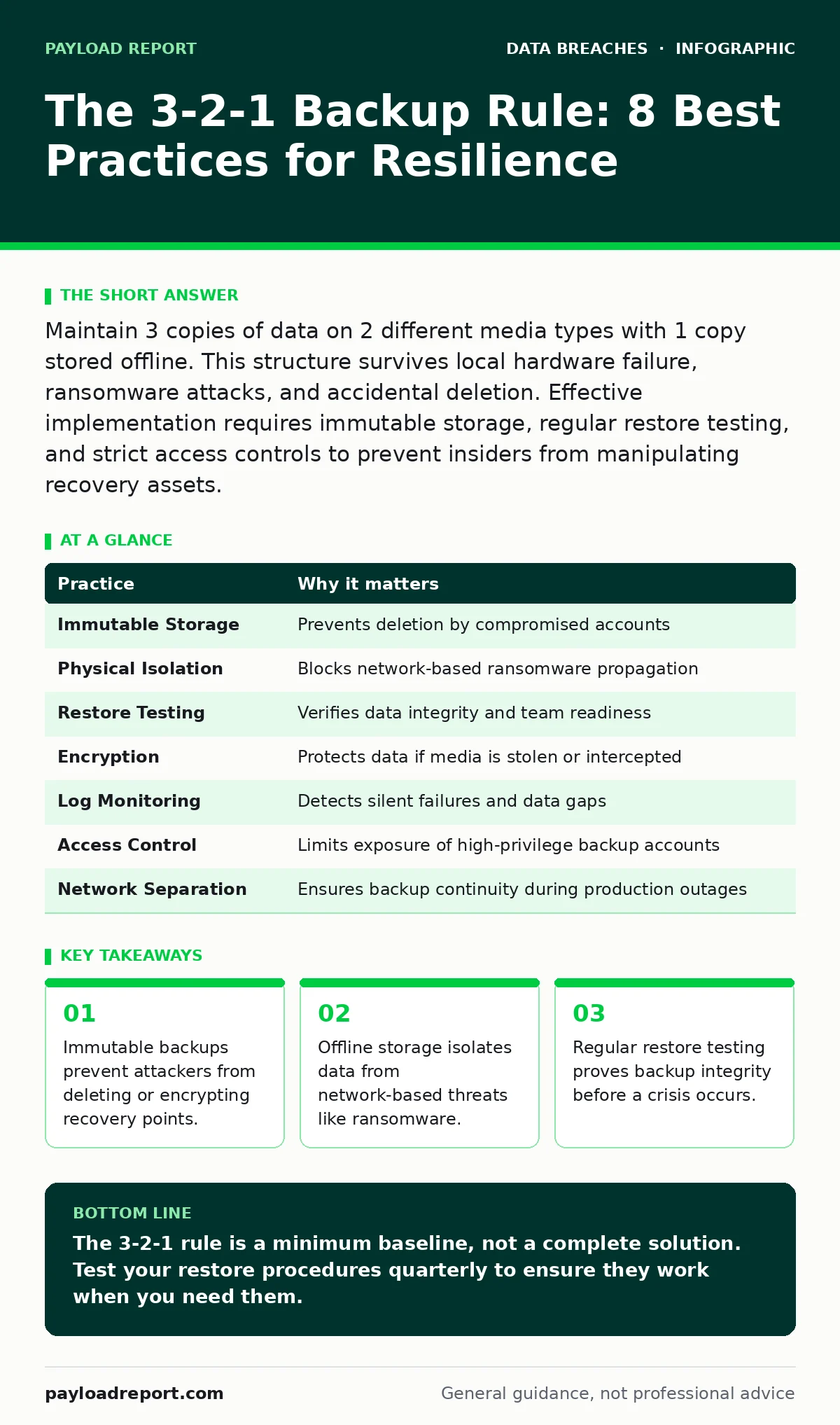
Maintain 3 copies of data on 2 different media types with 1 copy stored offline. This structure survives local hardware failure, ransomware attacks, and accidental deletion. Effective implementation requires immutable storage, regular restore testing, and strict access controls to prevent insiders from manipulating recovery assets.
Why Standard Backups Fail Under Attack
The 3-2-1 backup rule provides a baseline for data resilience. It requires 3 copies of your data, stored on 2 different types of media, with 1 copy kept offline or immutable. This structure assumes that threats will bypass standard security controls. Attackers often compromise backup accounts before encrypting production systems. A static snapshot is useless if the attacker can delete it. You must treat backup infrastructure as a high-value target. The rule prevents total data loss but does not guarantee rapid recovery. Recovery time depends on how quickly you can verify and restore the offline copy.
1. Use Immutable Storage for Cloud Backups
Standard cloud storage allows deletion by any account with write permissions. Ransomware operators specifically target these permissions to eliminate recovery options. Immutable storage objects cannot be altered or deleted for a fixed retention period. This feature blocks attackers from wiping your safety net. The trade-off is that you cannot correct accidental errors during the retention window. You must plan your retention periods carefully to balance security against operational flexibility.
Tip: Configure object lock policies that enforce a minimum retention period longer than your average incident response time.
2. Isolate Offline Media Physically
Network-attached storage remains vulnerable to lateral movement. An attacker who compromises a server can often reach attached backup drives. Physical isolation breaks the network path. Tape drives, external hard drives, or optical media stored in a separate building provide this separation. The cost is increased manual handling and slower restore speeds. You must accept this delay in exchange for guaranteed isolation from digital threats.
Tip: Store offline media in a fireproof safe located in a different geographic zone from your primary data centre.
3. Test Restore Procedures Quarterly
A backup is only as good as its last successful restore. Many organisations verify that backup jobs complete without errors but never test the data integrity. Corruption can occur silently during transfer or storage. You may discover that critical files are unreadable only during an actual outage. Regular testing reveals configuration drift and permission issues before they cause failure. This process also trains your team on the recovery workflow.
Tip: Select a random subset of files each quarter and restore them to an isolated test environment to verify readability.
4. Encrypt Backups at Rest and in Transit
Backup data contains the same sensitive information as production systems. If an attacker steals offline media or intercepts cloud transfers, unencrypted data is exposed. Encryption ensures that stolen backups are useless without the decryption keys. You must manage these keys separately from the backup data itself. If the keys are stored on the same server, encryption provides no security benefit. This adds complexity to your key management lifecycle.
Tip: Use hardware security modules to generate and store encryption keys, ensuring they are never exported to the backup server.
See also: Log Retention Policy: A Practical Framework for Evidence and Recovery · How to check your digital footprint: a technical audit
5. Monitor Backup Job Integrity Logs
Failed backup jobs are common but often go unnoticed. Silent failures leave gaps in your recovery timeline. You might believe you have a recent copy when the last successful backup is weeks old. Automated monitoring alerts you to failures immediately. This allows you to address network issues, storage capacity problems, or permission errors before they create a data gap. Ignoring these alerts increases your risk exposure significantly.
Tip: Configure alerts for any backup job that fails or exceeds its expected duration, directing notifications to your security operations team.
6. Restrict Access to Backup Accounts
Backup accounts often have elevated privileges to read all data. Attackers seek these accounts to exfiltrate data or delete backups. Standard user accounts should never have backup privileges. You must apply the principle of least privilege strictly. Access should be limited to automated service accounts and a small number of administrators. Multi-factor authentication is mandatory for any human access to backup systems. This reduces the attack surface for credential theft.
Tip: Rotate credentials for backup service accounts regularly and disable any account that is not actively used for recovery tasks.
7. Separate Backup Networks from Production
Sharing network infrastructure between production and backup systems creates a single point of failure. A network outage or attack affecting production can also disrupt backup operations. Dedicated network segments isolate backup traffic. This separation ensures that backup jobs continue even if the production network is compromised or congested. It also prevents attackers from using the backup network as a pivot point. The cost is additional network hardware and configuration effort.
Tip: Implement firewall rules that block all inbound traffic from the production network to the backup network, allowing only outbound backup jobs.
8. Document Recovery Time Objectives
Knowing you have a backup is different from knowing how long restoration takes. Business units need to understand the downtime associated with different recovery scenarios. A full system restore may take days, while a single file recovery takes minutes. Your backup strategy must align with business continuity requirements. If your acceptable downtime is four hours, a daily tape backup is insufficient. You must tailor your backup frequency and media type to these objectives.
Tip: Define and document the maximum acceptable downtime for each critical application, then design your backup rotation to meet those targets.
| Practice | Why it matters |
|---|---|
| Immutable Storage | Prevents deletion by compromised accounts |
| Physical Isolation | Blocks network-based ransomware propagation |
| Restore Testing | Verifies data integrity and team readiness |
| Encryption | Protects data if media is stolen or intercepted |
| Log Monitoring | Detects silent failures and data gaps |
| Access Control | Limits exposure of high-privilege backup accounts |
| Network Separation | Ensures backup continuity during production outages |
| Recovery Objectives | Aligns technical strategy with business needs |
Integrating Backup with Broader Security
Backups do not exist in isolation. They interact with other security controls. For instance, log retention policies must include backup job logs to support forensic analysis after an incident. If you cannot prove what data was backed up and when, your incident response efforts will stall. Similarly, user access provisioning processes must include backup systems. When an employee leaves, their access to backup consoles must be revoked immediately. Failure to do so leaves a permanent backdoor into your recovery infrastructure.
Consider how third-party risk assessments apply to backup vendors. If you use a managed service provider for backups, their security posture directly impacts your resilience. You must verify that they follow the 3-2-1 rule for your data. Their failure to isolate your backups could expose you to cross-tenant attacks. This extends your security responsibility beyond your own network perimeter.
Addressing Common Implementation Gaps
Many organisations struggle with the cost of maintaining multiple copies. The perceived expense often leads to cutting corners. However, the cost of data loss far exceeds the cost of storage. You must calculate the true cost of downtime, including legal fees and reputational damage. This calculation usually justifies the investment in robust backup strategies. Another common gap is neglecting configuration data. Backing up only files ignores the settings required to rebuild systems. You must include configuration backups in your strategy.
Database activity monitoring can help detect unusual queries that might indicate data exfiltration before backups are deleted. While not a backup solution itself, it provides early warning signs. This allows you to isolate affected systems before the attacker reaches the backup infrastructure. Combining detection with resilient storage creates a layered defence.
Final Considerations for Resilience
Your backup strategy must evolve as threats change. New ransomware variants target specific backup technologies. You must stay informed about these developments without relying on commercial vendor claims. Focus on open standards and proven mechanisms. Regularly review your digital footprint to ensure that backup metadata is not exposing sensitive information about your infrastructure. Publicly accessible backup lists can guide attackers to your most valuable data.
Imagine a scenario where your primary data centre is destroyed. Your offline backups are the only path to recovery. If you have not tested the restore process, you will face extended downtime. This downtime can threaten the survival of your organisation. Preparation is not optional. It is a fundamental requirement for operational continuity.
Key takeaways
- Immutable backups prevent attackers from deleting or encrypting recovery points.
- Offline storage isolates data from network-based threats like ransomware.
- Regular restore testing proves backup integrity before a crisis occurs.
The 3-2-1 rule is a minimum baseline, not a complete solution. Test your restore procedures quarterly to ensure they work when you need them.
Frequently asked questions
Can cloud storage count as the offline copy in the 3-2-1 rule?
Only if the cloud provider offers immutable storage or air-gapped solutions that prevent deletion by compromised accounts. Standard cloud buckets are online.
How often should I perform restore tests?
Quarterly testing is recommended for critical systems. This frequency balances operational effort with the need to verify data integrity and team readiness.
Do I need to backup configuration files?
Yes. Data without configuration is often unusable. Include system settings, scripts, and application configurations in your backup scope to ensure full recovery.
What is the biggest risk to backup security?
Compromised credentials for backup accounts. Attackers use these to delete or encrypt backups. Restrict access and use multi-factor authentication.
How this guide was produced: written by the Payload Report editorial team with AI assistance, checked against the public references listed below, and reviewed when the facts change. See our editorial policy or report an error.