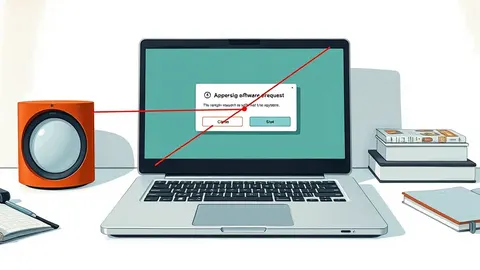
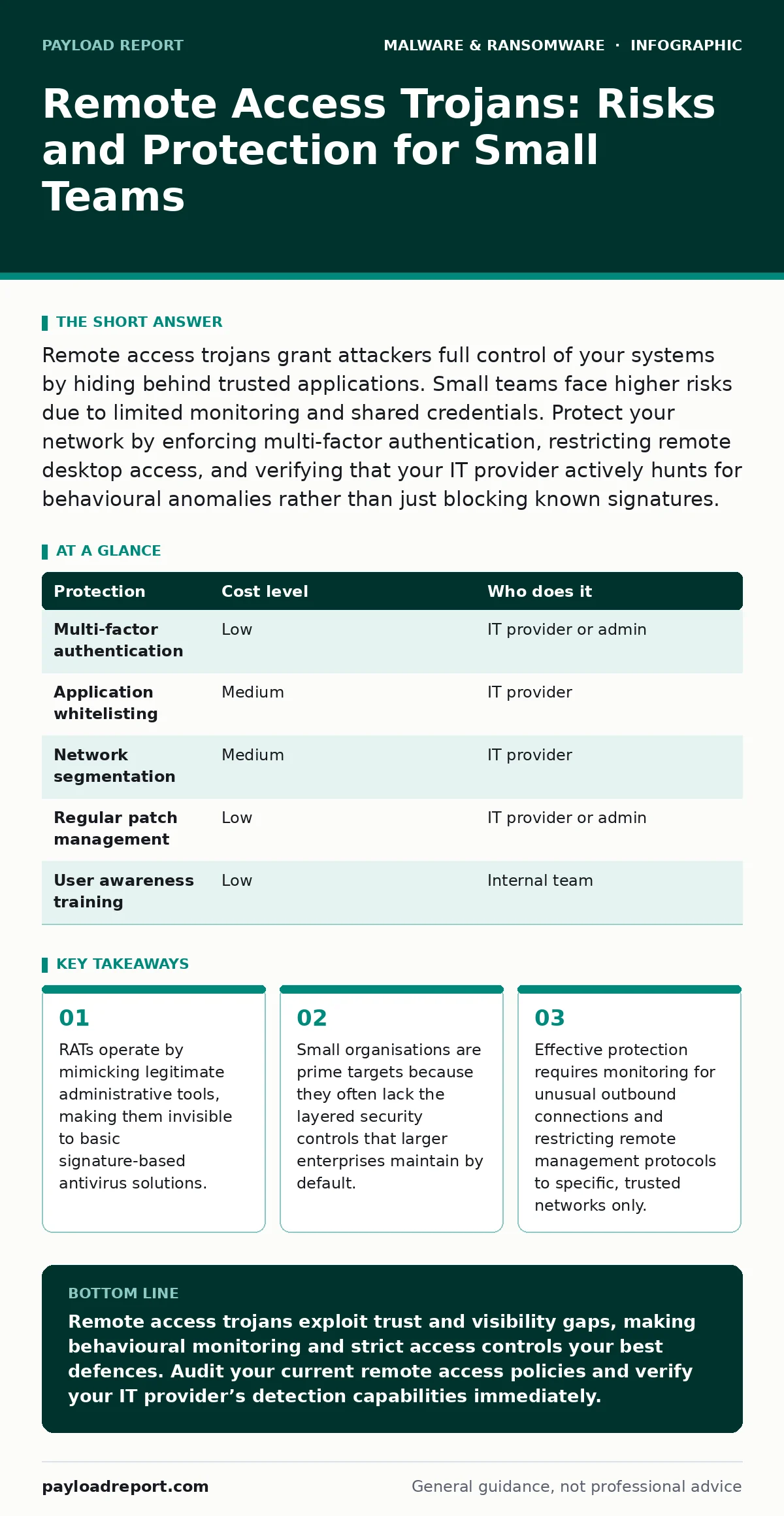
Remote access trojans grant attackers full control of your systems by hiding behind trusted applications. Small teams face higher risks due to limited monitoring and shared credentials. Protect your network by enforcing multi-factor authentication, restricting remote desktop access, and verifying that your IT provider actively hunts for behavioural anomalies rather than just blocking known signatures.
The Hidden Cost of Trusting Remote Tools
Remote access trojans differ from standard malware because they do not aim to destroy data immediately. They aim to establish a persistent, hidden channel for command and control. The attacker gains the ability to run commands, view screens, and move laterally across your network. This capability turns a single compromised endpoint into a foothold for broader infiltration. The danger lies in the delay. Detection often occurs only after the attacker has mapped your environment and identified high-value assets.
Small organisations are exposed because they often rely on convenience over control. Shared credentials, unpatched remote desktop services, and a lack of network segmentation create an easy path for entry. When you use a remote access tool, you are essentially giving someone the keys to your digital house. If that tool is compromised or misconfigured, the attacker walks in through the front door. The absence of dedicated security staff means that anomalous behaviour, such as a file transfer at 3 AM, may go unnoticed for weeks.
Why Small Teams Become Easy Targets
Attackers prioritise targets based on the effort required to gain access versus the potential reward. Small businesses often present a high reward with low effort. They may lack the infrastructure to detect lateral movement, where an attacker moves from one computer to another within the network. This lack of visibility is the primary vulnerability.
Another factor is the reliance on third-party vendors. Your IT provider or cloud host may have administrative access to your systems. If their security posture is weak, your data is exposed by association. This is known as supply chain risk. You inherit the security gaps of everyone who touches your infrastructure. Additionally, small teams often use consumer-grade hardware and software that lacks enterprise-level security features, such as hardware-based encryption or advanced logging capabilities.
The human element also plays a significant role. Employees in small teams often wear multiple hats, including handling sensitive data and interacting with external clients. This increases the surface area for social engineering attacks. A single click on a malicious link can install a remote access trojan that sits dormant until the attacker decides to act. The combination of technical gaps and human factors creates a perfect storm for compromise.
Low-Cost Protections That Actually Work
You do not need a massive budget to significantly reduce your risk. The most effective defences are often procedural rather than technological. Start by enforcing multi-factor authentication on all accounts, especially those with administrative privileges. This single step prevents an attacker from using stolen passwords to log in remotely, even if they have installed a remote access trojan.
Restrict remote access protocols to specific, trusted IP addresses. If your team works from home, use a virtual private network to encrypt traffic and ensure that only authorised devices can connect to your internal network. Disable unused remote management services, such as Remote Desktop Protocol, on devices that do not require them. Reducing the number of open doors makes it harder for attackers to find an entry point.
Implement application whitelisting. This security measure allows only approved applications to run on your systems. If a remote access trojan tries to execute a script or a new process, the system blocks it because it is not on the approved list. This stops many types of malware in their tracks. Regularly update your operating systems and applications to patch known vulnerabilities that attackers often exploit to gain initial access.
| Protection | Cost level | Who does it |
|---|---|---|
| Multi-factor authentication | Low | IT provider or admin |
| Application whitelisting | Medium | IT provider |
| Network segmentation | Medium | IT provider |
| Regular patch management | Low | IT provider or admin |
| User awareness training | Low | Internal team |
What to Ask Your IT Provider
Your IT provider is your first line of defence. However, not all providers offer the same level of security monitoring. You need to understand exactly what they are watching for and how they respond to threats. Ask specific questions to gauge their capabilities. Do not accept vague answers about "good security practices."
- How do you detect behavioural anomalies rather than just known malware signatures?
- What is your response time for a confirmed remote access trojan detection?
- Do you monitor outbound network traffic for unusual data exfiltration?
- How often do you review and update firewall rules and access controls?
- Can you provide a recent incident response drill report to demonstrate your readiness?
These questions reveal whether your provider is passively managing your infrastructure or actively defending it. A provider that only installs antivirus software is not enough. You need a partner that understands the tactics of advanced attackers. If they cannot explain how they detect lateral movement or command-and-control communications, you may need to consider a different provider or add a managed detection and response service.
The Limits of Standard Antivirus
Standard antivirus software relies on signatures, which are digital fingerprints of known malware. Remote access trojans are often custom-built or heavily modified to avoid detection. This means they do not match any known signature. Your antivirus may see a remote access trojan as a harmless file because it has never encountered that specific variant before.
This is why behavioural analysis is critical. Instead of looking for a specific file, the security system looks for suspicious actions. For example, if a text editor suddenly tries to connect to an external server and execute commands, that is abnormal behaviour. Endpoint detection and response platforms excel at this type of monitoring. They record system activities and alert you to deviations from the norm. Without this layer, you are flying blind against sophisticated threats.
Another limitation is the focus on the endpoint. Antivirus lives on the computer. It does not see what happens on the network. A remote access trojan may communicate with its controller over encrypted channels that look like normal web traffic. Network-level monitoring is required to spot these hidden conversations. Relying solely on endpoint protection leaves a significant gap in your security posture.
See also: Mac Malware Anatomy: The 5 Stages of Infection and How to Break the Chain · Backdoor vs Trojan: The Structural Difference and Operational Risk
Building a Resilient Security Culture
Technology alone cannot stop every attack. Your team must be trained to recognise the signs of compromise. Educate employees on the risks of downloading unsolicited files or clicking on links in unexpected emails. Encourage a culture where reporting suspicious activity is praised, not punished. This early warning system can prevent a minor incident from becoming a major breach.
Regularly test your incident response plan. Simulate a remote access trojan infection to see how your team reacts. Do they know who to call? Do they know how to isolate an infected device? Practice makes perfect. A well-rehearsed team can contain a threat before it spreads, minimising damage and downtime.
Finally, maintain an inventory of all devices and software. You cannot protect what you do not know exists. Shadow IT, where employees use unapproved applications or devices, creates blind spots. Regularly audit your environment to ensure that all assets are accounted for and secured. This visibility is the foundation of effective security.
Key takeaways
- RATs operate by mimicking legitimate administrative tools, making them invisible to basic signature-based antivirus solutions.
- Small organisations are prime targets because they often lack the layered security controls that larger enterprises maintain by default.
- Effective protection requires monitoring for unusual outbound connections and restricting remote management protocols to specific, trusted networks only.
Remote access trojans exploit trust and visibility gaps, making behavioural monitoring and strict access controls your best defences. Audit your current remote access policies and verify your IT provider’s detection capabilities immediately.
Frequently asked questions
How can I tell if I have a remote access trojan?
Look for unusual system performance, unexpected network activity, or new user accounts. Unexplained file changes or disabled security software are also strong indicators of compromise.
Does multi-factor authentication stop remote access trojans?
MFA prevents attackers from logging in with stolen credentials, but it does not stop a trojan that already has control of an active session. It adds a critical layer of defence against initial access.
What is the difference between a RAT and spyware?
Spyware primarily focuses on stealing data like keystrokes or browsing habits. A remote access trojan provides full control, allowing the attacker to execute commands, install other malware, and manipulate the system directly.
Should I use a firewall to stop remote access trojans?
A firewall blocks unauthorised inbound connections, but it cannot stop a trojan that initiates outbound connections to its controller. You need outbound filtering and behavioural monitoring for effective protection.
How this guide was produced: written by the Payload Report editorial team with AI assistance, checked against the public references listed below, and reviewed when the facts change. See our editorial policy or report an error.