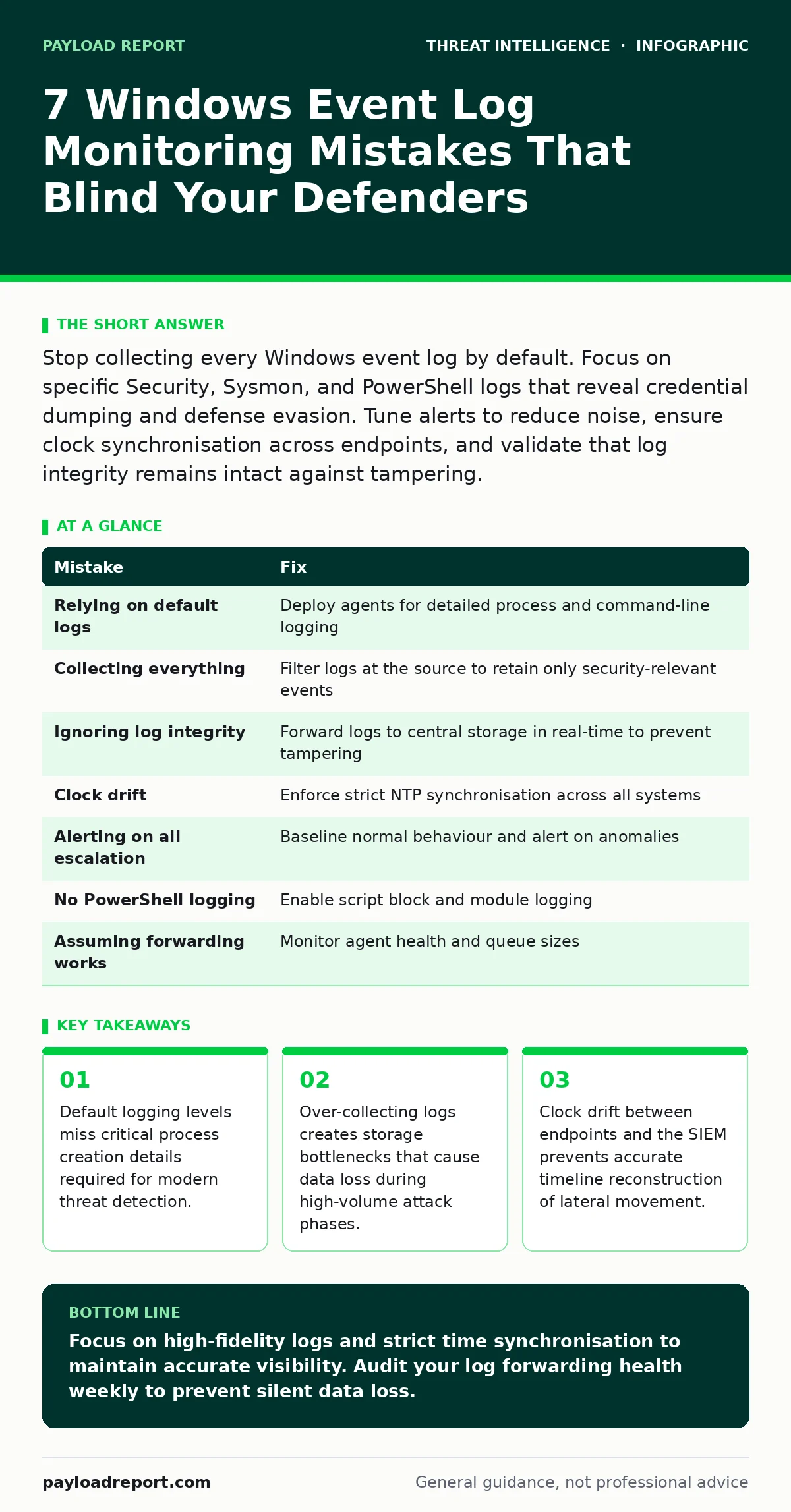
Stop collecting every Windows event log by default. Focus on specific Security, Sysmon, and PowerShell logs that reveal credential dumping and defense evasion. Tune alerts to reduce noise, ensure clock synchronisation across endpoints, and validate that log integrity remains intact against tampering.
Mistake 1: Relying solely on default Windows Security logs
Windows event logs provide visibility into system activity, but the default configuration leaves significant gaps. Security operations teams often assume that enabling "Audit Success" and "Audit Failure" for all categories provides sufficient coverage. This assumption fails because default logs lack the granularity needed to detect modern intrusion techniques. The Security log records who did what, but it often omits the command-line arguments and parent process relationships that define the attack context. Without these details, you cannot distinguish between a legitimate administrative task and a malicious script execution.
Why it hurts:
Attackers using pass-the-hash attacks or initial access brokers rely on standard system processes to blend in. Default logs show that a process ran, but they do not show how it was invoked. You miss the command-line arguments that reveal file encryption or data exfiltration. The absence of parent-child process trees makes it impossible to trace the origin of a suspicious process back to the initial compromise vector.
The fix:
Deploy a lightweight agent that extends native logging capabilities. Configure the agent to log process creation with full command-line arguments, network connections, and registry changes. This approach captures the behavioural context that native logs ignore. Ensure the configuration includes logging for PowerShell script block execution and module loading. These specific events reveal the logic of an attacker’s script without generating the noise of every keystroke or file read.
Mistake 2: Collecting every event to avoid missing anything
The instinct to collect everything stems from a fear of blind spots. Administrators enable verbose logging on all subsystems, including Information-level events from applications that rarely indicate security issues. This strategy creates a data deluge that overwhelms storage and processing pipelines. The volume of benign data obscures the rare, high-fidelity signals that indicate a breach. When the pipeline saturates, the system begins dropping events to maintain performance, creating exactly the blind spot you tried to avoid.
Why it hurts:
Storage costs scale linearly with log volume, but detection value does not. You pay to store millions of authentication successes that add no analytical value. The noise increases the time required to investigate alerts, leading to alert fatigue. During a high-volume attack, the ingestion pipeline may throttle or drop events, causing gaps in the forensic timeline.
The fix:
Implement a filtering strategy that retains only events relevant to security detection. Define a whitelist of event IDs that correlate with known attack patterns, such as process creation, logon failures, and privilege escalation. Discard low-value information events at the source endpoint before they traverse the network. This reduces bandwidth usage and storage requirements while preserving the high-fidelity data needed for detection. Regularly review the whitelist to ensure it evolves with new threat tactics.
Mistake 3: Ignoring log integrity and tampering risks
Assuming that logs on a local disk are immutable is a dangerous misconception. Attackers with local administrative privileges can clear event logs, disable auditing, or delete specific entries to cover their tracks. If your monitoring solution relies solely on local log caches, an attacker can erase the evidence of their presence before the logs are forwarded to the central repository. This capability is a standard part of defense evasion techniques used by sophisticated threat groups.
Why it hurts:
You lose the forensic trail at the source. Without real-time forwarding, an attacker has a window of opportunity to delete logs before they are backed up. This leaves analysts with no data to analyse, forcing them to rely on incomplete memory dumps or network flows. The absence of log evidence makes it difficult to determine the scope of the compromise or the initial entry point. It also weakens legal defences by undermining the chain of custody for digital evidence.
The fix:
Configure endpoints to forward logs to a centralised, write-once read-many storage system in near real-time. Use secure protocols that encrypt data in transit to prevent interception. Disable local log retention where possible, or configure the local cache to overwrite old logs only after they have been successfully transmitted to the central repository. This ensures that even if an attacker clears the local logs, the central system retains a copy for analysis.
Mistake 4: Failing to synchronise system clocks
Accurate timestamps are the backbone of log correlation. When endpoints have clock drift relative to the central SIEM or log management platform, events appear out of sequence. An attacker may log in at one machine and immediately move to another, but if the clocks are misaligned, the login may appear to occur after the lateral movement. This confusion breaks the timeline and makes it difficult to establish causality between events.
Why it hurts:
Analysts waste time trying to reconcile inconsistent timestamps. Automated correlation rules fail to trigger because the time window for related events falls outside the configured threshold. This leads to missed detections and increased mean time to detect. During an incident response, the inability to accurately sequence events hampers the understanding of the attack’s progression. It also complicates the calculation of dwell time, which is critical for assessing the impact of the breach.
The fix:
Enforce strict time synchronisation policies across all endpoints and log collectors. Use the Network Time Protocol to ensure all systems reference the same authoritative time source. Monitor for clock drift and alert when deviations exceed a small threshold, such as five seconds. Regularly audit time settings to ensure that no systems have reverted to local time sources. Consistent timekeeping is a foundational requirement for accurate log analysis and incident reconstruction.
Mistake 5: Alerting on every privilege escalation
Privilege escalation is a necessary part of many legitimate administrative tasks. Configuring alerts to trigger on every instance of a user gaining administrative rights generates a high volume of false positives. Analysts quickly learn to ignore these alerts, assuming they are benign. This desensitisation means that when a genuine privilege escalation occurs as part of an attack, it goes unnoticed. The signal-to-noise ratio becomes so poor that the alerts lose their operational value.
Why it hurts:
Alert fatigue reduces the effectiveness of the security operations team. Analysts become conditioned to dismiss alerts that do not immediately appear critical. This leads to a reactive posture where threats are only identified after significant damage has occurred. The constant noise also distracts from other high-priority tasks, reducing overall operational efficiency. Over time, the monitoring system becomes a source of frustration rather than a tool for detection.
The fix:
Refine alerting logic to focus on anomalous privilege escalation. Use baselines to identify typical administrative behaviour for each user and group. Trigger alerts only when escalation occurs outside of normal working hours, from unusual locations, or via unexpected methods. Combine privilege escalation events with other indicators, such as new process execution or network connections, to create a more contextual alert. This approach reduces noise while maintaining visibility into suspicious activity.
See also: DNS Filtering Misconceptions That Leave Networks Exposed to Silent Threats · Honeytokens: Silent Traps for Insider Threats and Breaches
Mistake 6: Neglecting PowerShell and script block logging
PowerShell is a powerful tool for system administration, but it is also a preferred weapon for attackers. Default Windows configurations do not log the content of PowerShell scripts, only the fact that PowerShell was executed. This means an attacker can run complex malicious scripts without leaving a trace of the commands used. Without script block logging, you cannot see the logic of the attack, only the endpoint process.
Why it hurts:
You are blind to the specific actions taken by the attacker. Many advanced persistent threats rely on living-off-the-land binaries and scripts to avoid detection. Without visibility into the script content, you cannot detect the download of malicious payloads, the encryption of files, or the exfiltration of data. This lack of visibility extends the dwell time and increases the impact of the breach. It also makes it difficult to develop effective detection rules for future incidents.
The fix:
Enable PowerShell Module Logging and Script Block Logging on all endpoints. Configure these logs to capture the full text of executed scripts, including encoded commands. Forward these logs to your centralised log management platform for analysis. Use regular expressions to identify suspicious patterns in the script content, such as base64 encoded strings or known malicious function names. This provides the deep visibility needed to detect sophisticated script-based attacks.
Mistake 7: Assuming log forwarding is always successful
Log forwarding relies on network connectivity and agent health. If the network between the endpoint and the log collector is interrupted, logs will queue locally. If the queue fills up, new logs will be dropped. If the agent crashes, logging stops entirely. Assuming that logs are always successfully forwarded creates a false sense of security. You may believe you have complete visibility when significant gaps exist in the data.
Why it hurts:
Data loss occurs silently. Without monitoring the health of the log forwarding pipeline, you will not know when logs are being dropped. This leads to incomplete forensic data during incidents. The gaps in the log data make it difficult to reconstruct the attack timeline and understand the full scope of the compromise. It also undermines trust in the monitoring system, as analysts cannot rely on the data to be complete.
The fix:
Implement health checks for log forwarding agents and network connectivity. Monitor the size of local log queues and alert when they exceed a defined threshold. Use redundant network paths where possible to ensure continuous log delivery. Regularly test the log forwarding process to verify that logs are arriving at the central repository in real-time. This proactive approach ensures that you maintain continuous visibility into endpoint activity.
| Mistake | Fix |
|---|---|
| Relying on default logs | Deploy agents for detailed process and command-line logging |
| Collecting everything | Filter logs at the source to retain only security-relevant events |
| Ignoring log integrity | Forward logs to central storage in real-time to prevent tampering |
| Clock drift | Enforce strict NTP synchronisation across all systems |
| Alerting on all escalation | Baseline normal behaviour and alert on anomalies |
| No PowerShell logging | Enable script block and module logging |
| Assuming forwarding works | Monitor agent health and queue sizes |
Key takeaways
- Default logging levels miss critical process creation details required for modern threat detection.
- Over-collecting logs creates storage bottlenecks that cause data loss during high-volume attack phases.
- Clock drift between endpoints and the SIEM prevents accurate timeline reconstruction of lateral movement.
Focus on high-fidelity logs and strict time synchronisation to maintain accurate visibility. Audit your log forwarding health weekly to prevent silent data loss.
Frequently asked questions
How long should I keep Windows event logs?
Retain logs for at least 90 days to support incident investigations. Longer retention may be required for compliance or legal reasons.
Does enabling verbose logging slow down the system?
Minimal impact occurs if you filter logs at the source. Collecting all logs without filtering causes significant performance degradation.
Can attackers disable log forwarding agents?
Yes, if they have local administrative privileges. Use file integrity monitoring to detect changes to the agent binaries.
Is PowerShell script logging enough for detection?
It is necessary but not sufficient. Combine it with process creation logs and network connection data for full context.
How this guide was produced: written by the Payload Report editorial team with AI assistance, checked against the public references listed below, and reviewed when the facts change. See our editorial policy or report an error.