You spot server-side template injection when user input renders as template syntax or triggers internal errors. Look for curly braces in responses, unexpected variable names, or logic that processes text as code. Immediate isolation of the affected endpoint prevents further data leakage or remote command execution.
Obvious indicators of template processing
You notice server-side template injection first when the application returns raw template syntax instead of processed text. Imagine submitting a comment containing {{77}}. If the response shows 49, the server evaluated the expression. If it shows {{77}}, the engine might be disabled or the input escaped. Seeing the literal braces {{ or }} in the HTML response often means the template engine failed to render, exposing the underlying structure. This failure is a direct signal that user input reaches the rendering layer without sanitisation.
The application might also return internal variable names. These names belong to the framework, not your data. Seeing strings like config, request, or self in the output indicates the template context is leaking. This leakage happens when the engine tries to resolve an undefined variable and fails gracefully by printing the key. You must treat any unescaped template syntax in the response as a confirmed vulnerability. The presence of these characters proves the boundary between data and code is broken.
Subtle signs that evade detection
Signs that are easy to miss involve logic rather than syntax. You might see unexpected behaviour in conditional statements. Suppose you input a boolean value like true or false. If the page content changes based on that input, the template engine is evaluating logic. This is dangerous because it confirms the engine processes control structures. You can chain these conditions to test for other capabilities. The absence of error messages does not mean the system is safe. Silent evaluation is often more dangerous than loud failures.
Timing differences reveal injection even when output looks normal. A template engine might take longer to process complex expressions. If submitting {{range(1000000)}} causes a noticeable delay, the server is likely executing that loop. This side-channel attack confirms code execution without visible output. You should also look for unexpected data in error logs. Some frameworks log template errors with stack traces. These traces often contain file paths and internal library versions. This information helps attackers tailor their payload. Never ignore minor performance anomalies in dynamic content.
Immediate containment steps
When you see one of these signs, you must act immediately. Isolate the affected endpoint from public access. Do not attempt to fix the code while the service is live. Use a web application firewall to block requests containing template syntax characters. This stops active exploitation while you investigate. Check your logs for similar patterns. Look for requests that returned unusual responses or caused delays. Identify all endpoints that use the same template engine. They are likely vulnerable too. Treat every instance of user input in a template as hostile.
Review your deployment pipeline for recent changes. New features often introduce template usage without proper security reviews. Check if the application uses an outdated version of the framework. Older versions have known bypasses for standard protections. Ensure your monitoring tools alert on template syntax in input fields. Standard input validation often misses these patterns. You need specific rules for template delimiters. This adds a layer of defence before the request reaches the application logic.
Common misconceptions about safety
Many teams believe that using a modern framework prevents this issue. This is incorrect. Modern frameworks still allow template rendering. The risk shifts from syntax to logic. You might think escaping HTML is enough. It is not. Template injection happens before HTML rendering. The engine processes the string, then outputs HTML. Escaping the output does not stop the evaluation. You must escape the input at the point of entry. This prevents the engine from seeing any syntax.
Another mistake is assuming that only developers can be affected. This vulnerability affects anyone who can submit data. This includes API consumers, web forms, and file uploads. If the application parses YAML or JSON using a template engine, it is at risk. This connects to unsafe YAML deserialization risks. Both involve interpreting structured data as executable code. You must apply the same strict validation to all data inputs. Do not trust data from internal services either. Compromised internal services can trigger the same injection.
Validation and sanitisation strategies
You must validate input before it reaches the template engine. Use allowlists for expected data formats. Reject anything that contains template delimiters. Do not rely on blacklists. Attackers can encode or obfuscate syntax to bypass simple filters. Use a dedicated library to sanitise template input. This library should strip or escape all potential syntax. Ensure the library is up to date. New bypass techniques emerge regularly.
Consider using a sandboxed environment for template rendering. This limits the actions the template can perform. The sandbox should restrict access to system files and network resources. This reduces the impact of a successful injection. You cannot rely on the sandbox for complete protection. It is a secondary control. Primary defence is strict input validation. Combine these methods for depth. This approach mirrors the strategy used for Kubernetes misconfigurations. You layer controls to reduce risk.
See also: Cisco IOS XE Vulnerabilities: 9 Questions Answered · Stop Industrial Control System Vulnerabilities: Prevention Priorities
Incident response checklist
When you confirm an injection, follow a strict response process. Document the exact payload used. This helps in forensic analysis. Capture the full HTTP request and response. Include headers and cookies. Check for data exfiltration. Look for requests to external domains. These might indicate command and control activity. Review server logs for file access. Attackers often try to read sensitive files. Check for new user accounts or modified configurations.
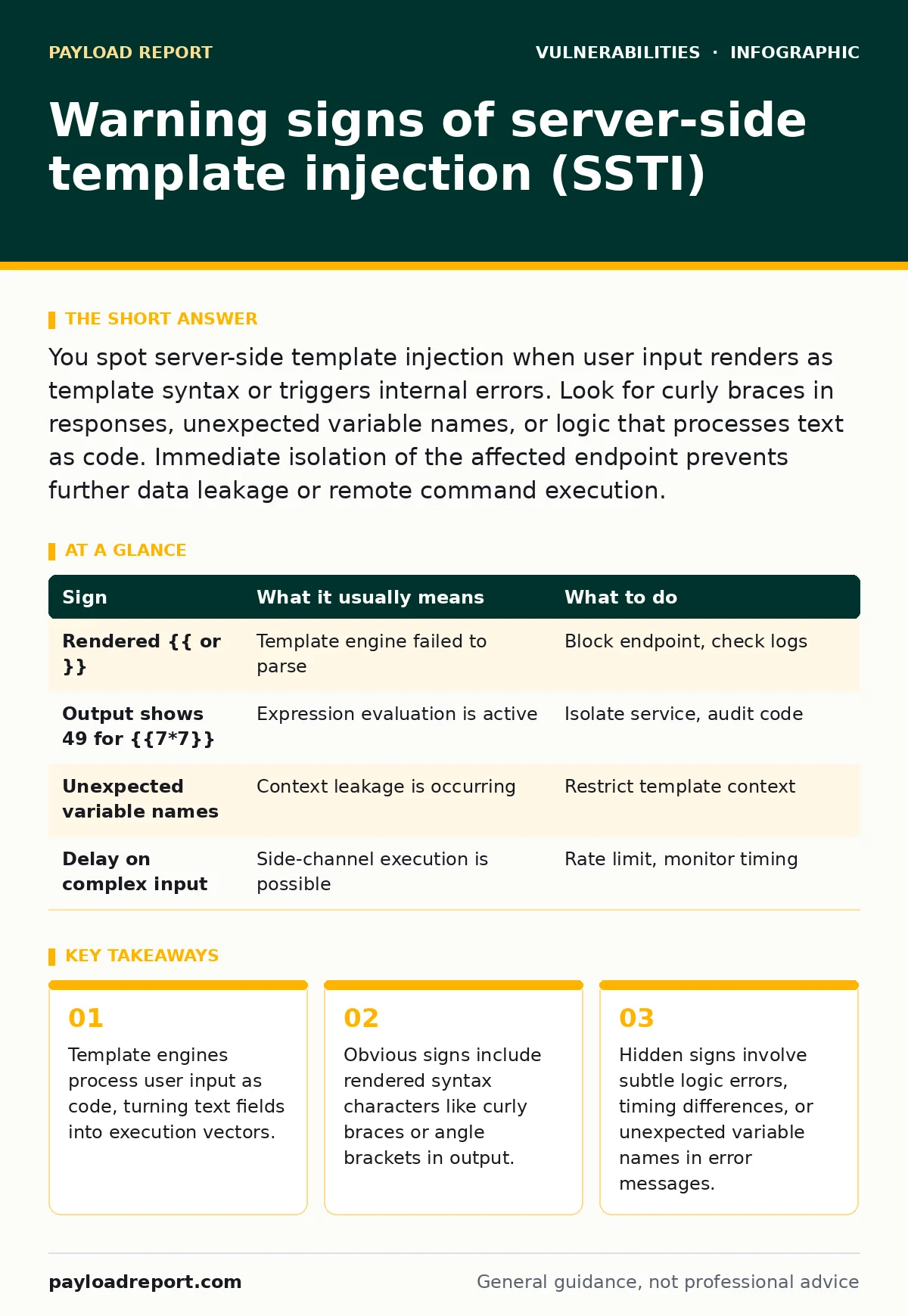
| Sign | What it usually means | What to do |
|---|---|---|
Rendered {{ or }} | Template engine failed to parse | Block endpoint, check logs |
Output shows 49 for {{7*7}} | Expression evaluation is active | Isolate service, audit code |
| Unexpected variable names | Context leakage is occurring | Restrict template context |
| Delay on complex input | Side-channel execution is possible | Rate limit, monitor timing |
Long-term prevention measures
You need to change how your team builds features. Train developers on template security. Show them how injection works in their specific framework. Integrate static analysis tools into your CI/CD pipeline. These tools can detect unsafe template usage. Review code changes for new template endpoints. Ensure new code follows security best practices. This reduces the chance of accidental exposure.
Regularly update your dependencies. Template engines receive patches for new bypasses. This is part of effective patch management. Do not delay updates for minor versions. Security fixes are often included. Monitor security advisories for your framework. This helps you stay ahead of emerging threats. Read security advisory reading guides to understand the impact. Prioritise fixes based on exploitability.
Check your configuration for debug modes. Debug modes often expose more information. Disable them in production. This reduces the information available to attackers. Ensure your application runs with least privilege. The template engine should not have access to system resources. This limits the damage from a successful injection. Combine this with n-day vulnerabilities monitoring. You must respond quickly to known issues.
Key takeaways
- Template engines process user input as code, turning text fields into execution vectors.
- Obvious signs include rendered syntax characters like curly braces or angle brackets in output.
- Hidden signs involve subtle logic errors, timing differences, or unexpected variable names in error messages.
Frequently asked questions
How do I distinguish SSTI from XSS?
Server-side template injection processes input on the server before sending the response. Cross-site scripting processes input in the browser. SSTI can execute server commands. XSS runs client-side scripts. Look for server-side logic errors to tell them apart.
Can input validation stop all SSTI attacks?
Input validation reduces risk significantly. It blocks known syntax patterns. It does not stop all attacks. Obfuscated payloads might bypass simple filters. You need multiple layers of defence. Combine validation with sandboxing and least privilege.
Should I disable template engines entirely?
Disabling them is not always possible. They provide dynamic content features. You can restrict their use. Use them only for static layouts. Keep user input out of the template context. This minimises the attack surface.
What frameworks are most at risk?
All template engines can be vulnerable. Popular ones like Jinja2, Twig, and Velocity have had issues. The risk depends on configuration. Default settings are often unsafe. You must harden your specific framework. Check its documentation for security settings.
How this guide was produced: written by the Payload Report editorial team with AI assistance, checked against the public references listed below, and reviewed when the facts change. See our editorial policy or report an error.