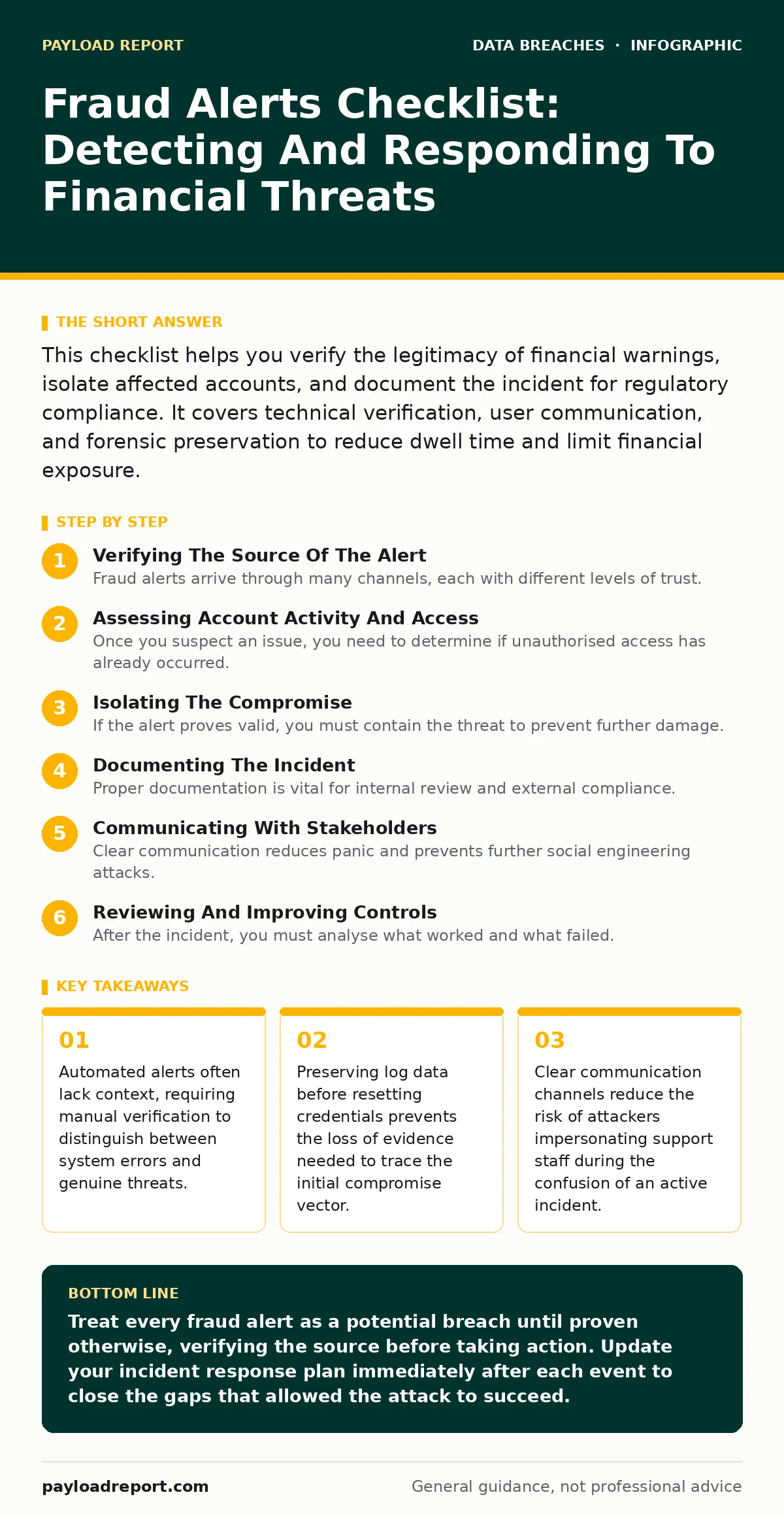
This checklist helps you verify the legitimacy of financial warnings, isolate affected accounts, and document the incident for regulatory compliance. It covers technical verification, user communication, and forensic preservation to reduce dwell time and limit financial exposure.
Verifying The Source Of The Alert
Fraud alerts arrive through many channels, each with different levels of trust. You must confirm the origin before taking any action.
- Check the sender address domain: Spoofed headers are common, so verify the domain matches the official service provider exactly.
- Look for generic greetings: Personalised messages usually contain your name or account number, while mass phishing attempts use generic salutations.
- Avoid clicking links in the email: Navigate to the service website directly via your browser bookmarks to check for any actual security notifications.
- Verify the timestamp: Legitimate alerts usually have precise timestamps that match your recent activity or lack thereof.
- Check for urgent language: Scammers often use fear to bypass rational thinking, so be wary of demands for immediate action without clear justification.
Assessing Account Activity And Access
Once you suspect an issue, you need to determine if unauthorised access has already occurred. This step is about gathering facts, not guessing.
- Review recent login locations: Compare the IP addresses and geolocations against your known user base to spot anomalies.
- Check for new devices: Look for unfamiliar device fingerprints in your account security settings, which may indicate a hijacked session.
- Monitor transaction history: Scan for small test transactions that often precede larger fraudulent transfers.
- Inspect API key usage: If you manage applications, check for unusual API calls that could indicate automated scraping or data exfiltration.
- Review password change logs: A recent password change without your initiation is a strong signal of a compromised account.
Imagine you see a login from a country you have never visited. This does not automatically mean you are hacked, as IP geolocation can be inaccurate. However, it requires immediate investigation to rule out credential stuffing attacks.
Isolating The Compromise
If the alert proves valid, you must contain the threat to prevent further damage. Speed matters, but accuracy matters more.
- Force a password reset: Change credentials immediately, ensuring the new password is unique and not used elsewhere.
- Revoke active sessions: Terminate all existing login tokens to log out any potentially unauthorised users from all devices.
- Disable compromised integrations: Turn off any third-party apps or services that have access to the affected account.
- Freeze financial instruments: Contact your bank to freeze cards or accounts linked to the compromised identity to stop direct theft.
- Update recovery options: Change security questions and backup email addresses, as attackers often alter these to lock you out.
Documenting The Incident
Proper documentation is vital for internal review and external compliance. It creates a clear timeline of events.
- Record the initial alert details: Save screenshots and headers of the original fraud warning for future reference.
- Log all actions taken: Note the time and result of every step you take, from password resets to support calls.
- Preserve communication records: Keep copies of emails and chat logs with support teams or financial institutions.
- Identify the data exposed: List exactly which types of data were accessible to the attacker, such as personal details or payment information.
- Assign an incident owner: Designate a single person to coordinate the response and maintain the documentation trail.
Communicating With Stakeholders
Clear communication reduces panic and prevents further social engineering attacks. You must control the narrative.
- Notify affected users: Inform individuals whose data was exposed about the breach and what steps they should take.
- Update internal teams: Ensure your support and security teams are aware of the incident to handle incoming queries consistently.
- Monitor for phishing follow-ups: Attackers often send follow-up messages pretending to be support, so warn your users to expect them.
- Provide clear instructions: Give users specific steps to protect themselves, such as changing passwords or monitoring credit reports.
- Schedule follow-up updates: Promise regular updates on the investigation to maintain trust and reduce anxiety.
See also: Rainbow Table Attack Response: Contain, Recover and Prevent Credential Theft · Purple Teaming FAQs: How to Run Effective Security Tests
Reviewing And Improving Controls
After the incident, you must analyse what worked and what failed. This turns a negative event into a learning opportunity.
- Analyse the attack vector: Determine how the attacker gained access to prevent similar methods in the future.
- Update alert thresholds: Adjust your monitoring rules to catch similar patterns earlier without generating excessive noise.
- Review access policies: Ensure that least privilege principles are applied, limiting what any single account can do.
- Test incident response plans: Run a tabletop exercise to see if your team can respond effectively under pressure.
- Implement additional controls: Consider adding steps like device binding or behavioural biometrics to strengthen authentication.
For deeper technical guidance on securing stored data, see our guide on encryption at rest. If you need to notify users about a data breach, refer to our customer breach notification letters guide. Understanding the legal requirements is also necessary, so consult the GDPR breach notification rule guide. To prevent attackers from moving laterally, explore our database activity monitoring guide. For protecting endpoints, see full disk encryption. If you suspect your emails are being manipulated, read about misdirected emails. Finally, if you want to limit exposure, check out credit freezes.
Key takeaways
- Automated alerts often lack context, requiring manual verification to distinguish between system errors and genuine threats.
- Preserving log data before resetting credentials prevents the loss of evidence needed to trace the initial compromise vector.
- Clear communication channels reduce the risk of attackers impersonating support staff during the confusion of an active incident.
Treat every fraud alert as a potential breach until proven otherwise, verifying the source before taking action. Update your incident response plan immediately after each event to close the gaps that allowed the attack to succeed.
Frequently asked questions
How do I know if a fraud alert is a phishing attempt?
Check the sender's email domain, look for generic greetings, and avoid clicking links. Instead, log in directly to the service to verify the alert.
Should I delete my account if I suspect a breach?
No, deleting the account destroys evidence. Instead, secure the account by changing passwords and revoking sessions, then document the incident.
What is the first step after confirming a fraud alert?
Isolate the compromise by forcing a password reset and revoking all active sessions to prevent further unauthorised access.
How long should I keep incident documentation?
Keep records for as long as legally required, often several years, to support audits, insurance claims, or legal defence.
How this guide was produced: written by the Payload Report editorial team with AI assistance, checked against the public references listed below, and reviewed when the facts change. See our editorial policy or report an error.